


The best WordPress form builder plugin depends on what the form needs to do after someone clicks Submit. A simple contact form needs reliable email delivery and spam protection. A project intake form may need conditional logic, file uploads, CRM routing, and team notifications. Payment forms, calculators, applications, surveys, user-generated content, and front-end data workflows push the requirements much further.
For most business websites, WPForms is the best overall WordPress form builder because it combines an approachable builder with a large template and integration ecosystem. Bit Form ranks #2 because it packs advanced fields, strong styling control, calculations, payments, multi-step and conversational forms, and data-management features into a lightweight form builder with a useful free version. Gravity Forms remains one of the strongest choices for developers and complex workflows.
This guide compares 12 of the best WordPress form builder plugins in 2026 using current official feature documentation. The ranking considers ease of use, field depth, conditional logic, payments, integrations, entry management, developer controls, form design, free-version usefulness, and how well each plugin fits a real WordPress workflow. Pricing changes often, so the comparison focuses on product capability and fit rather than temporary discounts.
Quick recommendations:
- Best overall: WPForms
- Best value for advanced forms: Bit Form
- Best for developers and complex workflows: Gravity Forms
- Best for data-driven forms and calculators: Formidable Forms
- Best developer-focused builder: WS Form
- Best block-editor-first option: SureForms
- Best free option for polls, quizzes, and forms: Forminator
- Best minimalist option: Contact Form 7
12 best WordPress form builder plugins compared
The table below gives the short version. “Free version” means the plugin has a usable free core or Lite edition. Advanced features may still require a paid plan or add-on.
| Rank | Plugin | Best for | Free version | Key strength |
|---|---|---|---|---|
| 1 | WPForms | Best overall for most business sites | Yes | Ease of use, templates, payments, broad ecosystem |
| 2 | Bit Form | Best value for advanced forms and automation | Yes | 50+ fields, strong styling, calculations, payments, frontend data workflows |
| 3 | Gravity Forms | Best for developers and complex business workflows | No | Conditional logic, mature add-on ecosystem, extensibility |
| 4 | Fluent Forms | Best all-rounder for features and pricing flexibility | Yes | 65+ fields, payments, integrations, conversational forms |
| 5 | Formidable Forms | Best for calculators and data-driven applications | Yes | Views, calculations, directories, front-end data display |
| 6 | WS Form | Best for developers and custom-field-heavy sites | Yes | 65+ fields, responsive layout editor, ACF/Meta Box/Pods integrations |
| 7 | SureForms | Best block-editor-first and AI-assisted option | Yes | AI form generation, payments, dynamic data, webhooks |
| 8 | Forminator | Best free option for forms, polls and quizzes | Yes | Payments, quizzes, polls, calculations, conditional logic |
| 9 | JetFormBuilder | Best for Gutenberg and dynamic WordPress data | Yes | Post-submit actions, post/user updates, conditional logic |
| 10 | Ninja Forms | Best modular add-on model | Yes | Free core, add-on flexibility, calculations, conditional workflows |
| 11 | Everest Forms | Best beginner-friendly alternative | Yes | AI builder, 35+ fields, templates, payments and integrations |
| 12 | Contact Form 7 | Best minimalist option for simple forms | Yes | Simple form tags, developer familiarity, very lean core |
How we compared these WordPress form plugins
A form builder should be judged by the complete submission workflow, not by the number of fields on a marketing page. We reviewed current official documentation and feature pages for each plugin, then compared the areas that matter when a WordPress form moves from a basic contact box to a business process.
- Form building: builder usability, templates, field types, layouts, multi-step forms, and responsive behavior.
- Logic: conditional fields, conditional notifications, calculations, validation, repeaters, and dynamic values.
- Payments: whether the form can handle one-time or recurring payments and which gateways are supported.
- Entry management: stored submissions, exports, editing, approval, reporting, and front-end entry workflows.
- Automation: CRM, email marketing, webhooks, APIs, automation platforms, and post-submit actions.
- Developer control: hooks, APIs, custom validation, custom fields, data mapping, and debugging tools.
- Value: what the free version can do, how quickly paid add-ons become necessary, and how the plugin scales across client sites.
If your form is part of a larger lead or operations workflow, the plugin is only one layer. Tenfic also works on WordPress form automation, CRM routing, notifications, and multi-step workflows after the submission reaches WordPress.
1. WPForms: best overall WordPress form builder for most sites
Best for: business owners, marketers, agencies, and WordPress users who want a polished builder with a large ecosystem.
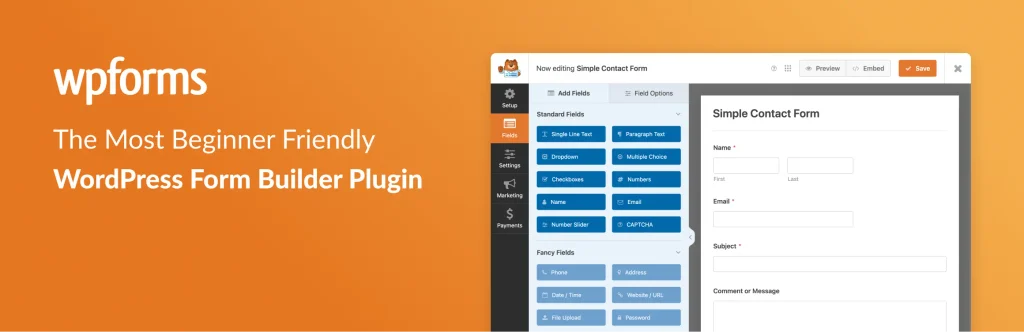
WPForms earns the #1 position because it handles the common WordPress form use cases with the least friction. Its drag-and-drop builder is approachable, the template library is extensive, and the product has grown far beyond contact forms. Current official feature pages list multi-page forms, conditional logic, conversational and lead forms, file uploads, surveys and polls, quizzes, post submissions, user registration, payment forms, geolocation, webhooks, Google Sheets, and conversion-focused features such as form abandonment and user journey reporting.
For payments, WPForms supports Stripe, PayPal, Square, and Authorize.Net depending on the plan. It also connects with popular email marketing and CRM platforms and can use Zapier or webhooks for broader automation. That makes it a strong fit when a form needs to feed a sales or marketing process instead of simply sending an email.
The main limitation is feature gating. WPForms Lite is useful for basic forms, but conditional logic, richer integrations, surveys, many advanced fields, and several conversion tools sit behind paid tiers. That is reasonable for a mature commercial plugin, but the full stack can cost more than some competitors if you need advanced features across multiple sites.
Choose WPForms if you want the safest all-round recommendation, strong documentation, a familiar builder, and a large integration ecosystem without needing developer-level setup.
2. Bit Form: best value for advanced forms, styling, and automation
Best for: agencies, small businesses, advanced form workflows, visually customized forms, and users who want a lot of capability without stacking many add-ons.
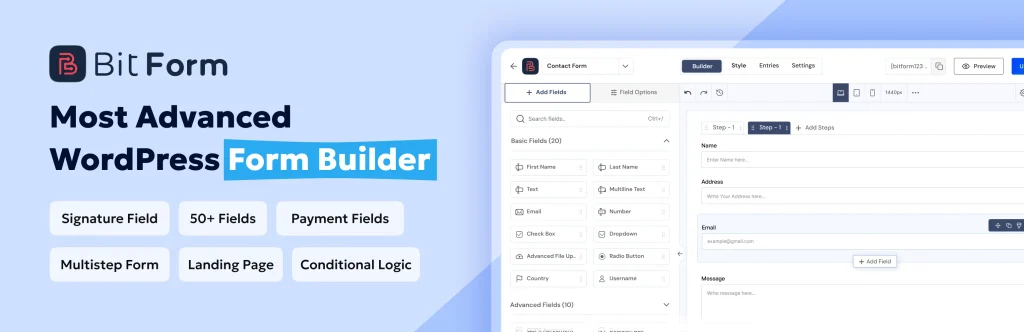
Bit Form ranks #2 because its feature set goes well beyond a standard contact form builder while keeping the form-building experience visual. Its current official feature pages list 50+ fields, a drag-and-drop builder, multi-step forms, conditional logic, conversational forms, a built-in style editor, a flexible multi-column grid, advanced calculations, repeaters, signatures, file uploads, user registration, landing pages, partial submissions, analytics, form-to-PDF, custom post type support, and front-end view/edit workflows.
The data side is a major reason Bit Form ranks this high. Entries are stored inside WordPress, and the plugin can support workflows where users submit, view, and edit data from the front end. For payment forms, Bit Form supports gateways including Stripe, PayPal, Razorpay, and Mollie. Its integration library covers CRM, email marketing, spreadsheets, storage, automation, and other business tools, while API, JavaScript events, and action hooks provide extension points for custom workflows.
Bit Form also puts more emphasis on form styling than many competitors. The built-in style editor, responsive layouts, conversational mode, and design controls are useful when the form needs to match a custom WordPress build rather than inherit a generic plugin look. Its homepage also positions the plugin as lightweight, which matters on sites where every extra frontend asset is scrutinized.
The trade-off is ecosystem size. WPForms and Gravity Forms have longer histories, larger third-party ecosystems, and more years of community examples. Bit Form is a better fit when you value an all-in-one feature set, design control, and price-to-capability ratio over having the largest add-on marketplace.
Choose Bit Form if you need advanced fields, conditional forms, payments, calculations, front-end data handling, and integrations in one form builder, especially for agency or client work.
3. Gravity Forms: best for developers and complex business workflows
Best for: developers, agencies, membership sites, complex integrations, and forms that are part of business-critical WordPress workflows.
Gravity Forms is one of the most established premium WordPress form builders. It does not offer a traditional free version, but the core product is built around extensibility and controlled workflows. Official documentation covers conditional logic for fields, notifications, confirmations, feeds, and payments; multi-page forms; save and continue; file uploads; entry exports; user registration; post creation; and a large catalog of official add-ons.
The conditional logic model is especially useful when one form needs several outcomes. A submission can route to a different team, trigger a different integration, show a different confirmation, or process a payment only when specific conditions are met. The add-on ecosystem covers payments, CRMs, marketing platforms, surveys, signatures, partial entries, advanced post creation, and more.
Gravity Forms is less focused on a beginner-first visual experience than WPForms or some newer builders. Its strength is reliability, extensibility, documentation, and the ability to become infrastructure for a custom WordPress application.
Choose Gravity Forms if your forms will be maintained by developers, need advanced integrations, or must support complex rules and long-term custom development.
4. Fluent Forms: best feature-rich all-rounder with flexible licensing
Best for: businesses and agencies that want a modern form builder with strong integrations, payments, and advanced fields.

Fluent Forms combines a fast drag-and-drop builder with a broad feature set. Its official feature list currently includes 65+ input fields, multi-step forms, conversational forms, conditional logic, calculations, file uploads, post creation, surveys and quizzes, payments, address autocomplete, spam protection, visual reporting, save and resume, partial entries, conditional confirmations, and more than 60 third-party integrations.
One advantage is that Fluent Forms Pro does not split its feature set across many product tiers. Site count changes by license, but the core Pro feature set is broadly consistent. That is attractive for agencies that dislike comparing which add-on is hidden behind which plan.
Fluent Forms also fits naturally into a wider Fluent ecosystem if you already use tools such as FluentCRM. The free version is strong enough for many ordinary contact and lead forms, while Pro becomes more compelling when you need advanced integrations, payments, conversational forms, and automation.
Choose Fluent Forms if you want a modern UI, lots of native features, strong integrations, and a straightforward path from free forms to advanced business workflows.
5. Formidable Forms: best for calculators, directories, and data-driven applications
Best for: calculators, directories, quote tools, front-end dashboards, user-generated content, and applications that need to display submitted data.

Formidable Forms stands out because it treats submitted data as something you can build with, not just something you email or export. Its Views feature can turn form entries into grids, tables, calendars, directories, dashboards, and other front-end displays. That makes Formidable particularly useful for projects where the form is the input layer for a small WordPress application.
Its current feature set includes conditional logic, multi-page forms, repeaters, calculations, conversational forms, digital signatures, save and continue, user registration, front-end editing, post creation, graphs and charts, PDFs, polls, surveys, quizzes, payment forms, and advanced calculations. The calculator tools are deeper than what most general-purpose form builders offer.
That power adds complexity. If you only need a basic contact form, Formidable can feel like more system than necessary. If you need to collect structured data and then display, calculate, filter, or edit it on the front end, the extra depth becomes the reason to choose it.
Choose Formidable Forms if your project needs forms plus data views, calculators, directories, or front-end application behavior.
6. WS Form: best for developers, custom fields, and precise form control
Best for: developers, custom WordPress builds, ACF/Meta Box/Pods sites, and forms that need strong debugging and responsive layout control.

WS Form is designed like a professional form-development tool. Its official site lists 65+ field types, 100+ templates, conditional logic, calculations, repeaters, multi-step forms, signatures, save progress, server-side validation, data encryption, conversational forms, e-commerce features, custom JavaScript, WordPress hooks, and a built-in debug console.
Its deep integrations with custom-field tools such as ACF, Meta Box, and Pods are a major differentiator. WS Form can work with WordPress data structures in both directions, which is useful when forms are editing profiles, custom posts, or custom-field-heavy records. The breakpoint-aware layout editor is also stronger than the simple one-column/two-column controls found in many plugins.
WS Form is not the first recommendation for someone who only wants a five-field contact form and never plans to touch advanced settings. Its density is an advantage for developers but can be more than a beginner needs.
Choose WS Form if you want developer-grade control, deep custom-field integration, responsive layout precision, and strong debugging tools.
7. SureForms: best block-editor-first and AI-assisted form builder
Best for: Gutenberg users, modern WordPress builds, users who want AI-assisted form creation, and teams that prefer a cleaner product with fewer feature gates.
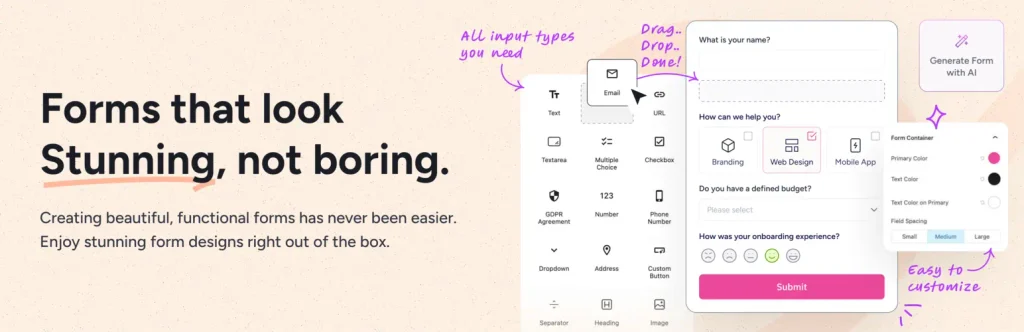
SureForms has matured quickly. Its current official feature pages list a drag-and-drop builder, 20+ field types, multi-column and multi-step layouts, conversational forms, AI form generation, dynamic data, post creation, webhooks, PDF generation, quizzes, surveys, polls, signature fields, save and resume, analytics, spam protection, and one-time or recurring Stripe payments.
The plugin feels especially natural on block-editor-first websites because the editing model follows modern WordPress patterns. SureForms also emphasizes simpler licensing: its paid plans expose the same premium feature set and vary mainly by site count.
Compared with Gravity Forms or WPForms, the ecosystem is younger. If you rely on a niche integration that has existed for years in another plugin, check compatibility before migrating. For new sites that want a modern builder, AI assistance, payments, and clean WordPress integration, SureForms is a strong option.
Choose SureForms if you prefer Gutenberg, want AI-assisted form building, and need a modern all-in-one feature set without a heavily fragmented add-on model.
8. Forminator: best free option for forms, polls, quizzes, and payments
Best for: budget-conscious sites, interactive marketing forms, quizzes, polls, registrations, and simple payment collection.

Forminator is one of the strongest free WordPress form plugins because the core product includes more than contact forms. Current WPMU DEV documentation covers conditional logic, calculations, file uploads, user registration, Stripe and PayPal payments, quizzes, polls, spam protection, custom styling, and integrations.
The free version is particularly attractive for sites that need a survey, quiz, poll, or payment form without immediately buying a premium license. Forminator Pro adds features such as e-signatures, geolocation, PDF generation, and Stripe subscriptions, and the plugin can also connect form submissions to n8n workflows.
The interface is capable but not as polished or conversion-focused as WPForms, and the ecosystem around Forminator is smaller than Gravity Forms. Still, the amount of useful functionality available without paying makes it difficult to ignore.
Choose Forminator if you want a generous free form builder that also handles polls, quizzes, payments, and registration forms.
9. JetFormBuilder: best for Gutenberg forms and dynamic WordPress data
Best for: Gutenberg, Crocoblock/JetEngine sites, front-end post submission, user profile forms, and custom WordPress data workflows.

JetFormBuilder is built around the WordPress Block Editor rather than a separate proprietary form canvas. Its current overview lists 24+ form field blocks, 10+ form elements, and 15+ post-submit actions. Those actions can handle notifications, redirects, hooks, verification, post/user updates, content and data management, integrations, and other workflows after submission.
The plugin is especially strong when the form needs to create or edit WordPress content. It can support front-end post submission, user updates, custom fields, conditional logic, calculations, records, and dynamic presets. Pro add-ons extend it with signatures, drag-and-drop uploads, PDFs, scheduling, marketing integrations, payments, and more.
JetFormBuilder makes the most sense when your site already uses Gutenberg or Crocoblock tools. On a simple brochure site, a more conventional form builder may be faster to learn.
Choose JetFormBuilder if your form is tightly connected to WordPress posts, users, custom data, or the JetEngine ecosystem.
10. Ninja Forms: best modular add-on approach
Best for: users who want a free core plugin and prefer adding premium functionality one feature at a time.
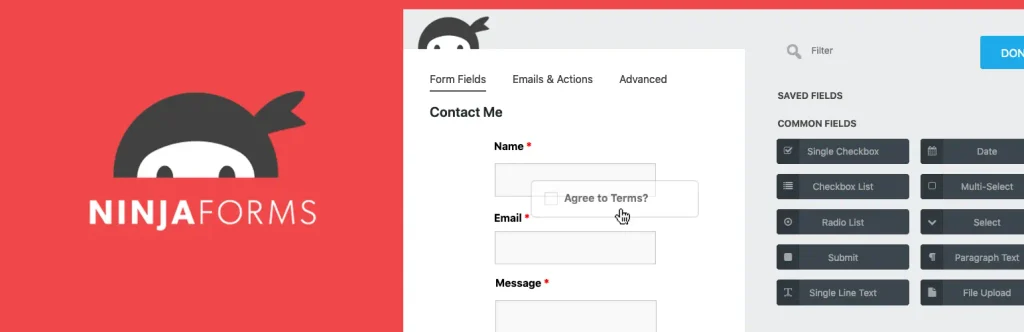
Ninja Forms has long used a modular model. The free core handles ordinary form creation, submissions, email actions, redirects, calculations, spam protection, and publishing. Advanced capabilities such as conditional logic, multi-step forms, file uploads, payments, CRM connections, and other integrations can be added as extensions or bundled through memberships.
The conditional logic add-on is flexible enough to show or hide fields, change values, modify list options, control actions, route emails, and change redirects based on answers. Multi-step forms are also handled through an add-on with progress and validation controls.
The advantage is that you can buy only what you need. The downside is that a complex form stack can become a collection of add-ons, which makes pricing and maintenance less straightforward than plugins that bundle more features into one plan.
Choose Ninja Forms if you like a modular product and want to build your feature set gradually around a free core.
11. Everest Forms: best beginner-friendly alternative
Best for: small businesses, simple lead forms, users who want an approachable drag-and-drop builder, and sites that want to start free.
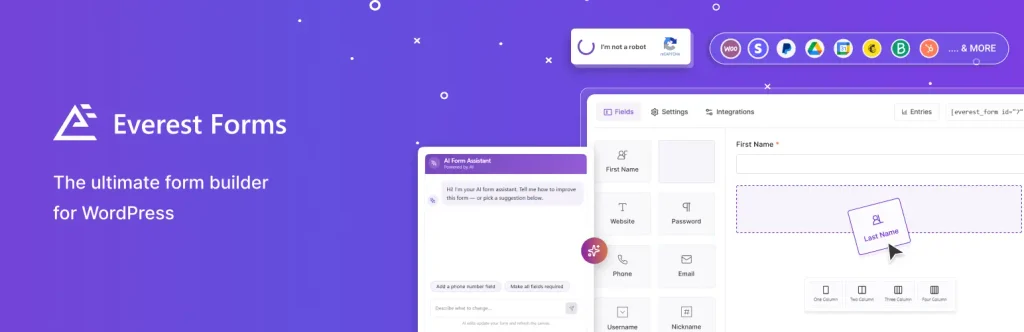
Everest Forms provides a visual builder, 35+ field types, 60+ starter templates, unlimited forms and entries, file uploads, a style customizer, AI-assisted form generation, multi-column layouts, and a solid free core. Paid features extend it with conditional logic, calculations, multi-step forms, conversational forms, save and continue, signatures, payments, CRM integrations, post submissions, and other advanced fields.
It is easy to recommend to a beginner who wants more structure than Contact Form 7 but does not need the depth of Formidable Forms or WS Form. The interface is straightforward and the free version covers common contact and lead-capture needs well.
The main question is ecosystem depth. Larger competitors have more third-party tutorials and integrations, while Everest Forms competes on ease of use, an improving feature set, and value.
Choose Everest Forms if you want a beginner-friendly free form builder with room to grow into payments, calculations, logic, and more advanced form types.
12. Contact Form 7: best minimalist option for simple forms
Best for: developers, simple contact forms, legacy WordPress sites, and users who want a small core without a visual drag-and-drop builder.

Contact Form 7 is different from every other plugin in this list. It uses form tags and template-style configuration rather than a modern visual canvas. The official documentation covers text, number, date, checkbox, radio, file upload, quiz, acceptance, hidden, and other fields, along with integrations for services such as reCAPTCHA, Cloudflare Turnstile, Akismet, Brevo, and Stripe.
The biggest limitation is entry storage. Contact Form 7 does not store submitted messages by itself. Its own documentation recommends installing Flamingo, another plugin from the same developer, when you need database storage for submissions. Styling and more complex logic also require more manual work or extensions than the other form builders in this roundup.
Contact Form 7 remains useful because it is simple, familiar to many WordPress developers, and easy to extend when the requirements are modest. It is not the best choice for a non-technical user who expects drag-and-drop design, built-in entry analytics, or advanced workflows out of the box.
Choose Contact Form 7 if you need a basic form, understand its manual configuration model, and prefer a minimalist core over a full form-building platform.
Which WordPress form builder should you choose?
Start with the form you need to build today, then look one step ahead. If you only need a contact form and a newsletter signup, buying the most complex plugin is unnecessary. If the form will become part of sales, onboarding, payments, support, or a data-driven application, choosing a plugin with strong entry management and integrations early can save a painful migration later.
- Choose WPForms for the easiest all-round experience and broad ecosystem.
- Choose Bit Form for advanced features, strong styling, payments, calculations, and automation at a competitive feature-to-cost ratio.
- Choose Gravity Forms when developers will build complex integrations and business logic around the forms.
- Choose Fluent Forms for a feature-rich modern builder with strong integrations and flexible licensing.
- Choose Formidable Forms when submitted data must become calculators, directories, dashboards, or other front-end applications.
- Choose WS Form for deep developer control and custom-field integrations.
- Choose SureForms for a block-editor-first workflow and AI-assisted form building.
- Choose Forminator when free polls, quizzes, payments, and forms are a priority.
- Choose JetFormBuilder for Gutenberg, JetEngine, and front-end WordPress data workflows.
- Choose Ninja Forms if you prefer a modular add-on model.
- Choose Everest Forms for an approachable free builder with a growing advanced feature set.
- Choose Contact Form 7 for basic developer-managed forms where a visual builder is unnecessary.
For custom business sites, the form builder should also match the rest of the WordPress architecture. Tenfic’s WordPress development service covers custom site builds, while form automation connects submissions with CRMs, notifications, spreadsheets, and internal workflows.
Features that matter more than the plugin name
A recognizable brand name does not guarantee the right fit. Before you commit to a WordPress form builder plugin, check the specific workflow requirements below.
- Entry storage: If email fails, can you still find the submission in WordPress?
- Conditional routing: Can different answers notify different people or trigger different integrations?
- Spam protection: Does the plugin support the anti-spam method you want without adding friction for users?
- Payments: Check the exact gateway, subscription support, coupons, calculations, and transaction-fee model.
- File handling: Confirm allowed file types, size controls, storage behavior, and privacy requirements.
- Accessibility: Test labels, keyboard navigation, errors, focus states, and contrast on the actual front end.
- Data ownership: Know what is stored in WordPress, what is sent to external services, and how entries can be exported or deleted.
- Automation: If forms feed sales or operations, check webhooks, APIs, CRM mappings, and failure handling before launch.
The form itself is only the visible part of the workflow. A reliable setup also needs email deliverability, spam controls, clear confirmations, secure data handling, and a defined process after submission. If you plan to automate those handoffs, the workflow principles in our WordPress automation ideas guide apply directly to form submissions.
Conclusion
There is no single best WordPress form builder plugin for every site. WPForms is the strongest overall recommendation for users who want a polished builder and broad ecosystem. Bit Form is the #2 choice for users who want a high feature-to-cost ratio, strong visual styling, advanced fields, calculations, payments, front-end data handling, and automation capabilities in one plugin. Gravity Forms remains the better fit when forms are developer-managed infrastructure, while Formidable Forms and WS Form stand out for data-heavy and technically demanding projects.
Pick the plugin that matches your real workflow, not the longest feature page. Build one representative form before committing across an entire site. Test the mobile layout, notifications, entry storage, spam protection, integrations, and failure cases. A form builder that handles those details cleanly will save more time than a plugin with dozens of features you never use.
Frequently asked questions
What is the best WordPress form builder plugin?
WPForms is the best overall WordPress form builder for most business websites because it balances ease of use, templates, payments, integrations, and advanced features. Bit Form is a strong #2 for users who want more built-in advanced functionality and design control at a competitive value.
Is Bit Form a good alternative to WPForms?
Yes. Bit Form is a strong WPForms alternative when you need conditional logic, multi-step and conversational forms, calculations, signatures, payments, front-end entry workflows, and detailed styling controls. WPForms has the larger ecosystem, while Bit Form competes strongly on feature density and value.
What is the best free WordPress form plugin?
Forminator is one of the strongest free options for users who need forms, polls, quizzes, payments, calculations, and conditional logic. Bit Form, Fluent Forms, SureForms, Everest Forms, Ninja Forms, JetFormBuilder, WS Form, and WPForms also offer free versions with different feature limits.
Which WordPress form builder is best for developers?
Gravity Forms and WS Form are the strongest developer-focused choices in this list. Gravity Forms has a mature add-on and developer ecosystem, while WS Form offers deep custom-field integrations, a debug console, server-side validation, hooks, and detailed responsive layout controls.
Which form plugin is best for calculations and quote forms?
Formidable Forms is the strongest choice for complex calculators and data-driven quote tools. Bit Form, Fluent Forms, WS Form, Forminator, Everest Forms, and other plugins in this list also support calculations, but Formidable goes further when calculated data needs to feed Views or front-end applications.
Does Contact Form 7 save form entries in WordPress?
No. Contact Form 7 does not store submitted messages by itself. Its official documentation recommends the Flamingo plugin when you need database storage for Contact Form 7 submissions.
Will a WordPress form builder slow down my site?
Any plugin can add frontend assets or database work, but the real impact depends on how the plugin loads scripts, the number and complexity of forms, integrations, anti-spam services, and your hosting. Test the actual page rather than choosing based only on a marketing performance claim.