
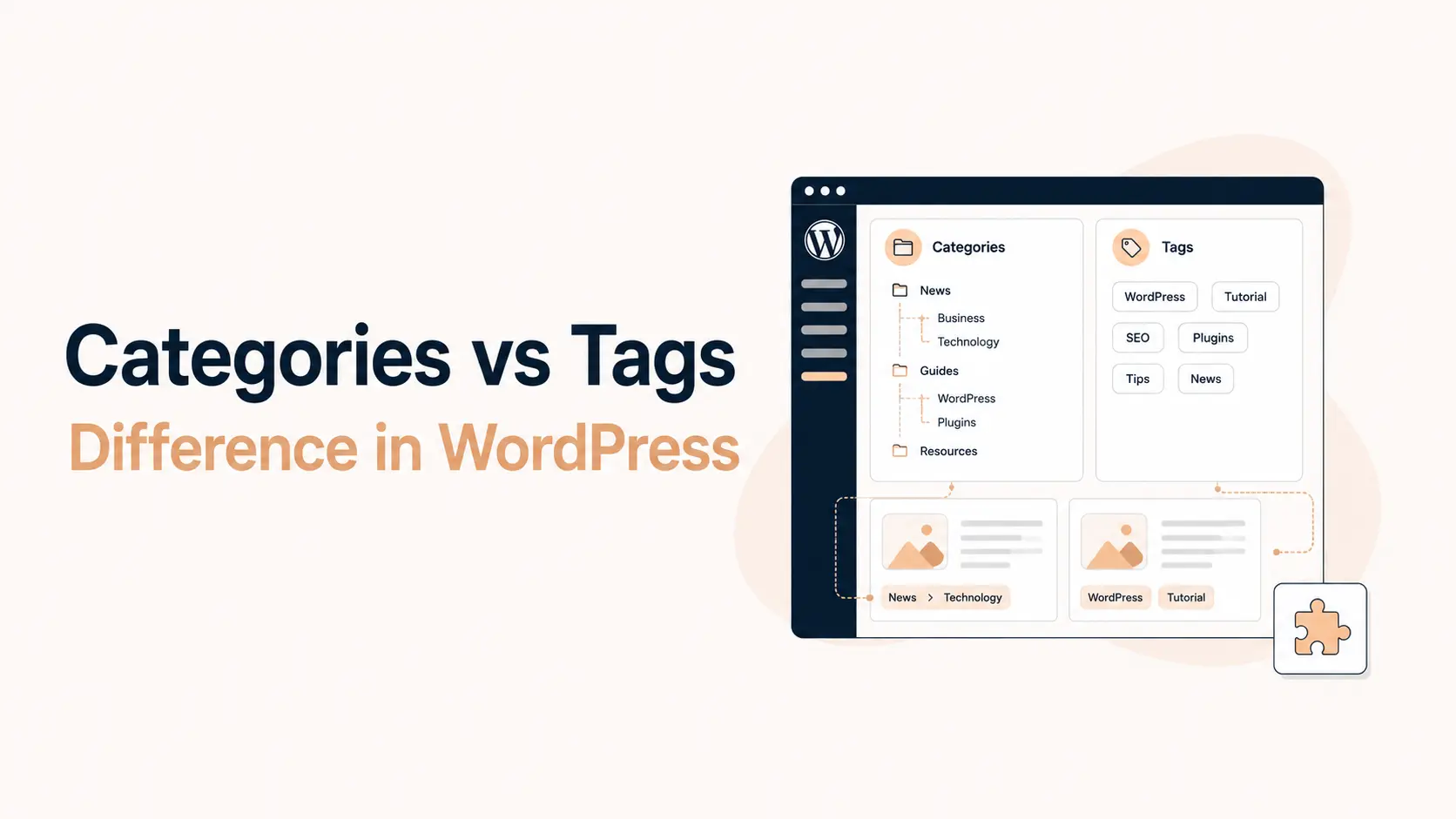


Categories and tags are both built-in WordPress taxonomies, but they organize content in different ways. Categories are broad, hierarchical sections of a site. Tags are optional, non-hierarchical labels that connect posts through more specific attributes or topics. A category answers “Which main section does this post belong to?” A tag answers “What specific subject, feature, person, tool, or characteristic appears in this post?”
That difference sounds small until a site grows. A clean category structure can make a blog easier to browse, strengthen internal organization, and give important topic archives a clear purpose. Poorly planned tags can do the opposite by creating dozens or hundreds of thin archive pages that contain only one post.
This guide explains how categories and tags work in WordPress, when to use each one, how archive pages and URLs are created, what matters for SEO, and how to build a taxonomy that remains useful as your content library grows.
TL;DR
- Categories: broad, hierarchical groups such as WordPress, SEO, Ecommerce, or Social Media. They can have parent and child categories.
- Tags: specific, non-hierarchical labels such as WooCommerce, Rank Math, Instagram Reels, or Core Web Vitals.
- Requirement: every standard WordPress post ends up in a category; tags are optional.
- Best practice: give each post one clear primary category when possible, then add only tags that genuinely connect it with other useful content.
- SEO: category and tag terms can create archive URLs. Treat valuable archives as real landing pages; avoid creating large numbers of thin or nearly empty tag archives.
- Common mistake: using categories and tags as duplicate versions of the same taxonomy, such as creating both a “WordPress” category and a “WordPress” tag for the same purpose.
Categories vs tags in WordPress: quick comparison
| Feature | Categories | Tags |
|---|---|---|
| Purpose | Organize posts into broad sections | Cross-reference posts by specific topics or attributes |
| Hierarchy | Yes: parent and child categories | No: flat, non-hierarchical terms |
| Required for posts | Yes. WordPress assigns the default category if none is selected | No. A post can have no tags |
| Typical scope | Broad and relatively stable | Narrower and more granular |
| Example | WordPress → WordPress SEO | Rank Math, XML Sitemap, Schema |
| Archive page | Yes, WordPress creates category archives | Yes, WordPress creates tag archives |
| Best use | Primary site/content structure | Secondary relationships across categories |
| Common risk | Too many overlapping categories | Hundreds of one-post or near-duplicate tag archives |
WordPress describes both categories and tags as taxonomies: systems for grouping related content. The difference is structural. The WordPress developer documentation defines categories as hierarchical and tags as non-hierarchical. WordPress Developer Resources uses a recipe example: broad groups such as Breakfast or Dinner work as categories, while ingredients such as chocolate or ginger can work as tags.
What is a category in WordPress?
A WordPress category is a broad classification used to divide posts into meaningful sections. Categories are usually planned before a large amount of content is published because they form part of the site’s information architecture. On a technology publication, categories might be WordPress, SEO, Ecommerce, AI & Automation, and Social Media. On a travel site, they might be Destinations, Travel Planning, Hotels, and Food.
The defining feature is hierarchy. A category can have child categories. For example, a site could use SEO as a parent category and Local SEO, Technical SEO, and WordPress SEO as child categories. WordPress can represent that parent-child relationship in navigation, templates, breadcrumbs, and archive structures depending on the theme and permalink configuration.
Categories are also tied to WordPress’s default post behavior. If you publish a post without selecting a category, WordPress assigns the site’s default post category. New installations traditionally start with “Uncategorized,” but that default can and should be renamed or changed to something meaningful before a content library grows.
What is a tag in WordPress?
A WordPress tag is a specific label used to connect posts that share a narrower characteristic, even when those posts sit in different categories. Tags do not have parents or children. Every tag exists at the same level.
Imagine a site with WordPress, Ecommerce, and SEO categories. A tag such as WooCommerce could appear on a WordPress plugin comparison, an ecommerce development tutorial, and an SEO article about product-page optimization. The tag creates a cross-category path to content that shares the WooCommerce subject without forcing WooCommerce to become the main category for every post.
Tags are optional. You do not need to add them to every post, and a site does not become better organized simply because it has more tags. A useful tag should normally have a repeatable purpose: readers should benefit from clicking it because several related posts are grouped there.
The 7 key differences between categories and tags
1. Categories define broad sections; tags describe specific details
Categories should describe the major content areas a site intends to cover consistently. Tags should add a secondary layer of specificity. A category might be Social Media; tags might include Instagram SEO, TikTok Marketing, LinkedIn, or Social Media Automation.
A useful test is to imagine the site’s main navigation or blog filter. If a term is important enough to represent a core editorial section, it may belong as a category. If it mainly helps readers discover related posts across those sections, it may work better as a tag.
2. Categories are hierarchical; tags are flat
WordPress lets categories have parent-child relationships. Tags cannot. This makes categories suitable for content trees and tags suitable for lateral connections. The official WordPress taxonomy documentation uses this hierarchy as the core technical distinction between the two systems. WordPress Taxonomies documentation explains that both are default taxonomies used to group related posts.
Do not create fake hierarchy with tag names such as “SEO,” “SEO Technical,” and “SEO Technical Crawling.” If the relationship genuinely needs parent and child levels, categories or a custom hierarchical taxonomy are usually cleaner.
3. Posts always have a category; tags are optional
Standard WordPress posts are assigned to at least one category. If you do not choose one, WordPress uses the configured default category. Tags are completely optional. This is one reason categories tend to form the stable backbone of a blog while tags can be introduced selectively.
For most editorial sites, it is clearer to assign one obvious primary category to a post even though WordPress technically allows multiple categories. Multiple category assignments are useful when the content truly belongs in more than one major section, but routinely checking three or four categories on every post usually signals that the taxonomy needs refinement.
4. Categories usually stay stable; tags can be more flexible
A good category structure should survive for years. If the categories change every month, the site’s main information architecture is probably too tactical. Tags can respond more easily to products, platforms, technologies, people, events, or recurring subtopics.
Flexibility still needs control. Creating a new tag for every phrase that appears in an article produces a tag index, not a useful navigation system. Before creating a tag, ask whether you expect to publish multiple posts that would belong under it.
5. Both can create public archive pages
WordPress can generate an archive page for every category and tag term. A category archive might live at a URL such as /category/wordpress/, while a tag archive might use /tag/woocommerce/, depending on permalink settings. The active theme controls how those archives look, and WordPress’s template hierarchy supports separate category and tag templates.
This has an important strategic consequence: every new taxonomy term can become another public URL. A category with 40 relevant posts can be a useful browsing hub. A tag used on one post may create an archive that adds little value. The goal is not to avoid archives; it is to create taxonomy terms deliberately.
6. Categories support navigation better; tags support cross-referencing better
Categories are easier to expose in primary blog navigation, breadcrumbs, archive filters, or content hubs because their meaning is broad and predictable. Tags are more useful as secondary discovery paths: related technologies, industries, features, locations, techniques, or entities that cut across the main categories.
A simple analogy from the WordPress support documentation is useful: categories work like a site’s table of contents, while tags behave more like an index. The table of contents shows the main sections; the index helps someone jump to every place a specific concept appears.
7. Categories and tags should not duplicate each other
If a site has a WordPress category and a WordPress tag containing almost the same posts, the tag adds no new navigation value. It also creates two archive URLs competing to serve the same purpose.
Decide the role of a term once. If WordPress is a major editorial section, keep it as a category. Use tags for narrower concepts within or across that section, such as Gutenberg, WooCommerce, Rank Math, WP-CLI, multisite, or WordPress security.
A practical categories vs tags example
Suppose you run a website that publishes about website development, SEO, ecommerce, and marketing. A clean taxonomy could look like this:
| Post | Primary category | Useful tags |
|---|---|---|
| How to Improve Core Web Vitals in WordPress | Website Performance | WordPress, Core Web Vitals, PageSpeed Insights |
| Best WordPress SEO Plugins | WordPress | Rank Math, Yoast SEO, SEOPress |
| How to Optimize WooCommerce Product Pages | SEO | WooCommerce, Product SEO, Ecommerce SEO |
| Instagram SEO Guide | Social Media | Instagram SEO, Social Search |
| WordPress vs Shopify vs Webflow | Web Design & Development | WordPress, Shopify, Webflow, Website Platforms |
Notice that the category identifies the main editorial home of each post. The tags identify technologies or subtopics that can connect that article with useful content elsewhere. The same WooCommerce tag could connect development, ecommerce, automation, and SEO posts without making all of them part of one category.
Do you need to use both categories and tags?
No. Categories are essential to normal WordPress post organization, but tags are optional. A small blog can work perfectly well with a disciplined category structure and no tags at all.
Add tags when they create a useful second way to browse content. If you publish 20 articles about WordPress across categories such as SEO, Performance, and Web Development, a WordPress tag might help. If only one article will ever use a tag, that tag is unlikely to provide much navigation value.
For a large publication, tags can become valuable entity and topic indexes. For a small business blog with 25 posts, they are often unnecessary overhead unless the tagging strategy is planned.
How many categories should a WordPress site have?
There is no WordPress or Google rule requiring a specific number of categories. The right number depends on the breadth of the publication. A focused company blog may need five or six categories. A large magazine may need dozens of categories and subcategories.
Start with the fewest broad sections that accurately describe the content strategy. A category deserves to exist when you expect to publish enough content under it that the archive becomes useful. If a category has stayed at one or two posts for a long time, consider whether it should be merged into a broader section.
Tenfic’s content pillar guide uses a related principle: strategic topics should be broad enough to support sustained coverage but focused enough to create recognizable subject ownership. Category planning works best when it follows the same discipline.
How many tags should you add to a WordPress post?
Again, there is no magic number. The correct answer may be zero, two, or several depending on the site. Adding 20 tags does not give a post 20 extra SEO opportunities. It creates or feeds 20 taxonomy relationships, and potentially 20 archive pages.
Use a tag only when it has an editorial function. A practical rule is to ask: Would a reader reasonably click this tag to find several related posts? If the answer is no, the term probably does not need to become a WordPress tag.
Avoid creating variations that mean the same thing, such as “WordPress Plugin,” “WordPress Plugins,” “WP Plugins,” and “Plugins for WordPress.” Choose one canonical term and reuse it consistently.
Categories and tags for WordPress SEO
Categories and tags do not make a post rank simply because keywords were added to them. Their SEO value comes from information architecture, internal linking, crawl paths, contextual grouping, and the usefulness of their archive pages.
A well-built category archive can become a genuine topic hub. It can include a descriptive heading, useful introductory copy, curated posts, breadcrumbs, internal links, and clear pagination. A tag archive can also be valuable when the tag represents a recurring topic with enough high-quality content.
The opposite is also true. Hundreds of one-post tag archives can create a large number of low-value URLs. That is not an automatic “duplicate content penalty,” but it can make the site harder to maintain, waste internal-link equity, and give search engines many weak pages to crawl.
Should category and tag archives be indexed?
There is no universal answer. Index an archive when it is useful as a standalone landing page and you are willing to maintain it. Consider noindexing or removing a taxonomy archive when it exists only as a mechanical list with little independent value.
For many business blogs, important category archives can remain indexable while low-value tag archives are noindexed through an SEO plugin. Other publications intentionally invest in rich tag archives because those pages serve meaningful entity or topic searches. The decision should follow page quality and search intent, not a blanket rule.
If you change category or tag slugs after those archives have been indexed or linked externally, add appropriate redirects. Taxonomy cleanup should improve architecture without leaving broken URLs.
Are WordPress tags the same as SEO keywords?
No. WordPress tags are taxonomy terms used to group posts. They are not HTML meta keywords, and adding a keyword as a tag does not automatically improve a post’s ranking for that keyword.
Use tags for navigation and content relationships. Do keyword research for the page itself, then optimize the page around search intent, content quality, headings, internal links, structured data where relevant, and technical fundamentals. Tenfic’s WordPress SEO services treat taxonomy as one part of the wider site architecture rather than a substitute for page-level SEO.
How to create and manage categories in WordPress
- Go to Posts → Categories in the WordPress dashboard.
- Enter a category name and a clean URL slug.
- Choose a parent category only when a true hierarchy exists.
- Add a useful description if your theme or archive template displays it.
- Create the category, then assign relevant posts to it.
- Set a sensible default post category under Settings → Writing so new posts do not fall into an irrelevant default.
You can also create or assign categories directly from the post editor. For larger editorial teams, define the approved category list in the content brief so writers do not create near-duplicate categories while publishing.
How to create and manage tags in WordPress
- Go to Posts → Tags or use the Tags panel inside the post editor.
- Search existing tags before creating a new one.
- Use a consistent singular/plural naming convention.
- Create the tag only if it is likely to group multiple posts.
- Add a clear slug and description when the tag archive is intentionally public.
- Periodically audit tags with one or zero posts and merge or remove terms that no longer serve a purpose.
Unlike categories, tags do not have a parent field because the built-in post_tag taxonomy is non-hierarchical. WordPress’s official Tags screen documentation confirms that tag archives group posts sharing the term but do not support parent-child relationships.
When categories and tags are not enough: use custom taxonomies
Large or specialized sites often outgrow the category/tag model. A real-estate site may need Property Type, Location, Amenities, and Developer. A software directory may need Platform, Pricing Model, Integration, and Industry. Trying to force all of those dimensions into post tags can become difficult to manage.
WordPress supports custom taxonomies so developers can model those dimensions explicitly. A custom taxonomy can be hierarchical or non-hierarchical, can have its own archive behavior, REST API exposure, admin interface, rewrite rules, and templates, and can be attached to selected post types.
Use a custom taxonomy when a classification is important enough to deserve its own rules and interface. This is one of the reasons custom WordPress development can scale beyond a simple blog: the content model can be designed around the business instead of forcing every relationship into categories and tags.
A clean taxonomy strategy for a growing WordPress site
- Define categories from the content strategy. Do not create a category because one post happens to mention a topic.
- Keep categories mutually understandable. Readers should be able to tell why a post belongs in one section rather than another.
- Use one clear primary category. Add another category only when it serves a genuine navigation requirement.
- Create tags from repeated entities or subtopics. Products, platforms, techniques, industries, and recurring concepts often work well.
- Reuse existing terms. Taxonomy consistency is more valuable than inventing a perfectly specific label for every post.
- Audit archives. Review categories and tags with very few posts, outdated names, overlapping meanings, or poor archive templates.
- Decide indexation deliberately. Important taxonomy landing pages should be useful; low-value mechanical archives do not all need to compete in search.
- Use custom taxonomies when the model becomes multidimensional. Do not keep stretching tags until they are doing five different jobs.
Common categories and tags mistakes to avoid
- Leaving posts in Uncategorized. Rename the default category or set a meaningful default before publishing at scale.
- Creating matching categories and tags. A WordPress category plus a WordPress tag with the same purpose usually creates redundant archives.
- Making every keyword a tag. Tags are for content relationships, not keyword stuffing.
- Creating a tag that appears once. One-post archives rarely help readers unless there is a clear future plan for that term.
- Using too many categories on every post. When everything belongs everywhere, the hierarchy stops being useful.
- Creating categories for temporary campaigns. Short-lived subjects often work better as tags, landing pages, or campaign-specific content.
- Changing slugs without redirects. Taxonomy cleanup can break internal and external links if old archive URLs are ignored.
- Ignoring archive design. If category pages are important navigation or SEO assets, treat them as landing pages rather than default post lists.
Categories vs tags: which should you use?
Use a category when the term defines a major section of your publication and may need parent-child structure. Use a tag when the term is a narrower, reusable label that helps readers connect posts across those major sections.
If the site is small, start with categories and introduce tags only when a repeated cross-category relationship becomes obvious. If the site is large and the same labels are carrying different meanings, move beyond the built-in taxonomies and design custom taxonomies around the content model.
The best taxonomy is usually the one readers barely notice because navigation feels obvious. Categories establish the map. Tags create useful shortcuts through that map.
Conclusion
The difference between categories and tags in WordPress is primarily about structure and purpose. Categories are broad and hierarchical; tags are specific and flat. Categories form the main sections of a blog, while tags create secondary relationships between posts.
Do not measure a taxonomy by how many terms it contains. Measure it by whether readers can find related content, editors can classify posts consistently, archive pages have a clear purpose, and the structure can grow without producing duplicate or empty paths. Start with a small category framework, add tags only when they connect multiple useful posts, and use custom taxonomies when the site’s data needs become more complex.
Frequently asked questions
What is the main difference between categories and tags in WordPress?
Categories are broad, hierarchical groups and can have parent and child categories. Tags are more specific, non-hierarchical labels used to connect related posts across categories.
Are categories or tags better for SEO?
Neither is automatically better for SEO. Categories and tags can support SEO when they create useful archive pages, clear internal linking, and logical content relationships. Thin or redundant taxonomy archives can add clutter instead of value.
Do I need to use tags in WordPress?
No. Tags are optional. A small or focused WordPress site can use only categories. Add tags when they create a useful secondary way to find several related posts.
How many categories should a WordPress post have?
WordPress allows multiple categories, but one clear primary category is usually easier for readers and editors to understand. Add another category only when the post genuinely belongs in multiple major sections.
How many tags should I use on a WordPress post?
There is no required number. Use only tags that have a repeatable organizational purpose and can connect the post with other relevant content. Zero useful tags is better than ten meaningless ones.
Do WordPress categories and tags create separate URLs?
Yes, public category and tag terms normally have archive URLs. The exact URL structure depends on permalink settings and taxonomy configuration. This is why taxonomy terms should be created deliberately.
Can WordPress pages use categories and tags?
Standard WordPress categories and tags are registered for posts, not pages. A plugin or custom development can attach taxonomies to pages or other custom post types when the content model requires it.
Should I noindex WordPress tag pages?
It depends on the value of the archive. A useful tag page with substantial related content can be indexable. Thin, redundant, or purely mechanical tag archives are often better noindexed or removed. Make the decision based on page quality and search intent.