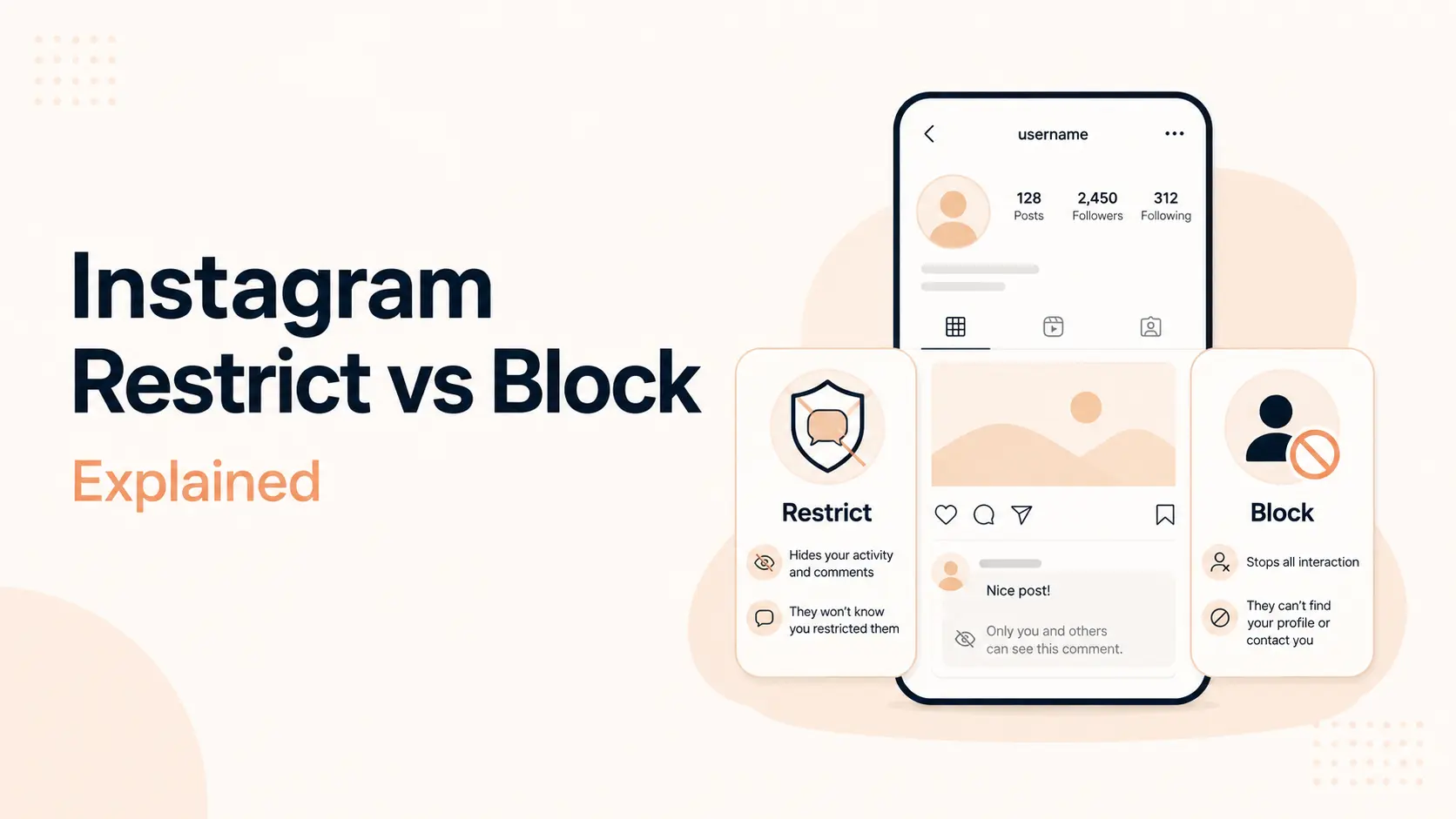


When you restrict someone on Instagram, you quietly limit how that person can interact with you without fully blocking them. Their new comments on your posts are hidden from everyone else unless you approve them, their direct messages move to Message Requests, they cannot see when you are active, and they cannot tell when you have read their messages. Instagram does not cut them off from your account the way blocking does.
That is the main difference between restrict vs block on Instagram. Restrict is designed for situations where you want distance and control without creating an obvious break. Block is the stronger option when you want to stop the account from interacting with you or accessing your account through that profile.
This guide explains exactly what happens when you restrict someone on Instagram, what the restricted person can still see and do, how comments and DMs change, and when restricting is a better choice than blocking, muting, or removing a follower.
TL;DR
- Comments: new comments from a restricted account are visible to that person but hidden from everyone else until you approve them.
- DMs: the chat moves to Message Requests, and future messages from that account go there too.
- Read receipts: the restricted person cannot see when you have read their messages.
- Active status: they cannot see when you are online or recently active.
- Notifications: you do not receive notifications for future comments from the restricted account.
- Profile and posts: restricting does not work like blocking. It does not by itself make your profile, posts, or Reels disappear from that person.
- Stories: if you want to stop someone from seeing your Stories or Live content, use Instagram’s separate Hide story and live controls or block them.
- Block: blocking is stronger. The blocked account cannot tag or mention you, its previous likes and comments are removed from your posts, and direct messages from it are not delivered.
Restrict vs block on Instagram: quick comparison
| What changes? | Restrict | Block |
|---|---|---|
| Can they see your profile? | Usually yes, subject to your normal privacy settings | No through the blocked account |
| Can they see posts and Reels? | Yes if they normally have access | No through the blocked account |
| Can they comment? | Yes, but new comments are hidden unless approved | No |
| Are old likes/comments removed? | No automatic removal | Yes, their likes and comments are removed from your photos and videos |
| Where do DMs go? | Message Requests | New direct messages are not delivered |
| Can they see read receipts? | No | Messaging is cut off |
| Can they see your active status? | No | No normal account interaction remains |
| Can they tag or mention you? | Restrict is not the same as blocking; use tag/mention privacy controls if needed | No |
| Will Instagram notify them? | No restriction alert is shown | Instagram says people are not notified when blocked, although they may notice |
| Best for | Quietly reducing unwanted interaction | Stopping contact and access more completely |
Instagram describes Restrict as a way to quietly protect an account from unwanted interactions. Meta’s current Restrict help page confirms the changes to comments, messages, read receipts, and activity status. Its separate blocking documentation explains the stronger effects of blocking.
What does Restrict mean on Instagram?
Restrict is an Instagram privacy and safety control that reduces one person’s ability to reach you publicly and privately without removing them from the platform or fully cutting them off from your account. It mainly changes three areas: comments, direct messages, and activity visibility.
Meta originally introduced Restrict as an anti-bullying tool for people who may not want the social consequences of blocking someone outright. The feature remains useful beyond bullying. Creators use it for persistent commenters, businesses use it for disruptive accounts, and ordinary users may use it when they want more distance from a friend, relative, coworker, ex-partner, or acquaintance without creating a visible confrontation.
Restrict is reversible. You can unrestrict the account later, and normal message routing and interaction controls resume.
What happens when you restrict someone on Instagram?
1. Their new comments are hidden from everyone else
This is one of the most important effects of Instagram Restrict. If the restricted person leaves a new comment on one of your posts, that comment is visible to the restricted person, but it is not automatically shown publicly to everyone else.
You can tap See comment to review it. From there, you can approve it so other people can see it, delete it, or leave it unapproved. You also stop receiving notifications for future comments from that restricted account.
From the restricted person’s perspective, this can look normal because they can still see the comment they posted. That is why Restrict can be much less obvious than deleting every comment or blocking the account.
2. Their DMs move to Message Requests
When you restrict someone, your chat with that person moves from the main Direct inbox to Message Requests. Future messages from the restricted account also go to Message Requests.
You can open and read those messages without sending the normal seen signal back to the restricted person. From the request, you can decide whether to delete the conversation, block the person, or unrestrict the account.
This is different from blocking. When an account is blocked, Instagram says new direct messages from that account are not delivered to you and will not suddenly appear later if you unblock the person.
3. They cannot see when you have read their messages
A restricted person cannot see that you have read their direct messages. You can therefore review a message request without creating the expectation that you must immediately reply.
This is particularly useful when the issue is persistent messaging rather than a need to completely stop contact. Restrict gives you visibility into what is being sent while reducing the pressure created by read receipts.
4. They cannot see when you are active on Instagram
Instagram also hides your activity status from a restricted account. They cannot see when you are currently active or use your activity status to infer that you are online but ignoring their message.
This applies specifically to the restricted relationship. Instagram also offers a broader Activity Status setting if you want to hide your online status more generally.
5. You stop getting notifications for their new comments
Instagram says you will not receive notifications for future comments made by someone you have restricted. The comments can still exist in the controlled state described above, but they do not keep interrupting you with alerts.
For creators and businesses managing a larger community, that can be useful when one account repeatedly posts disruptive comments without necessarily breaking rules strongly enough to justify a report or immediate block.
6. Restrict does not automatically hide your profile or posts from them
Restrict is an interaction control, not a full visibility block. If your account is public, a restricted person can still access content that is normally public. If your account is private and that person is already an approved follower, Restrict does not function as a follower-removal tool.
If your actual goal is to stop someone from seeing your posts, you need a different control. With a private account, you can remove the person as a follower. For a stronger cutoff, block the account.
7. Restrict does not automatically hide your Instagram Story
Instagram has a separate Hide story and live setting for controlling who can see Stories and Live content. Restricting someone is not the same as hiding your Story from them.
If you want to keep a person restricted but also stop them from seeing Stories, use Instagram’s Hide your story from someone control. This gives you a more targeted combination: limited comments and DMs through Restrict, plus no Story visibility through the Story privacy setting.
8. Group chats work differently
If you are in a group chat with someone you have restricted, Instagram warns you that the group contains a restricted account. You can then choose whether to stay in the group or leave.
Blocking also has a group-chat exception. If you remain in a group containing someone you blocked, you and the blocked person may still be able to see each other’s messages inside that group. A block therefore does not erase every shared group context.
Can a restricted person tell that you restricted them?
Instagram does not present a direct “you have been restricted” alert to the other person. Meta introduced Restrict specifically as a quieter way to manage unwanted interaction. Their own comment remains visible to them, their messages can still be sent, and your profile does not disappear simply because you restricted them.
They may still suspect something has changed. For example, they might notice that you never appear active, that their messages never show as seen, or that another account cannot see comments they posted on your content. Those are clues, not an Instagram restriction notification.
What happens to old comments and likes when you restrict someone?
Restrict is mainly described by Instagram in terms of new comments and future interactions. It does not carry the same automatic cleanup behavior as blocking.
Blocking is different. Instagram states that when you block someone, their likes and comments are removed from your photos and videos. If you later unblock them, those old likes and comments are not restored.
If an older comment is a problem but you do not want to block the account, you can delete the comment manually or use Instagram’s comment controls.
Can someone you restrict still tag or mention you?
Do not assume Restrict gives you the same tag and mention protection as Block. Instagram’s current blocking documentation explicitly says a blocked account cannot mention your username or tag you. Its Restrict help page does not describe Restrict as a complete tag-and-mention block.
If mentions or tags are the problem, use Instagram’s dedicated Tags and mentions settings. You can choose whether everyone, only people you follow, or nobody can mention or tag you. You can also enable manual approval for tagged posts.
Restrict vs block: what blocking changes
Blocking is the stronger privacy action. It is appropriate when you no longer want the account to interact with you through normal Instagram surfaces.
- Instagram removes the blocked person’s likes and comments from your photos and videos.
- The blocked account cannot mention your username or tag you.
- Your existing message thread can remain in Direct, but normal messaging between the two accounts is stopped.
- Messages a blocked person sends in Direct are not delivered to you.
- Instagram can give you the option to block that account plus other existing accounts the person may have and new accounts they may create.
- Instagram says people are not notified when you block them, although the loss of profile access can make the block easier to detect.
If you are managing a growing creator or business account, privacy tools are only one part of account management. Tenfic’s guide on growing Instagram followers organically covers recommendation eligibility, profile positioning, Reels, carousels, engagement, and analytics without relying on manipulative growth tactics.
When should you restrict someone instead of blocking them?
Choose Restrict when you still want visibility into the person’s interactions but want those interactions to have less impact on you and your audience.
- Persistent but not dangerous comments: you want to review comments before anyone else sees them.
- Awkward personal relationships: blocking may create unnecessary conflict, but you still want distance.
- Repeated DMs: you want messages out of the main inbox and do not want read receipts sent.
- Creator moderation: one follower repeatedly derails comment sections, but you want to keep control rather than immediately block.
- Business account moderation: an account is disruptive or argumentative, but you want to preserve a record of messages and comments.
Use Block when the priority is stronger separation. If the person is harassing you, impersonating you, threatening you, repeatedly creating new accounts to contact you, or making you feel unsafe, blocking and reporting may be more appropriate than relying only on Restrict.
Restrict vs mute vs remove follower vs block
| Tool | Main purpose | What changes |
|---|---|---|
| Restrict | Quietly limit another person’s interactions | Comments become controlled; DMs move to requests; read/activity status hidden |
| Mute | Control what you see | You can stop seeing someone’s posts, Stories, notes, or message notifications without unfollowing |
| Remove follower | Remove access to a private account’s follower-only content | The person stops being an approved follower; Instagram says they are not notified |
| Hide story | Stop a specific person from seeing Stories/Live | They can still potentially see your profile and posts |
| Block | Cut off interaction and profile access more strongly | Stops normal contact, removes their likes/comments, prevents tags/mentions |
Mute and Restrict are often confused because both are discreet. The difference is direction. Mute changes what you receive or see from them. Restrict changes how their interactions reach you and your audience.
How to restrict someone on Instagram
The fastest method is through the person’s profile:
- Open the Instagram profile you want to restrict.
- Tap the three-dot menu in the top-right corner.
- Tap Restrict.
- Confirm if Instagram asks you to confirm the action.
Instagram also lets you restrict an account through a Direct conversation, from a comment, or through the Restricted accounts section in settings. Interface labels can vary slightly by device and app version, so use Instagram’s current Restrict or unrestrict instructions if a menu has moved.
How to unrestrict someone on Instagram
You can unrestrict an account from the same profile menu or from your Restricted list in Instagram settings. In the app, the current path is generally:
- Open your profile.
- Open the menu.
- Go to the section for how others can interact with you.
- Open Restricted.
- Find the account and tap Unrestrict.
Future messages from that account can return to the normal inbox flow after you unrestrict it. Before unrestricting, review why you restricted the person in the first place and whether a different privacy control would be more appropriate.
How do you know if someone restricted you on Instagram?
There is no reliable in-app status that tells you another person has restricted your account. That is part of why Restrict is different from Block.
People often look for signs such as never seeing the person’s activity status, messages never showing as read, or a comment appearing to them but not to another account. None of those signs proves restriction on its own. Activity Status can be disabled globally, messages can remain unread for many reasons, and comments can be hidden or filtered through other Instagram controls.
Avoid third-party apps or websites that claim they can reveal exactly who restricted you. Instagram does not provide a public “restricted by” list for other users, and giving account credentials to untrusted services creates unnecessary privacy and security risk.
Does restricting someone affect your Instagram reach?
Restrict is a privacy and interaction-management feature. Do not treat it as an Instagram growth or algorithm tool. Its purpose is to control how a specific account’s comments and messages reach you.
If your goal is better organic discovery, focus on content quality, recommendation eligibility, retention, shares, profile conversion, and publishing patterns. Tenfic’s guides to the best time to post Instagram Reels and social media SEO cover those discovery factors in more detail.
Which option should you choose?
Use the lightest control that actually solves the problem. If you simply do not want to see someone’s content, mute them. If you have a private account and no longer want them following you, remove them. If you want their comments and DMs contained without an obvious break, restrict them. If you need stronger separation, block them.
For creators and brands, moderation should also be consistent. Decide what counts as disagreement, spam, abuse, harassment, impersonation, or a genuine customer complaint. Restricting a critical customer because they left a legitimate complaint can damage trust; restricting a repeated harasser is a very different use case.
If you manage several social channels, a broader social media growth strategy should include moderation rules alongside publishing, analytics, community management, and content planning.
Conclusion
When you restrict someone on Instagram, you are not removing them from Instagram or fully hiding your account. You are putting their interactions behind a quieter layer of control. Their new comments are held from public view unless you approve them, their messages move to Message Requests, they cannot see your read receipts, and they cannot see your activity status.
Blocking goes further. It is the better choice when you want a stronger cutoff, including preventing normal profile access, tags and mentions, and direct messaging through that account. Restrict is useful when you want distance without a visible confrontation; Block is useful when distance alone is not enough.
Frequently asked questions
What happens when you restrict someone on Instagram?
Their new comments on your posts are hidden from everyone else unless you approve them, their DMs move to Message Requests, they cannot see your active status, and they cannot tell when you read their messages.
Can someone see your posts if you restrict them on Instagram?
Yes, Restrict does not by itself hide your normal posts or profile. What they can see still depends on whether your account is public or private and whether they are an approved follower.
Can a restricted person see your Instagram Story?
Restrict is not the same as hiding your Story. Use Instagram’s separate Hide story and live setting if you want to prevent a specific person from seeing Stories or Live content.
What happens to messages when you restrict someone?
The conversation moves to Message Requests, future messages go there, and you can read the messages without the restricted person seeing a read receipt.
Does Instagram notify someone when you restrict them?
Instagram does not show the person a direct restriction notification. They may infer it from changed behavior, but there is no normal alert telling them that you restricted their account.
What is the difference between Restrict and Block on Instagram?
Restrict quietly filters comments, messages, read receipts, and activity visibility while leaving more of the account relationship intact. Block creates a stronger cutoff and prevents normal profile interaction, tagging, mentioning, and direct messaging.
Can a restricted person comment on your posts?
Yes. Their new comment is visible to them but not to everyone else unless you approve it. You can view, approve, delete, or ignore the comment.
Can someone you restrict see when you are online?
No. Instagram says a restricted account cannot see when you are online, and it also cannot see whether you read its messages.
Does restricting someone unfollow them?
No. Restrict is not an unfollow or follower-removal tool. If your account is private and you want to remove the person’s follower access, use Remove follower or Block.
Can you unrestrict someone later?
Yes. Restrict is reversible. You can unrestrict the account from its profile, a conversation, or your Restricted accounts list in Instagram settings.