
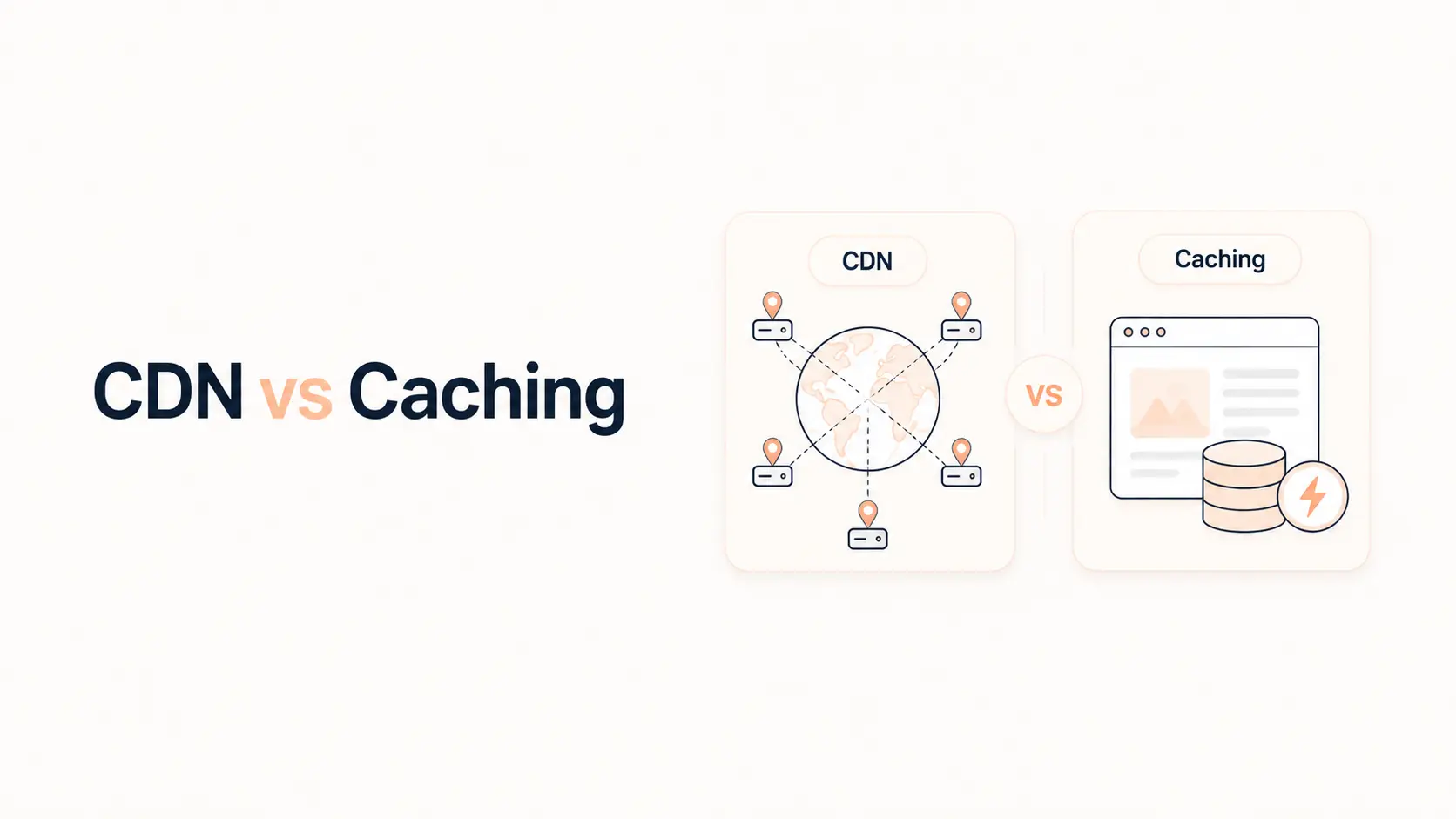


A CDN and caching solve related performance problems, but they are not the same thing. Caching reduces repeated work by storing a reusable copy of content or data. A CDN reduces delivery distance by serving content through a distributed network of edge locations. Modern CDNs often include caching, which is why the terms are frequently confused.
For most public websites, the best setup is not “CDN or caching.” It is usually proper caching at the browser/server/application level plus a CDN where geographic delivery, origin load, or edge caching matters.
If your website is slow, choosing the wrong layer can waste time. A CDN will not fix expensive uncached PHP or database queries at the origin. A caching plugin will not place your files closer to users on another continent. The right choice depends on where the delay occurs.
TL;DR
- Caching stores reusable copies so the browser, server, or application does not repeat the same work on every request.
- A CDN uses geographically distributed edge servers to deliver content closer to visitors and can also cache eligible content at those edge locations.
- Browser caching reduces repeat downloads for the same visitor.
- Full-page caching can dramatically reduce backend work and TTFB for public pages.
- Object caching reduces repeated database or application lookups on dynamic requests.
- A CDN is most valuable for geographically distributed traffic, static assets, origin offload, and edge caching.
- A CDN does not automatically cache every HTML page. Cache rules, response headers, cookies, authentication, and personalization affect what can be stored safely.
- Dynamic pages such as carts, checkouts, account areas, and personalized dashboards often need cache exclusions.
- Most business websites benefit from both caching and a CDN, configured as complementary layers rather than competing tools.
CDN vs Caching: The Difference in One Table
| Area | Caching | CDN |
|---|---|---|
| Main purpose | Avoid repeating work or downloads | Deliver content from infrastructure closer to the visitor |
| Where it can operate | Browser, server, application, database/object layer, edge | Distributed edge network |
| Can improve TTFB? | Yes, especially full-page/server caching | Yes when HTML is served from edge cache or network distance is reduced |
| Can reduce origin load? | Yes | Yes, especially when edge requests are cache hits |
| Helps repeat visitors? | Browser caching does | Yes, but the mechanism is different |
| Helps global visitors? | Not necessarily by itself | Yes, this is a core CDN use case |
| Handles dynamic/personalized content? | Requires careful rules | Requires careful rules and often bypasses shared cache |
| Replaces the other? | No | No |
The overlap is edge caching. A CDN can store cached responses at edge locations, combining the benefits of caching with shorter delivery distance.
What Is Caching?
Caching means storing data or content temporarily so it can be reused instead of regenerated or downloaded again.
The important point is that “cache” is not one single feature. A website can use several independent caching layers.
Browser caching
The visitor’s browser stores static resources such as images, CSS, JavaScript, and fonts according to HTTP cache headers. When the user loads another page that uses the same files, the browser may reuse its local copy instead of downloading everything again.
This reduces repeat network requests and transferred bytes. It is especially useful for assets that change infrequently and have versioned filenames.
Full-page or server caching
A dynamic CMS such as WordPress normally runs PHP, plugins, database queries, template logic, and other application code before returning HTML.
Full-page caching stores the generated HTML so eligible visitors can receive the saved response without repeating the complete backend process.
This can reduce server work and Time to First Byte significantly. WordPress’s official caching documentation identifies page caching as a major performance technique because it avoids repeatedly regenerating pages.
If slow server response is your main issue, see Tenfic’s guide on reducing Time to First Byte.
Object caching
Object caching stores data that would otherwise require repeated database or application retrieval.
On WordPress, a persistent object cache such as Redis or Memcached can preserve cached objects between requests. This is useful for dynamic pages that cannot be served entirely from full-page cache but still perform repeated database work.
Object caching and page caching are different. A site can use both.
Opcode caching
PHP OPcache stores compiled PHP bytecode so PHP scripts do not need to be parsed and compiled from scratch for every request.
It improves application execution efficiency, but it is not a substitute for page caching, object caching, or a CDN.
What Is a CDN?
A Content Delivery Network is a distributed network of servers positioned in multiple geographic locations.
Instead of every visitor communicating only with your origin server, a CDN places an edge layer between visitors and the origin. Requests can be handled at a nearby edge location, reducing network distance and allowing cached content to be served without reaching the origin at all.
A CDN commonly helps with:
- static asset delivery;
- image, CSS, JavaScript, and font caching;
- lower latency for geographically distant users;
- reduced origin bandwidth and request load;
- edge caching of HTML when configured safely;
- traffic absorption during spikes;
- TLS termination and network optimization;
- security services such as DDoS mitigation and web application filtering, depending on the CDN.
A CDN is therefore more than a cache, even though caching is one of its most important performance features.
Why a CDN Does Not Automatically Replace Website Caching
One of the most common mistakes is enabling a CDN and assuming all WordPress pages are now cached globally.
That is not necessarily true.
For example, Cloudflare’s current default cache behavior caches many static file types but does not cache HTML or JSON by default. HTML edge caching requires suitable cache rules and cacheable responses. `Cache-Control`, cookies, authentication, request methods, and other response conditions also affect whether a shared edge cache can store a response.
So a WordPress site can use a CDN while every HTML request still reaches the origin and triggers PHP/database processing.
In that setup:
- images, CSS, and JavaScript may load from the CDN;
- network delivery may improve;
- but uncached HTML generation can still produce high TTFB.
That is why origin/server page caching still matters.
Why Caching Does Not Automatically Replace a CDN
Suppose your WordPress page cache returns HTML in 100 ms from a server in London.
A nearby visitor may get an excellent response. A visitor thousands of kilometers away still has to cross a longer network path to reach that origin.
Origin caching reduces processing time. A CDN can reduce delivery distance and may also move the cached HTML itself to the edge.
This distinction becomes more important when your audience is international.
A locally focused website with users close to the server may receive less benefit from global edge HTML caching than a worldwide SaaS, ecommerce, media, or content site. But the CDN can still help with static assets, resilience, and security.
CDN Cache vs Browser Cache vs Page Cache
These layers are complementary.
Browser cache
The cached file is stored on the visitor’s own device.
Best for reusable static assets. It helps repeat visits but does not help a first-time visitor who has no local copy yet.
Page cache at the origin
The rendered page is cached on your hosting/server infrastructure.
It avoids repeated application work, but the response still travels from the origin to the visitor unless another edge layer caches it.
CDN edge cache
The response is stored on a CDN edge server closer to users.
A cache hit can prevent the request from reaching your origin at all. This reduces origin load and can improve response time for distant visitors.
For many public pages, the strongest setup is page caching plus edge caching plus sensible browser caching.
When Does Your Website Need Caching?
Almost every website should use some form of caching.
You should prioritize caching when:
- WordPress or another CMS regenerates mostly identical public pages on every request;
- TTFB is high because PHP/database work is repeated;
- the server slows during traffic spikes;
- static assets are repeatedly downloaded without effective browser cache headers;
- dynamic pages make frequent repeated database queries;
- hosting resources are being consumed by requests that could be served from cache.
If your site is slow even for visitors near the origin server, fixing caching and backend performance may matter more than adding another CDN layer.
Tenfic’s Why Is My Website Slow? guide can help identify whether the bottleneck is actually server-side, network-related, or front-end.
When Does Your Website Need a CDN?
A CDN becomes especially useful when:
- visitors are spread across multiple countries or continents;
- the origin server is far from part of the audience;
- pages contain many images, scripts, fonts, downloads, or other static assets;
- you want to reduce bandwidth and request load on the origin;
- traffic spikes can overwhelm the hosting server;
- you want safe HTML edge caching for public pages;
- you also need network-level security and traffic filtering.
For a global content site, ecommerce store, SaaS marketing site, or high-traffic WordPress installation, using a CDN is usually reasonable even when the origin is already well optimized.
When Should You Use Both?
For most performance-focused business websites, both is the better answer.
A typical layered setup looks like this:
- The browser caches static assets locally.
- Full-page cache avoids regenerating public HTML at the origin.
- Object caching reduces repeated database work on dynamic requests.
- A CDN caches static assets near visitors.
- Eligible public HTML may also be cached at the CDN edge.
- Dynamic or private requests bypass shared page cache and reach the optimized origin.
Each layer removes a different source of latency or server work.
This is also why adding several overlapping “cache” plugins is not automatically better. Multiple systems can conflict over headers, purging, minification, page cache rules, or exclusions. Use a clear architecture and know which layer owns each job.
What Should Not Be Cached Publicly?
Shared caching becomes dangerous when the response contains user-specific information.
Common examples include:
- shopping carts;
- checkout pages;
- logged-in account pages;
- personalized dashboards;
- private membership content;
- pages containing user-specific pricing or sessions;
- authenticated API responses.
On WooCommerce, for example, cart, checkout, and account flows normally require exclusions from public full-page caching. Your cache/CDN configuration must respect cookies and application rules so one user never receives another user’s personalized response.
A good caching strategy is not “cache everything.” It is cache everything that is safe and beneficial to cache.
How to Tell Whether Your CDN or Cache Is Actually Working
Do not assume a feature is working because the dashboard says “enabled.”
Check response headers
Browser DevTools or command-line HTTP tools can reveal cache-related headers.
Depending on the platform, you may see indicators such as:
- `Cache-Control`;
- `Age`;
- `CF-Cache-Status` on Cloudflare;
- provider-specific cache HIT/MISS headers.
A `HIT` generally means the response was served from cache. A `MISS` means the cache had to retrieve or generate it. `BYPASS` or equivalent often means the response was deliberately not cached.
Compare first and repeated requests
If the first request is slow but later requests become dramatically faster, caching may be warming successfully.
Test the HTML document separately from assets
A CDN can return cache hits for images and CSS while the HTML document remains dynamic and slow.
Inspect the main document request specifically. This matters when diagnosing TTFB and LCP.
For performance testing, Tenfic’s Google PageSpeed Insights guide explains how to separate real-user data from Lighthouse diagnostics.
CDN vs Caching: Which Should You Implement First?
If you control a dynamic website such as WordPress, a sensible order is:
- Fix obviously slow backend requests. A CDN should not hide severe application or database problems.
- Enable correct full-page caching for public pages.
- Configure browser caching for static assets.
- Add persistent object caching if profiling shows repeated database/object retrieval is significant.
- Add a CDN for global delivery, origin offload, static assets, and edge caching.
- Configure exclusions and cache headers carefully for dynamic or personalized content.
- Measure again using real pages and multiple geographic locations.
The exact order can vary. If your website already has good origin caching but serves a worldwide audience from one region, the CDN may be the highest-impact next step.
Common CDN and Caching Mistakes
Installing a CDN but leaving the HTML uncached
This can improve static assets while leaving high TTFB untouched. Check the main document response instead of assuming “CDN enabled” means “page cached.”
Caching personalized pages
Shared caches must not serve private session data to other visitors. Configure bypass rules for authenticated and personalized routes.
Using multiple overlapping caching systems
Two page-cache plugins, a host cache, and CDN rules can create purge problems and inconsistent behavior. Know which layer is authoritative.
Setting very long cache lifetimes without versioning or purge control
Long TTLs are useful for immutable assets, but frequently changing content needs revalidation, versioned URLs, or reliable purge behavior.
Treating every cache MISS as a failure
A cache miss is normal when a resource is first requested, expired, purged, or intentionally bypassed. The question is whether cacheable traffic becomes hits under expected conditions.
Conclusion
A CDN and caching should not be treated as competing performance tools.
Caching removes repeated work. A CDN reduces delivery distance and can move cached content closer to users. Full-page caching can make WordPress generate HTML faster, while a CDN can deliver that content and its static assets more efficiently across regions.
For most public business websites, the strongest architecture uses both: browser caching for reusable assets, server/page caching to reduce backend work, object caching when dynamic database work is significant, and a CDN for distributed delivery and edge caching.
Start with the bottleneck. If the origin is slow, fix backend processing and caching. If distant users are slow, improve network delivery and edge caching. If both are problems, use both layers deliberately rather than expecting one feature to solve everything.
Frequently Asked Questions
Is a CDN the same as caching?
No. Caching is the practice of storing reusable data or responses. A CDN is distributed delivery infrastructure. CDNs commonly use caching at their edge servers, so the two technologies overlap, but they are not the same thing.
Do I need a CDN if I already use a caching plugin?
Possibly. A caching plugin can reduce WordPress backend work, but it does not automatically distribute content geographically. A CDN can reduce latency for distant visitors and offload static or edge-cached requests from the origin.
Does a CDN improve TTFB?
It can. The largest improvement usually occurs when the HTML response itself is served from an edge cache. A CDN that only caches static files may have limited impact on the TTFB of an uncached HTML document.
Does Cloudflare cache WordPress pages automatically?
Not all HTML pages by default. Cloudflare’s current default behavior caches many static file types but does not cache HTML or JSON by default. HTML edge caching requires appropriate cache rules and cacheable responses.
Can I use a CDN without a caching plugin?
Yes. A CDN can still cache and deliver static assets and provide network/security features. However, on a dynamic WordPress site, uncached HTML may still require PHP and database processing at the origin, so server/page caching can remain valuable.
Should WooCommerce use a CDN and caching?
Yes, but public and private content must be treated differently. Product and content pages can often benefit from caching, while cart, checkout, account, logged-in, and personalized responses generally require appropriate cache exclusions.
Which is more important: CDN or caching?
It depends on the bottleneck. If backend processing is slow, caching is often the first priority. If users are geographically far from the origin, a CDN may provide the larger improvement. Most established websites benefit from both when configured correctly.
