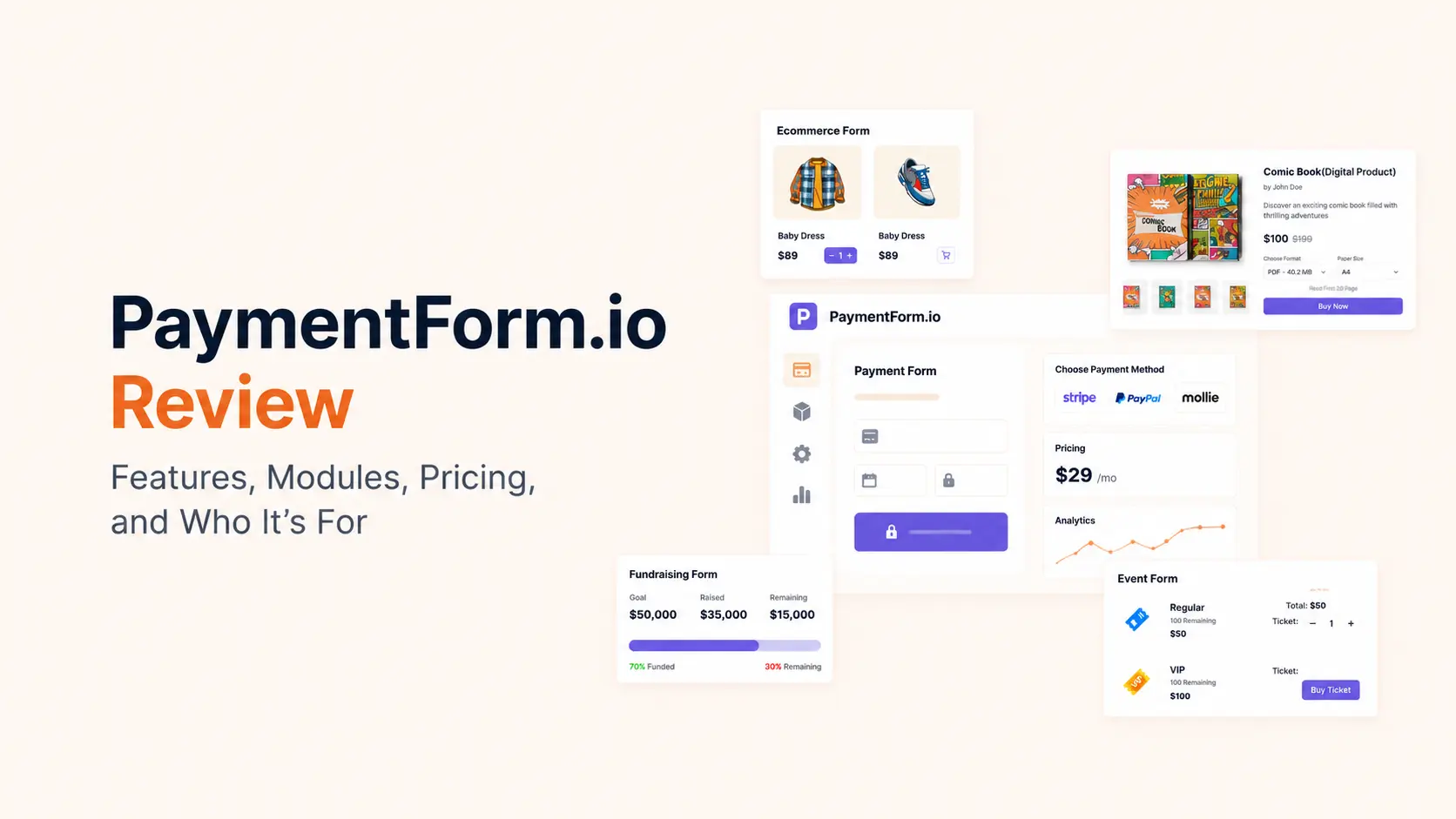


PaymentForm.io is a no-code, module-based payment form builder for people who need to collect money online without building a full ecommerce site. It combines payment forms, checkout pages, invoices, recurring payments, customer-facing emails, analytics, and sharing tools around specific use cases such as product sales, donations, fundraising, event tickets, contracts, memberships, and digital products.
The product is easier to understand when you stop treating it as another generic form builder. You start with a payment use case, choose the matching module, configure the fields and payment rules, then publish a direct link, embed the form, use a custom domain, or build a fuller landing page around it.
I have used PaymentForm.io many times while building and testing different payment workflows, so this review is based on hands-on use of the product rather than a feature checklist. I focused on how the modules work in practice, where the setup saves time, and the limitations that matter before you put a live checkout in front of customers.
TL;DR: PaymentForm.io is a no-code payment and checkout builder with eight purpose-built modules for products, donations, fundraising, event tickets, contracts, memberships, and digital products. It is strongest when you need a focused payment workflow without the overhead of a full ecommerce platform.
- PaymentForm.io currently presents eight payment modules: Single Product E-commerce, Multi-Product E-commerce, Donation, Fundraising, Event Ticket, Contract, Membership, and Single Digital Product.
- It is not a payment gateway. You connect supported gateways such as Stripe, PayPal, Razorpay, Mollie, Square, and other available providers, and the connected gateway processes the payment.
- You can use it without a website. A form can be shared by direct link or QR code, embedded into an existing site, connected to a custom domain, or placed inside a PaymentForm.io page built with its visual Page Builder.
- PaymentForm.io advertises a 0% platform transaction fee. Your payment processor can still charge its normal processing fee.
- The strongest fit is a focused payment workflow: selling a few products, collecting donations, running a fundraiser, selling tickets, collecting a signed contract and payment, charging for memberships, or delivering a digital product.
- It is less suitable when you need a large-store catalog, advanced fulfillment stack, marketplace architecture, full CRM, or the ecosystem depth of a mature ecommerce platform.
PaymentForm.io at a glance
| Area | Current position |
|---|---|
| Product type | No-code payment form and checkout builder |
| Core modules | 8 |
| Website required | No |
| PaymentForm.io platform transaction fee | 0% |
| Recurring payments | Supported in relevant workflows |
| Invoices | Built-in Invoice Builder |
| Distribution | Direct link, QR, embed, custom domain, social sharing |
| Page building | Visual Page Builder with content, layout, form, and ready-section blocks |
| Free plan | Yes |
| Pro price checked Aug. 24, 2026 | $9/month after the current launch offer |
| Best for | Creators, small sellers, nonprofits, event organizers, service businesses, membership operators |
What is PaymentForm.io?
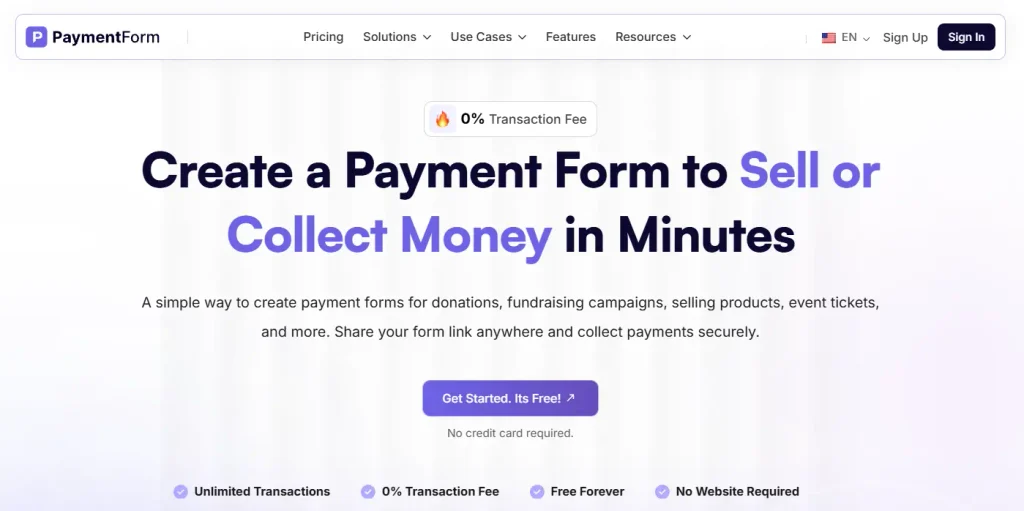
PaymentForm.io sits between a basic payment link and a full ecommerce platform. A basic payment link usually gives you a fixed amount and a checkout. PaymentForm.io adds the business logic around that payment: products, ticket inventory, donation options, contract signatures, invoices, recurring billing choices, confirmation emails, customer details, taxes, coupons, analytics, and post-payment delivery.
That distinction matters. If your goal is simply to accept one fixed payment, a gateway-native payment link may already be enough. PaymentForm.io becomes more useful when the transaction needs a structured flow before or after payment.
It also differs from a traditional form plugin. A normal form builder starts with blank fields and asks you to construct the workflow yourself. PaymentForm.io starts with a business model. The module decides which payment-specific controls are relevant, while common form settings handle design, fields, emails, invoices, tracking, password protection, success messages, and payment gateways.
How the PaymentForm.io workflow works in practice
The product follows a module-first workflow. That is the most important design decision to understand before comparing it with a general form builder.
- Choose the module. Start with the job you need to complete: sell a product, collect a donation, run a fundraiser, issue tickets, collect a contract payment, sell membership access, or deliver a digital product.
- Configure module-specific rules. Product forms expose stock, variants, shipping, discounts, and product details. Event forms expose ticket types, ticket limits, event information, attendees, and check-in. Contract forms expose plans, signatures, contract variables, and payment frequency.
- Add the information you need from the buyer. PaymentForm.io provides 10+ field types and lets you configure the fields needed for that workflow.
- Set the checkout experience. Configure colors, typography, success content, terms, email notifications, invoices, payment gateways, tracking, and password protection where needed.
- Build a page if the form needs context. The visual Page Builder can add a hero, copy, images, video, features, social proof, schedules, galleries, FAQs, CTA sections, and the payment form itself.
- Publish and distribute. Share a direct URL or QR code, embed the form into an existing site, connect a custom domain, or send traffic to the PaymentForm.io page.
- Manage responses after payment. Use submissions, orders, analytics, invoices, emails, exports, check-in tools, and customer-facing management features depending on the module.
For businesses that already use WordPress, this can also sit beside a larger site rather than replace it. For example, you can keep your main content and SEO pages in WordPress, embed or link the checkout where needed, and connect follow-up processes through webhooks or a broader form automation workflow.
What stands out in the current version of PaymentForm.io?
Compared with the earlier version I used, PaymentForm.io now covers much more than a basic payment form. The current product gives me eight purpose-built modules, a visual Page Builder, contract and ticket workflows, invoices, analytics, webhooks, recurring payments, and more control over what happens before and after checkout.
- Contract Module: I can use fixed or plan-based pricing, choose payment frequencies, insert dynamic contract variables, collect signatures, and deliver a finalized PDF after payment.
- Event Ticket Module: I can create standalone or grouped tickets, control inventory and sales windows, collect attendee data, use QR or manual check-in, record check-out, and share a protected check-in link with event staff.
- Visual Page Builder: I can build a complete landing page around the payment form with drag-and-drop sections instead of sending visitors to a bare checkout.
- Membership and Single Digital Product: both are available as dedicated modules, so recurring memberships and focused digital-product sales no longer need to be forced into a generic checkout setup.
- Pricing: the current launch offer gives eligible users Pro free for the first 12 months, then the plan costs $9/month.
All 8 PaymentForm.io modules explained
1. Single Product E-commerce
The Single Product E-commerce module is designed for a focused checkout where one product is the center of the page. It supports product variations, inventory limits, discounts, shipping costs, and the normal buyer information needed to complete an order.
This is a practical fit for a creator, small brand, preorder campaign, limited drop, or business that wants to sell one main offer without creating a catalog. If your marketing happens on social media, email, or a landing page, a direct checkout can remove several storefront steps.
2. Multi-Product E-commerce
The Multi-Product E-commerce module expands the same idea into a lightweight catalog. It supports unlimited products, categories and subcategories, product variants, discounts, shipping configuration, and stock management.
The key word is lightweight. It can cover a straightforward product-selling workflow, but it should not be confused with the deeper catalog, extension, fulfillment, and store-management ecosystem of WooCommerce. If you need complex merchandising or a large store, a dedicated WooCommerce development setup is the more natural architecture.
3. Donation
The Donation module supports fixed and custom donation amounts, one-time and recurring contributions, donor information fields, receipts, and customized emails. Recurring frequencies and customer-facing subscription management are also available in relevant payment setups.
This is useful for a nonprofit, community project, religious organization, club, or individual campaign that needs a donation page without implementing a full donor platform. The trade-off is that PaymentForm.io is not positioned as a complete donor CRM, so organizations needing advanced donor segmentation, relationship history, grant management, or nonprofit accounting should evaluate those systems separately.
4. Fundraising
Fundraising adds campaign mechanics on top of contribution collection. PaymentForm.io supports fundraising goals, progress tracking, deadlines, automatic campaign closure, contributor information, and custom messaging when a campaign has ended.
That makes the module more suitable than a plain donation form when the amount raised, target, and campaign window are part of the public story. It is designed for focused campaigns rather than a full crowdfunding marketplace.
5. Event Ticket
The Event Ticket module is one of the most complete workflows in PaymentForm.io. I can create multiple ticket types, use standalone or grouped ticket structures, set paid or free tickets, apply discounted pricing, define sales-opening and closing times, set minimum and maximum quantities per order, and limit inventory.
Grouped tickets can share quantity, which matters when several ticket options draw from the same capacity. Event pages can also include lineup information, speaker or performer details, social links, agenda content, and attendee information fields.
After purchase, PaymentForm.io can deliver tickets with QR codes. Check-in can use camera scanning or a manual ticket code, and the system records check-in/check-out activity. A password-protected check-in board can be shared with door staff so they can validate attendees without receiving full account access. That is a meaningful operational feature, not just a checkout feature.
6. Contract
The Contract module combines agreement, signature, and payment in one flow. You can use fixed pricing or multiple plans, choose one-time or recurring billing frequencies, insert dynamic variables into contract content, collect client details, and add signatures.
The Contract module supports one-time, daily, weekly, monthly, and yearly payment frequencies. Admin signatures can be drawn, typed, or uploaded. After the client signs and pays, the finalized contract PDF can be generated and sent as part of the workflow.
For freelancers, consultants, agencies, coaches, and service businesses, this removes the common gap between “proposal accepted” and “deposit paid.” The workflow is still narrower than a dedicated contract lifecycle management platform, but it covers the part many small service teams actually need: terms, signature, payment, and a finalized document.
7. Membership
The Membership module supports multiple plans, custom pricing, one-time or monthly/yearly billing, plan benefits or feature descriptions, subscription tracking, and discounts or coupons.
This can work for paid communities, clubs, simple membership programs, retained services, or recurring-access offers where the payment and plan selection are the main requirements. Before using it for a gated content site or LMS, confirm how access provisioning will be handled; a payment form and a complete membership access-control system solve different problems.
8. Single Digital Product
The Single Digital Product module targets files and downloadable offers such as ebooks, templates, software files, course resources, and other digital products. It supports product images, descriptions and previews, product variations, coupons, and automatic file delivery after payment.
This is strongest when you sell a focused digital offer and do not need a large digital storefront. For a creator driving traffic from a newsletter, social profile, or one landing page, the combination of checkout plus post-payment file delivery can be enough.
The Page Builder turns a payment form into a landing page
A payment form often fails because the visitor has not yet received enough context to buy. PaymentForm.io’s Page Builder fixes that gap by letting me build the content around the transaction inside the same product.
The content blocks include headings, text, images, YouTube/Vimeo video, links or buttons, lists, dividers, and cards. Layout blocks include sections, one-, two-, and three-column layouts plus a 30/70 split. Functional blocks include the Payment Form itself and custom HTML in a secured frame.
There are also ready sections for common landing-page needs: hero areas, navigation and footers, statistics, feature sections, social proof, testimonials, trust badges, event teams or performers, schedules, galleries, calls to action, and FAQs. The builder includes an outline panel, responsive preview, draft saving, publishing, and unpublishing.
This changes the practical scope of the product. A seller without a website can create both the explanation and the checkout instead of sending prospects to an isolated payment form. Businesses that care about conversion should still apply the same landing-page principles they would use elsewhere: one clear offer, proof near the decision point, transparent pricing, and a short path to payment.
PaymentForm.io features beyond the modules
Form fields, design, and checkout customization
Common form settings cover the parts shared across modules. I can use 10+ field types, theme customization, typography and color controls, success messages, terms and conditions, email settings, invoices, tracking, password protection, and form status controls.
This means a Donation form and an Event Ticket form can look consistent with the same brand even though the underlying payment logic is different. Multi-language and multi-currency support are also available.
Products, inventory, shipping, discounts, and tax
For commerce workflows, PaymentForm.io supports product categories and subcategories, product variants, stock controls, shipping or delivery costs, coupon generation, and custom tax rules. Tax rules can be applied by country or state and can use billing or shipping information.
These controls cover many small-store and campaign-style sales. They are not a reason to replace a mature ecommerce stack when you need advanced fulfillment, warehouse logic, complex tax compliance, subscriptions tied to product entitlements, or thousands of SKUs.
Invoices and post-payment communication
The built-in Invoice Builder works across several module types, including products, donations, fundraising, tickets, contracts, digital products, and memberships. Custom email templates and module-specific email notifications let the transaction trigger the appropriate confirmation or delivery message.
This is one of the areas where PaymentForm.io offers more than a bare gateway checkout. The workflow can continue after the payment instead of ending at a generic success screen.
Sharing, embedding, QR codes, and custom domains
A published PaymentForm.io form can be distributed in several ways: direct link, embed code, QR code, social sharing, or custom domain. Password protection is available for workflows that should not be publicly accessible.
That flexibility is useful when the traffic source is not a traditional website. A social seller can place a checkout link in a profile. An event organizer can print a QR code. A WordPress site can embed the form. A campaign can use a dedicated domain.
Analytics, tracking, exports, and automation
The broader workflow tools include built-in analytics, Google Analytics, Meta Pixel, CSV/Excel export, abandoned-form tracking, webhooks, activity logs, and file-related management. Availability depends on the plan, so I check the plan limits before building a workflow around a Pro-only feature.
Webhooks are particularly important if PaymentForm.io is only one step in a larger business process. A successful payment can feed another system that creates a CRM record, starts onboarding, sends internal notifications, or updates a database. For more complex cross-app processes, a dedicated workflow automation setup can handle the steps outside the payment form.
Payment gateways and where the money goes
PaymentForm.io is not a payment processor or payment gateway. It connects the form and checkout workflow to supported payment providers. Core gateway options include Stripe, PayPal, Razorpay, Mollie, and Square, with additional providers available depending on the account and region.
Gateway availability can vary by region and product rollout, so verify the exact provider you need inside the current account before migrating a live payment flow. This is especially important for region-specific gateways.
Card details are handled by the connected payment gateway rather than stored inside PaymentForm.io, and money goes directly to the connected gateway account. That separation keeps PaymentForm.io focused on the checkout workflow instead of holding raw card data.
PaymentForm.io pricing in 2026
At the time of this review on August 24, 2026, PaymentForm.io is running a launch offer for the first 1,000 users: Pro is free for the first 12 months, then costs $9/month. The free plan remains available.
| Free plan | Pro plan |
|---|---|
| Unlimited form creation | Everything in Free |
| All module access | Google Analytics |
| Theme customization and 10+ field types | Meta Pixel |
| Invoice Builder | File export |
| Unlimited submissions and transactions | Abandoned Form |
| Custom email and thank-you page | Built-in Analytics |
| Custom domain and embed code | Password Protection |
| QR Code Generator and coupons | Webhook |
| 0% PaymentForm.io transaction fee | Branding removal and QR check-in features |
Also remember what “0% transaction fee” means. PaymentForm.io does not add a platform percentage to the transaction, but Stripe, PayPal, Razorpay, or another gateway can still charge its own processing fees.
Security and payment-data handling
The payment architecture keeps sensitive card processing with the connected gateway. PaymentForm.io does not store raw card details, transactions use SSL/TLS-protected connections, and its data-handling controls are designed around GDPR-related requirements.
Those are useful platform controls, but they do not remove a merchant’s responsibilities. You still need secure administrator accounts, strong gateway authentication, correct tax and refund processes, lawful data collection, and appropriate privacy notices for the countries where you operate.
Where PaymentForm.io is strongest
- The module-first setup reduces configuration work. You do not have to invent ticketing, donation, contract, or product logic from blank fields.
- You can sell without a full website. Direct links, QR codes, custom domains, and the Page Builder support businesses that acquire customers through social, email, communities, or offline campaigns.
- It covers more of the transaction lifecycle. Invoices, emails, file delivery, check-in, signatures, recurring payments, analytics, and customer-facing management make it broader than a simple payment link.
- You keep the payment gateway relationship. PaymentForm.io orchestrates the checkout while the connected processor handles the payment.
- The Event Ticket and Contract modules solve specific operational problems. QR check-in and signed-contract PDF delivery are materially different from adding a card field to a generic form.
Limitations to understand before choosing it
- It is not a full ecommerce platform. A large catalog, advanced merchandising, warehouse integrations, extensive extensions, marketplace features, or complex order operations still favor dedicated commerce software.
- It is not a payment gateway. You still need a supported gateway account and are subject to that provider’s country, compliance, payout, and processing-fee rules.
- Gateway availability can differ. Confirm the exact gateway and currency combination you need before building a live sales process around it.
Who should use PaymentForm.io?
PaymentForm.io works best when the payment flow is focused and you want to avoid the overhead of a full ecommerce stack.
- A creator selling one ebook, template, software file, or other digital offer.
- A small business selling a limited set of physical products without needing a full online store.
- A nonprofit or community collecting one-time or recurring donations.
- A campaign organizer who needs a fundraising goal, progress, deadline, and contribution flow.
- An event organizer selling tickets and managing QR-based attendee check-in.
- A freelancer, agency, consultant, or coach who wants contract signature and payment in the same flow.
- A club, community, or service provider charging for membership plans.
- A business that already has a website but wants a simpler embedded checkout for a specific campaign.
If you are still deciding how to structure the broader business around the checkout, Tenfic’s guides on starting an online business and increasing ecommerce sales cover the surrounding offer, channel, and conversion decisions.
When PaymentForm.io is not the right fit
Choose a more specialized platform when your core requirement extends well beyond the transaction itself. Examples include a marketplace with many independent vendors, a large inventory and warehouse operation, an advanced nonprofit CRM, a learning platform with deep content access rules, or enterprise contract lifecycle management.
The useful question is not “Can PaymentForm.io accept this payment?” In many cases it can. The better question is “Does PaymentForm.io cover the operational workflow before and after this payment without forcing me to rebuild the rest elsewhere?”
How to start with PaymentForm.io
- Create an account and choose the module that matches the transaction.
- Set the product, donation, campaign, event, contract, membership, or digital-delivery rules before styling the form.
- Add only the customer fields you genuinely need. Every unnecessary field increases checkout friction.
- Connect the payment gateway you plan to use and run a complete test transaction.
- Configure confirmation emails, invoices, success content, tax, currency, coupons, and recurring billing where relevant.
- If a bare checkout needs more explanation, build a landing page with the Page Builder or embed the form into your existing site.
- Test the entire post-payment path—not only the payment. Confirm the buyer receives the correct ticket, file, invoice, contract PDF, email, or subscription outcome.
- Add analytics and webhooks only after the core transaction works correctly. Then measure where users abandon and automate downstream operations.
PaymentForm.io review: final verdict
PaymentForm.io is most compelling as a business-specific payment workflow builder, not as a generic form tool and not as a replacement for every ecommerce platform. Its eight-module approach makes common use cases easier to configure, while invoices, emails, recurring payments, custom domains, QR tools, webhooks, analytics, and the newer Page Builder cover more of the journey around the payment.
The Event Ticket and Contract workflows are especially notable because they connect payment to an operational outcome: attendee check-in or a signed final agreement. The product also gives smaller sellers a realistic route to take payments without first building a full website.
Before moving an important live payment flow, I test the exact gateway, recurring-payment behavior, emails, invoices, and post-payment delivery from start to finish.
For a focused checkout that needs more structure than a payment link but less overhead than a full commerce stack, PaymentForm.io is a strong fit.
Frequently asked questions about PaymentForm.io
Is PaymentForm.io a payment gateway?
No. PaymentForm.io is a no-code payment form and checkout platform. It connects to supported payment gateways, while the connected gateway processes the transaction and pays out according to its own rules.
Do I need a website to use PaymentForm.io?
No. You can share a PaymentForm.io checkout with a direct link or QR code. You can also use a custom domain, build a landing page with the Page Builder, or embed the form into an existing website.
How many modules does PaymentForm.io have?
PaymentForm.io has eight modules: Single Product E-commerce, Multi-Product E-commerce, Donation, Fundraising, Event Ticket, Contract, Membership, and Single Digital Product.
Does PaymentForm.io charge a transaction fee?
PaymentForm.io currently advertises a 0% platform transaction fee. Your connected gateway can still charge its normal payment-processing fee.
Can PaymentForm.io accept recurring payments?
Yes. Recurring payments are available in relevant workflows. Donation and Contract support recurring options, while Membership includes recurring plan billing. I still recommend checking the exact frequency and gateway combination you plan to use before launch.
Can I sell event tickets with PaymentForm.io?
Yes. The Event Ticket module supports multiple ticket types, ticket groups, sales windows, quantity rules, attendee details, QR tickets, manual code lookup, and check-in/check-out tools.
Can PaymentForm.io collect a contract signature and payment together?
Yes. The Contract module supports contract content, dynamic variables, client signatures, fixed or plan-based pricing, one-time or recurring payment options, and finalized PDF delivery after the transaction.
Can I sell digital products through PaymentForm.io?
Yes. The Single Digital Product module is designed for digital offers and includes product presentation, variations, coupon support, and automatic file delivery after payment.
What does PaymentForm.io Pro cost?
As of August 24, 2026, the launch offer for the first 1,000 users gives Pro free for the first 12 months, then it costs $9 per month. The offer can change, so confirm the current amount before subscribing.