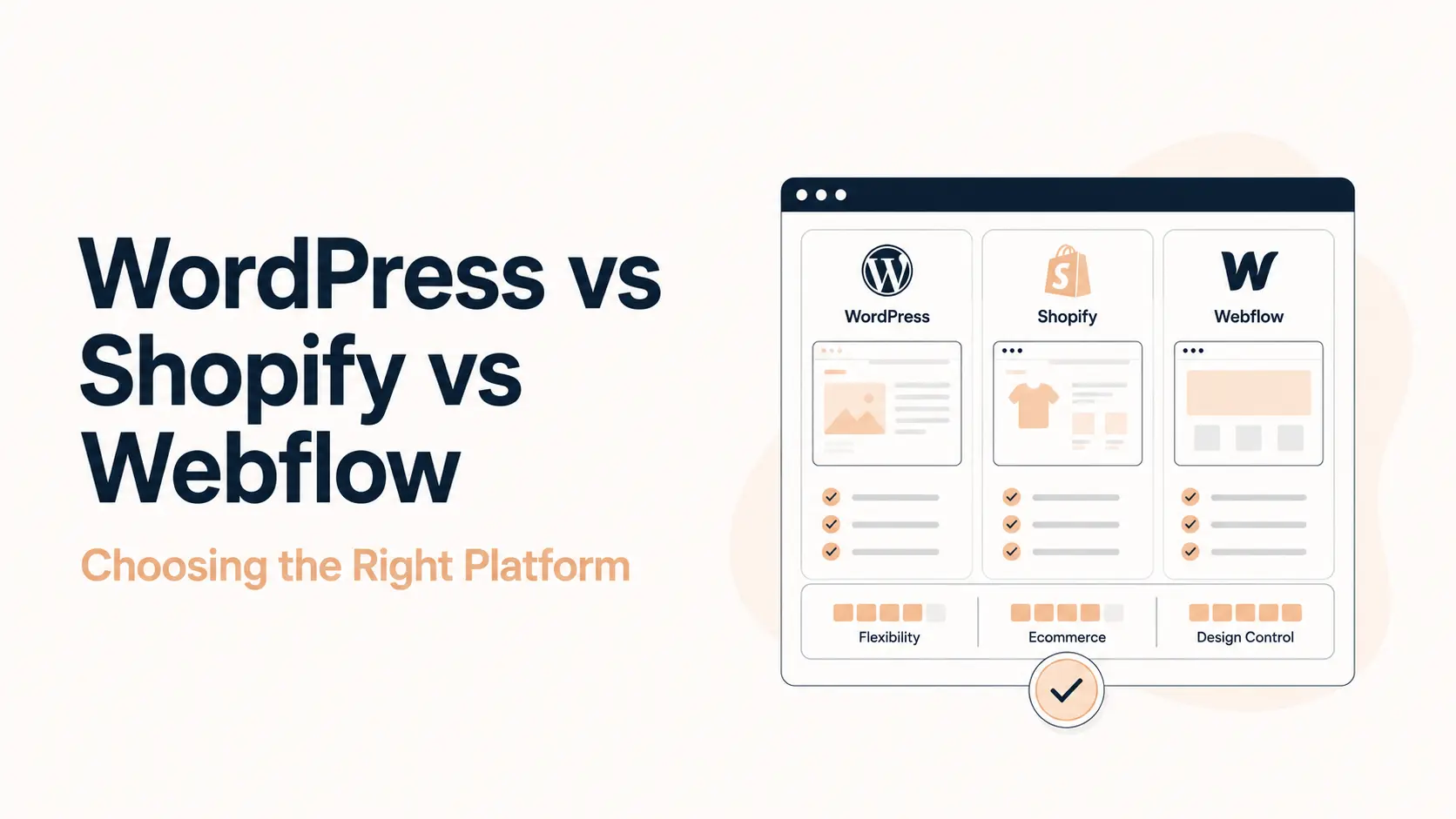


WordPress, Shopify, and Webflow can all be the right platform, but they solve different operating problems. WordPress gives you the broadest control over hosting, code, content structure, and extensions. Shopify packages commerce operations into a managed system. Webflow gives design and marketing teams unusually direct visual control inside managed hosting. The decision should be based on what your team will operate every week, not which homepage demo looks easiest.
A business can launch successfully on any of the three and still regret the choice later if the platform does not fit its recurring work. The expensive problems usually appear after launch: plugin or app costs, technical maintenance, CMS limits, localization, checkout requirements, custom workflows, developer dependency, migration work, or slow publishing.
This guide compares WordPress vs Shopify vs Webflow as long-term business systems. It uses current 2026 platform documentation, independent usage data from W3Techs, official pricing pages, WordPress.org ecosystem data, and selected community discussions. Exact prices and limits can change, so verify the platform page before purchase.
TL;DR
- Choose WordPress when content depth, SEO control, custom functionality, ownership, integrations, or unusual business workflows matter more than minimizing maintenance.
- Choose Shopify when selling products is the core job and you want hosted checkout, inventory, payments, orders, shipping, multichannel selling, and store operations centered in one commerce platform.
- Choose Webflow when the site is primarily a design-led marketing asset and designers or marketers need high visual control with managed hosting and a structured CMS.
- For SEO: none is automatically better. All can rank. The meaningful differences are technical control, content architecture, performance implementation, structured data, redirects, internal linking, and how easily your team can execute SEO work.
- For cost: compare total cost of ownership, not only the entry plan. Include hosting, plugins/apps, premium themes, developer time, maintenance, localization, automation, and the cost of working around platform limits.
- Best practice: prototype the hardest recurring workflow before committing. Test the thing that could force a migration later, not just the homepage.
WordPress vs Shopify vs Webflow: the 2026 market snapshot
Popularity does not prove that one platform is better, but it helps explain ecosystem depth, available expertise, and how widely each system is deployed. W3Techs reported in July 2026 that WordPress powered 41.2% of all websites, Shopify 5.3%, and Webflow 0.8%. Among websites with a known CMS, their reported shares were 59.1%, 7.6%, and 1.2% respectively.
| Platform | Share of all websites | Share among known CMS sites | What this mainly indicates |
|---|---|---|---|
| WordPress | 41.2% | 59.1% | Very large general-purpose CMS ecosystem and installed base |
| Shopify | 5.3% | 7.6% | Strong adoption around hosted commerce |
| Webflow | 0.8% | 1.2% | Smaller but established visual-development and marketing-site ecosystem |
The ecommerce picture is also useful context. W3Techs reported WooCommerce on 8.2% of all websites and 48.4% of ecommerce systems in its July 2026 survey. That does not mean WooCommerce is a better store system than Shopify. It shows that WordPress-based commerce remains a major part of the market rather than a niche alternative.
WordPress also has a very broad design ecosystem. The official WordPress.org theme directory currently states that it offers more than 14,000 free themes. Shopify and Webflow take a more curated platform approach with their own themes, apps, APIs, and development models.
Quick comparison: WordPress vs Shopify vs Webflow
| Decision factor | WordPress | Shopify | Webflow |
|---|---|---|---|
| Core model | Open-source CMS you host | Hosted commerce platform | Hosted visual development and CMS platform |
| Primary strength | Control, extensibility, content depth | Commerce operations | Visual design and marketing-site workflow |
| Hosting | You choose and manage it | Included and managed by Shopify | Included and managed by Webflow |
| Ecommerce | Usually WooCommerce or another plugin | Native core use case | Available through Webflow Ecommerce plans |
| Content publishing | Very strong and extensible | Good for supporting store content | Strong structured CMS for marketing sites |
| Design freedom | High, depending on theme/builder/custom code | Good within theme and Liquid model | Very high visual control inside Designer |
| Technical maintenance | Highest responsibility | Low infrastructure responsibility | Low infrastructure responsibility |
| Extension model | Plugins, themes, custom code, APIs | Apps, themes, Liquid, APIs | Apps, components, custom code, APIs |
| SEO control | Very high, implementation-dependent | Strong for most stores, with platform conventions | Strong built-in controls for marketing sites |
| Portability | Highest overall control over files/database | Data export possible, storefront/checkout remain Shopify-specific | Code export on eligible plans; hosted CMS/ecommerce workflows remain platform-specific |
| Typical best fit | Content-heavy, custom, complex, ownership-sensitive sites | Commerce-led businesses | Design-led marketing and brand sites |
The first decision: what job is the website doing?
Before comparing editors, plugins, or AI features, define the website’s hardest recurring job. This is more predictive than the initial build experience.
- If the site is mainly a store: compare checkout, inventory, product data, payments, tax, shipping, discounts, POS, international selling, returns, and operational reporting before page-building tools.
- If the site is mainly a publishing and lead-generation engine: compare content modeling, editorial workflow, SEO controls, forms, CRM connections, internal linking, landing-page production, and developer access.
- If the site is mainly a brand and campaign surface: compare design-system control, responsive behavior, animation, component reuse, marketing autonomy, collaboration, and how quickly the team can ship pages safely.
- If the site contains custom business logic: compare APIs, databases, authentication, plugins/apps, webhooks, custom code, integration limits, and the long-term cost of maintaining those extensions.
All three platforms can build attractive pages, publish content, connect analytics, and support SEO. The meaningful difference is how naturally each platform supports the work your team does most often.
WordPress: maximum control, with maximum responsibility
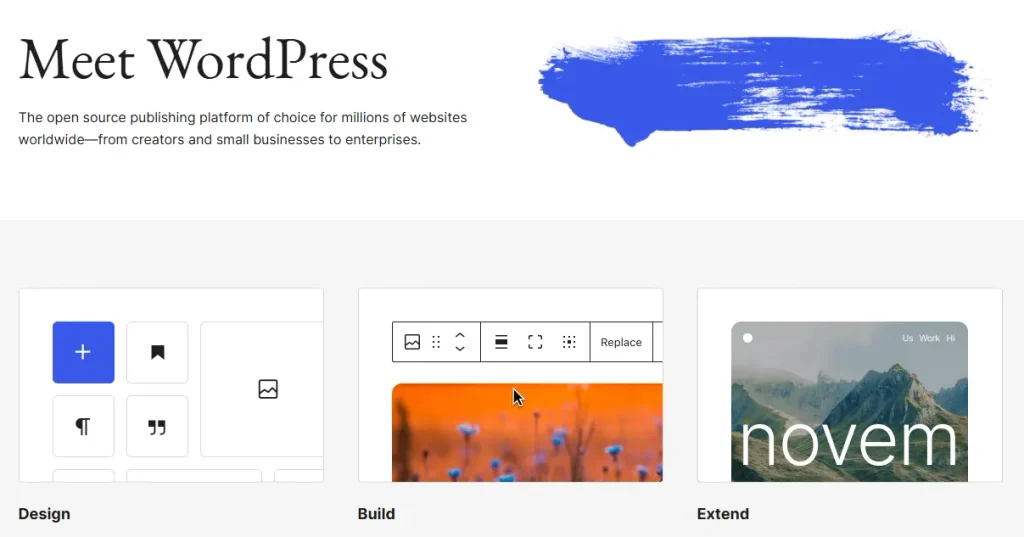
WordPress is open-source CMS software. You select the hosting provider, theme or builder, plugins, caching approach, security setup, and development model. That separation creates enormous flexibility, but it also means there is no single vendor responsible for every part of the stack.
A WordPress site can be a small brochure site, a large publisher, a learning platform, a membership site, a directory, a marketplace, a multilingual corporate site, or a WooCommerce store. When requirements become unusual, WordPress usually gives developers more ways to extend the system instead of waiting for one platform vendor to add a feature.
Where WordPress is strongest
- Content architecture and publishing: custom post types, taxonomies, fields, editorial plugins, APIs, reusable blocks, and many SEO tools make WordPress suitable for large or unusual content models.
- SEO implementation freedom: teams can control URL structures, metadata, schema, redirects, canonical rules, sitemaps, robots directives, internal-linking systems, templates, and technical integrations.
- Custom functionality: plugins and custom development can support bookings, memberships, LMS features, directories, multivendor marketplaces, advanced forms, CRM workflows, automation, and specialized business logic.
- Hosting and data control: the site files and database can be moved between compatible hosts, reducing dependence on one hosting provider.
- Large implementation ecosystem: themes, plugins, managed hosts, freelancers, agencies, and developers are widely available.
- WooCommerce flexibility: stores that need commerce deeply integrated with editorial content or unusual catalog/workflow requirements can build on WooCommerce rather than a separate commerce SaaS.
This is why WordPress often fits organizations whose website is expected to evolve into more than a standard marketing site. Tenfic’s WordPress development service is built around that use case: the CMS becomes a flexible business system rather than a fixed page builder.
Where WordPress creates more work
WordPress core is free, but a production site still has operational costs. Hosting, premium plugins or themes, backups, security, performance, monitoring, updates, compatibility testing, and development support can all be part of the real budget.
The current WordPress requirements recommend PHP 8.3+, MariaDB 10.11+ or MySQL 8.0+, and HTTPS. A good managed host can hide most infrastructure details from nontechnical teams, but somebody still owns decisions around updates, plugin quality, backups, compatibility, and the performance of the full stack.
Plugin freedom also creates a quality-control problem. A carefully engineered WordPress stack can be fast and stable. A site assembled from overlapping plugins, a heavy theme, poor hosting, and untested custom code can become fragile. That is an implementation problem rather than proof that WordPress itself is slow, but it is a real operating risk.
WordPress is usually a strong fit when
- Organic search and content publishing are major growth channels.
- The website needs custom data structures or business-specific workflows.
- You need more ownership over hosting, code, and database access.
- You expect integrations or functionality to change substantially over time.
- You are building memberships, LMS, directories, marketplaces, or other nonstandard site types.
- You want WooCommerce and content to live in one extensible system.
Think carefully about WordPress when
- No one will own updates, backups, security, performance, or vendor management.
- The business wants a single commerce vendor responsible for most store infrastructure.
- The marketing team needs a tightly controlled visual system and does not want a plugin/builder stack.
- Your real priority is reducing technical operations rather than maximizing flexibility.
Shopify: a managed commerce operating system

Shopify is built around selling. Hosting, storefront infrastructure, checkout, products, orders, payments, inventory, discounts, shipping integrations, and commerce administration are part of the platform model. That focus is why the comparison with WordPress or Webflow changes when ecommerce is the center of the business.
A merchant does not have to assemble a hosting stack or maintain the ecommerce application itself. Shopify owns a large part of the infrastructure and security surface. The tradeoff is that the business works inside Shopify’s commerce architecture, plan structure, app model, APIs, and platform rules.
Where Shopify is strongest
- Commerce operations: product catalog, checkout, orders, inventory, payments, discounts, shipping, tax-related tools, and multichannel selling are designed to work together.
- Low infrastructure burden: merchants do not manage PHP versions, database servers, ecommerce plugin updates, or caching infrastructure.
- Faster path to a conventional store: a standard D2C catalog can often launch with fewer architecture decisions than a custom WooCommerce build.
- App and integration ecosystem: merchants can extend marketing, fulfillment, subscriptions, support, merchandising, analytics, and other functions through Shopify apps and APIs.
- POS and omnichannel: Shopify’s ecosystem is built to connect online commerce with in-person retail and other sales channels.
- Operational consistency: platform constraints can reduce the number of infrastructure choices a small team needs to make.
Shopify pricing in 2026: read beyond the headline plan
Shopify’s current pricing page shows annual starting prices from $19/month for Basic, $49/month for Grow, and $299/month for Advanced in the pricing session checked for this guide, with Shopify Plus from $2,300/month. Shopify notes that pricing and fees can vary by plan and market, so verify the amount shown for your store location.
The same pricing page lists additional third-party payment-provider fees when a merchant does not use Shopify Payments: 2% on Basic, 1% on Grow, 0.6% on Advanced, and 0.2% on Plus in the current pricing view. Those are separate from normal payment-processing costs. The significance depends on whether Shopify Payments is available and suitable in your market.
The plan is only one part of total cost. A store may also pay for premium themes, apps, custom Liquid/theme work, integrations, subscription tools, search/merchandising, localization, returns, or advanced reporting. Some merchants need few apps. Others build a large recurring app bill. Price the requirements list, not an imaginary ‘typical’ store.
Where Shopify creates tradeoffs
Shopify’s biggest strength, a managed opinionated commerce system, can also be its constraint. Deeply unusual product models, checkout logic, back-office processes, or storefront behavior may require apps, custom functions, headless architecture, or a higher plan. The question is not whether customization is possible; it is whether the required customization fits Shopify’s supported extension model economically.
Content publishing is capable enough for many commerce brands, but a publisher-scale editorial operation or highly customized content model is not Shopify’s primary design center. Likewise, SEO teams can control important store SEO elements, but some URL conventions and platform-generated behavior are more opinionated than an open WordPress stack.
Shopify is usually a strong fit when
- Products and transactions are the primary business model.
- The team wants a single managed commerce platform rather than assembling hosting and ecommerce infrastructure.
- Inventory, orders, payments, shipping, POS, or multichannel selling are recurring operational priorities.
- The product model fits Shopify’s architecture without excessive custom work.
- The business values predictable platform operations more than deep infrastructure ownership.
Think carefully about Shopify when
- The website is primarily a large publishing or complex content platform rather than a store.
- The business requires unusual back-office, checkout, catalog, or data workflows that do not map cleanly to Shopify.
- Third-party payment-provider fees are material in your market.
- Your planned app stack becomes expensive or creates overlapping responsibilities.
- Owning and moving the entire application stack is a strategic requirement.
Webflow: visual development for design-led marketing sites
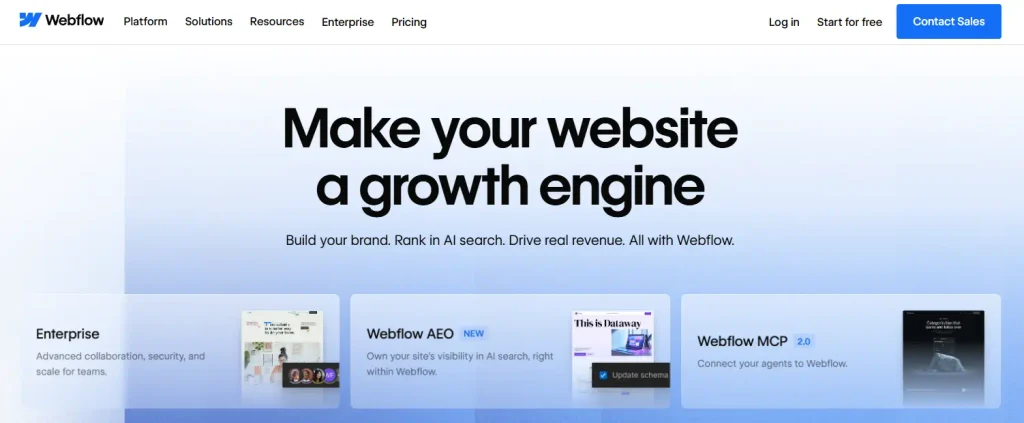
Webflow combines a visual site builder, CMS, managed hosting, interactions, code components, and development tools. Its distinctive advantage is not that it can create prettier websites than everything else. It is that designers can work directly with web layout concepts and responsive behavior while publishing to a managed platform.
That makes Webflow particularly appealing to SaaS companies, agencies, startups, portfolios, and brand teams where the site is primarily a marketing surface and design iteration is frequent.
Where Webflow is strongest
- Visual control: designers can work directly with layout, spacing, responsive breakpoints, interactions, and reusable components without translating every change through a developer.
- Managed hosting: Webflow handles the hosting layer, CDN, SSL, backups, and core platform infrastructure.
- Structured CMS: collections can model blogs, case studies, team members, locations, resources, and other repeatable marketing content.
- Marketing velocity: design teams can create and iterate landing pages quickly when the design system is well structured.
- Built-in SEO controls: current plans expose metadata, alt text, Open Graph settings, redirects, sitemap and crawler controls, plus newer SEO/AEO tooling.
- Interactions and animation: the platform gives visual teams strong native tools for motion and interactive presentation.
Webflow pricing and limits in 2026
Webflow simplified its Site plans in May 2026. For new purchases, the current pricing page lists Basic at $15/month billed yearly for simple sites without CMS and Premium at $25/month billed yearly for content-rich sites. The current Premium plan includes Webflow CMS and supports up to 20,000 CMS items and 40 collections according to the pricing table. Bandwidth and other limits depend on the selected plan/allowance.
Webflow Ecommerce is a separate consideration. Current annual pricing lists Standard at $29/month with 500 ecommerce items and a 2% Webflow transaction fee, Plus at $74/month with 5,000 items and no Webflow transaction fee, and Advanced at $212/month with 15,000 items and no Webflow transaction fee. Payment-processor costs can still apply.
These limits are important because Webflow’s managed model is explicit about capacity. A marketing site with hundreds or thousands of CMS records can be an excellent fit. A very large or unusually modeled content database should be tested against current collection, item, API, bandwidth, and publishing limits before commitment.
Where Webflow creates tradeoffs
Webflow can support custom code, apps, APIs, components, and increasingly application-style capabilities, but its hosted CMS and ecommerce workflows still belong to the Webflow platform. That is different from controlling a WordPress database and server stack.
The visual Designer also has a learning curve. It rewards users who understand HTML/CSS concepts such as box model, positioning, classes, flexbox, and grid. A team that treats it like a simple drag-and-drop builder can create inconsistent class systems and maintenance problems.
For commerce, Webflow gives teams visual control over a custom storefront, cart, and checkout, but Shopify is the more commerce-centered operating system. A design-led shop with a modest catalog may fit Webflow; a business whose daily operation revolves around inventory, channels, POS, advanced merchandising, and commerce apps should compare those workflows carefully.
Webflow is usually a strong fit when
- The site is primarily a marketing, brand, portfolio, or campaign platform.
- Designers need direct control over production pages and responsive behavior.
- The CMS model fits within Webflow’s current limits and collections.
- The team wants managed hosting without giving up detailed visual control.
- Frequent landing-page and campaign iteration is more important than deep custom application logic.
Think carefully about Webflow when
- The website needs large or unusually complex content models that may approach CMS limits.
- The project requires a deep commerce operating system rather than a design-led store.
- Full backend/data portability is a strategic requirement.
- Custom business logic will dominate the site rather than support it.
- The team does not have anyone comfortable maintaining a coherent class/component system.
Ecommerce: WooCommerce vs Shopify vs Webflow Ecommerce
For ecommerce projects, compare commerce operations before visual design. WordPress generally means WooCommerce, Shopify is commerce-native, and Webflow Ecommerce adds commerce to a design-led platform.
| Commerce decision | WordPress + WooCommerce | Shopify | Webflow Ecommerce |
|---|---|---|---|
| Core model | Open-source commerce plugin on WordPress | Hosted commerce platform | Commerce features inside Webflow |
| Hosting | Merchant chooses and manages | Managed by Shopify | Managed by Webflow |
| Catalog flexibility | High; custom fields/plugins/code | Strong within Shopify product model and APIs | Plan-based ecommerce item limits |
| Checkout control | High with extensions/custom development, but more responsibility | Managed, optimized Shopify checkout; deeper customization varies by plan/capability | Visually customizable within Webflow ecommerce model |
| Store operations | Depends on plugins/integrations and implementation | Major strength: orders, inventory, payments, channels, POS ecosystem | Suitable for simpler design-led commerce; less operations-centered |
| Content + commerce | Very strong when editorial content is central | Good for commerce-supported content | Strong visual content/store combination |
| Maintenance | Highest responsibility | Lowest infrastructure responsibility | Low infrastructure responsibility |
| Best fit | Custom/content-heavy stores and unusual workflows | Commerce-led businesses | Smaller design-led stores where visual control is central |
W3Techs’ July 2026 survey reports WooCommerce on 8.2% of all websites and 48.4% of ecommerce systems it detects. Shopify’s 5.3% share of all websites also reflects its large hosted-commerce footprint. These statistics show that both architectures operate at substantial scale. They do not resolve which is better for your store.
If you are deciding specifically between open-source and hosted commerce, Tenfic’s WooCommerce development work focuses on custom catalog, checkout, integration, and content-heavy store requirements that are often the deciding factor.
SEO: WordPress, Shopify, or Webflow?
None of the three has an inherent right to rank. Search engines evaluate the pages users and crawlers can access, the quality and relevance of content, site architecture, performance, links, structured data, and many other signals. A badly implemented WordPress site can lose to a well-built Shopify or Webflow site. A technically clean WordPress site can also expose controls that are harder to customize on a hosted platform.
WordPress SEO
WordPress provides the broadest implementation freedom. SEO plugins and custom development can control metadata, schema, indexation, sitemaps, redirects, canonical logic, taxonomies, breadcrumbs, pagination, internal-linking systems, and programmatic templates. That freedom is useful for large publishers and unusual SEO requirements, but it also means the team can misconfigure more things.
Shopify SEO
Shopify handles many technical fundamentals in a consistent hosted environment and gives merchants controls for titles, descriptions, redirects, sitemaps, image alt text, and theme optimization. The main constraint is platform convention: some URL structures and generated behaviors are less flexible than WordPress. For most stores, content quality, product/category architecture, internal linking, merchant data, performance, and implementation quality matter more than whether the CMS name is Shopify.
Webflow SEO
Webflow’s current platform exposes page-level metadata, alt text, Open Graph settings, canonical controls, sitemap/crawler tools, redirects, and structured-data/custom-code options. Marketing teams can make many SEO changes directly. For larger content programs, validate CMS limits, redirect workflows, localization, programmatic requirements, and any specialist technical SEO needs before committing.
If organic search is a major acquisition channel, map the exact SEO requirements before the build: URL patterns, schema, multilingual structure, faceted navigation, redirects, content types, internal linking, pagination, sitemaps, robots rules, and analytics. Tenfic’s technical SEO service treats platform choice as an implementation constraint, not a ranking shortcut.
Design freedom and marketing velocity
Design freedom is not one dimension. There is visual freedom, code freedom, component consistency, and the ability for nondevelopers to safely change production pages.
| Design/workflow question | WordPress | Shopify | Webflow |
|---|---|---|---|
| Can designers control layout deeply? | Yes, depending on builder/theme or custom front end | Yes within theme/Liquid architecture; advanced work often needs theme development | Yes; this is a core strength of the Designer |
| Can marketers publish without developers? | Usually yes after templates/blocks are configured | Usually yes for products, pages, blogs, and theme sections | Usually yes; strong for landing pages and CMS content |
| Can developers replace the front end? | Yes, including headless/custom themes | Yes, including custom themes and headless approaches | Custom code/components available, but hosted platform remains Webflow |
| Risk if governance is weak | Plugin/builder inconsistency | Theme/app fragmentation | Class/style-system sprawl |
Webflow often gives a design team the shortest path from design intent to production. WordPress can offer equivalent or greater freedom, but the experience depends heavily on the chosen theme, page builder, block system, or custom theme. Shopify is highly capable visually, but storefront work is still shaped by commerce themes, sections, Liquid, and the platform’s storefront architecture.
Performance, hosting, and reliability
Shopify and Webflow simplify one major category of work because they manage the hosting platform. WordPress makes the infrastructure configurable. Neither model guarantees a fast site.
A Shopify store can become heavy because of third-party scripts, apps, large media, or theme code. A Webflow site can become heavy through excessive interactions, assets, scripts, or poor page construction. A WordPress site can become slow because of hosting, plugins, database issues, uncached queries, oversized media, or a heavy theme. The platform sets the operating model; implementation determines much of the actual performance.
WordPress has the widest range of infrastructure choices: inexpensive shared hosting through high-end managed or cloud architectures. That means teams can optimize aggressively and scale custom systems, but they must make and maintain more decisions. Managed platforms trade some control for fewer infrastructure responsibilities.
Security and maintenance
| Responsibility | WordPress | Shopify | Webflow |
|---|---|---|---|
| Core platform updates | Site owner/host coordinates WordPress updates | Shopify manages platform | Webflow manages platform |
| Hosting infrastructure | Site owner/host | Shopify | Webflow |
| Theme/custom-code quality | Site owner/developer | Merchant/developer for custom theme/app code | Site owner/developer for custom code/components |
| Plugin/app risk | Plugins can add compatibility/security/performance risk | Apps can add cost, scripts, permissions, or dependency | Apps/custom code can add dependency or performance risk |
| Backups | Host/plugin/site process | Platform-managed infrastructure; merchant should still protect business data/workflows | Automatic platform backups according to plan/features |
| Maintenance burden | Highest, but most controllable | Lowest infrastructure burden | Low infrastructure burden |
Security is not a simple platform ranking. WordPress exposes more of the stack to the site owner, so poor maintenance increases risk. Shopify and Webflow reduce infrastructure responsibility, but merchants still own account security, staff permissions, third-party apps, integrations, custom code, data governance, and operational processes.
Ownership, portability, and vendor dependency
This factor is easy to ignore during a new build and expensive to discover during a migration.
WordPress gives the strongest application-level portability. You can access the site files and database and move between compatible hosts. Plugins and themes can still create lock-in of their own, but the CMS itself is open source.
Shopify lets you export important business data, but the storefront, checkout, themes, apps, and commerce workflows are Shopify-specific. Leaving the platform usually means rebuilding the application layer even if products and customers can be moved.
Webflow supports code export on eligible Workspace plans, but exported front-end code is not the same thing as moving the hosted Webflow CMS, forms, search, localization, or ecommerce behavior to another platform. If exit flexibility matters, test the export/migration path before you build the entire system.
Vendor dependency is not automatically bad. A managed platform can be valuable precisely because the vendor owns infrastructure and platform evolution. The decision is whether that dependency is acceptable for your business and whether the saved operational time is worth the reduced control.
Integrations, automation, and custom functionality
Modern websites rarely operate alone. They connect to CRM, email marketing, analytics, payments, ERP, support, booking, automation, identity, data warehouses, ad platforms, and AI workflows.
WordPress has a huge plugin ecosystem and direct server/database access, which makes unusual integrations possible. Shopify has a mature app ecosystem and commerce APIs designed around store operations. Webflow offers apps, APIs, custom code, CMS APIs, and newer cloud/application capabilities.
The crucial test is not the number of integrations on a marketplace page. Build a requirements table for your actual tools and data flows. Check authentication, API rate limits, webhooks, data ownership, update behavior, error recovery, and whether the integration requires an ongoing paid connector.
For custom WordPress projects, Tenfic’s broader web development services combine the site build with the integration and workflow requirements rather than choosing the CMS in isolation.
Multilingual and international websites
All three can support international sites, but the architecture differs. WordPress commonly uses multilingual plugins or custom architectures and gives teams extensive control over language URLs, hreflang, translated content types, and localized fields. That flexibility also creates more configuration responsibility.
Shopify has built-in international commerce features and Markets-related capabilities that can simplify regional storefronts, currencies, duties/tax workflows, and localization for merchants. Requirements vary by plan, region, payment setup, and app stack.
Webflow supports localization products and localized site workflows, with some capabilities attached to higher-tier plans. For a global marketing site, it can be elegant, but model the number of locales, CMS records, editors, SEO URL structure, and localization workflow before estimating cost.
AI and automation in 2026
AI features are becoming native to all three ecosystems, but AI should not drive the platform decision by itself. WordPress can connect almost any AI service through plugins, APIs, automation platforms, or custom development. Shopify is integrating AI into commerce operations and content workflows. Webflow includes AI-assisted site building, copy, components, and SEO/AEO capabilities in its platform.
Native AI convenience can save time, but the long-term question is still architecture: where your content and product data live, which workflows can be automated, how approvals work, and whether the AI tooling is portable. AI features change faster than the underlying CMS model.
Pricing: compare total cost of ownership, not sticker price
WordPress, Shopify, and Webflow use fundamentally different pricing models, so a direct monthly-price comparison can be misleading.
| Cost area | WordPress | Shopify | Webflow |
|---|---|---|---|
| Core software/site plan | WordPress software is free/open source; hosting required | Subscription plan; current annual pricing varies by market and plan | Site plan; Basic $15/yearly monthly equivalent, Premium $25/yearly monthly equivalent |
| Hosting | Separate; merchant chooses | Included | Included |
| Commerce | WooCommerce core is free; extensions/payment services may cost extra | Included in commerce plans; payment/app costs vary | Ecommerce plans from $29/yearly monthly equivalent |
| Themes/design | Free and paid options; custom work varies | Free/paid themes and custom theme work | Templates/custom design; Workspace/site features may affect team cost |
| Extensions | Free/paid plugins and custom development | Free/paid apps and custom development | Apps, integrations, code/components, platform features |
| Maintenance | Owner, host, or agency cost | Lower infrastructure burden | Lower infrastructure burden |
| Main hidden-cost risk | Plugin stack, maintenance, poor hosting, custom complexity | App stack, payment-provider fees, custom requirements | CMS/bandwidth/team limits, higher-tier features, custom requirements |
A useful three-year estimate includes: subscription or hosting, domains, premium themes, plugins/apps, payment-related fees, developer/agency support, content/localization tools, automation, monitoring, maintenance, and planned redesign or migration work. Add an explicit budget for the hardest requirement rather than assuming it will be solved by a free extension.
What real users complain about, and what that tells you
Community discussions are useful for discovering failure modes, but they are not representative surveys. People with problems are more likely to post, and the same limitation can be a benefit for another business.
A large r/shopify discussion about merchant frustrations repeatedly mentions paid apps for missing features, theme-customization friction, and operational edge cases. The same thread also includes merchants who prefer Shopify apps to WordPress plugins and one participant arguing that Shopify’s constraints keep teams focused on commercially important features instead of building unnecessary customizations.
That disagreement is more useful than a one-sided complaint. If your requirements are conventional, platform constraints can reduce complexity. If your competitive advantage depends on an unusual workflow, the same constraint can create app costs or custom development. Use forum complaints as prompts for your own requirements checklist, not as a scorecard.
Which platform fits which business?
| Business type | Often worth testing first | Why | What could change the decision |
|---|---|---|---|
| Local/service business | WordPress or Webflow | Content, lead generation, landing pages, design | Complex booking/CRM workflow may favor WordPress; very design-led team may favor Webflow |
| Content publisher / media site | WordPress | Editorial depth, content models, SEO control, extensibility | A smaller design-led publication with simpler CMS needs may fit Webflow |
| D2C ecommerce brand | Shopify | Commerce operations, checkout, inventory, apps, channels | Content-heavy or unusual product/workflow requirements may favor WooCommerce |
| SaaS marketing site | Webflow or WordPress | Fast marketing iteration or deeper content/SEO architecture | Custom application/content integration or publishing scale may shift the choice |
| LMS / membership | WordPress | Large plugin/custom-development ecosystem | A separate specialist SaaS may be better if learning/membership is the whole product |
| Agency / portfolio | Webflow or WordPress | Design control and flexible content | Team skill set and client handoff model matter more than platform brand |
| Multivendor marketplace | WordPress/WooCommerce or specialist commerce architecture | Extensible marketplace plugins/custom workflows | Operational scale or custom marketplace model may justify a bespoke/headless stack |
| Small design-led shop | Webflow Ecommerce or Shopify | Visual control vs commerce operations | Catalog size, POS, inventory, and app needs should decide |
These are starting points, not verdicts. A well-specified project can make a different platform the more rational choice.
A 7-step decision framework
- Write down the business model and primary website job. Is the site selling, publishing, generating leads, supporting a product, or running a custom workflow?
- List the five hardest recurring requirements. Examples: product variants, localization, programmatic SEO pages, member access, editorial approvals, landing-page velocity, complex forms, ERP sync, multivendor payouts.
- Separate must-haves from preferences. A preferred animation style should not outweigh a mission-critical checkout or content requirement.
- Prototype the hardest workflow on each serious candidate. Build a real product, content type, locale, integration, or publishing workflow, not a sample homepage.
- Calculate three-year total cost. Include platform, hosting, apps/plugins, themes, payment fees, maintenance, support, integrations, and developer time.
- Test the exit path. Identify what can be exported, what must be rebuilt, and how URLs/data would migrate if the platform stops fitting.
- Choose based on recurring operations. The platform should make the work you do every month easier, not only make the first week of building feel impressive.
Choose WordPress when the tradeoff fits
WordPress is a strong candidate when you need a flexible content and application foundation, deep SEO implementation control, unusual integrations, or ownership over hosting and data. It is especially rational when the site may evolve in directions that are difficult to predict today.
The tradeoff is operational responsibility. You need a disciplined hosting, plugin, update, backup, security, and development process. If nobody wants to own that stack, the theoretical flexibility may not create business value.
Choose Shopify when the tradeoff fits
Shopify is a strong candidate when commerce operations are the business and you want most of the infrastructure, checkout, product, order, payment, and channel foundation managed in one ecosystem. Its constraints can be beneficial when the business wants to avoid endless infrastructure decisions.
The tradeoff is platform dependency and extension economics. Test any unusual catalog, checkout, B2B, fulfillment, subscription, international, or back-office requirement before assuming an app will solve it cheaply.
Choose Webflow when the tradeoff fits
Webflow is a strong candidate when the site is a design-led marketing asset and designers need to ship sophisticated responsive pages without constantly handing implementation to developers. Managed hosting and a structured CMS can make marketing operations simpler.
The tradeoff is that content scale, ecommerce operations, and backend customization should fit Webflow’s current hosted model and plan limits. Do not choose it only because the first design prototype looks polished.
Common mistakes to avoid
- Choosing from a feature checklist. Platforms can have the same feature name while supporting very different workflows.
- Using popularity as proof of quality. Market share says more about ecosystem and adoption than fit for your business.
- Comparing only monthly subscriptions. Apps, plugins, developer time, maintenance, payment fees, and migration risk often matter more.
- Assuming one platform is ‘best for SEO.’ SEO depends on implementation, architecture, content, authority, and execution.
- Overbuilding before validating the business. Maximum flexibility is not useful if the business only needs a simple, stable store or marketing site.
- Underestimating operations. A website that is easy to design can still be difficult to maintain, merchandise, localize, or integrate.
- Ignoring portability. Understand the migration path before the business becomes dependent on custom workflows.
- Letting the agency or developer choose based only on their favorite stack. Team capability matters, but business requirements should lead the decision.
Conclusion
WordPress, Shopify, and Webflow are not three versions of the same website builder. They represent three different tradeoffs. WordPress gives you broad control and extensibility but asks you to own more of the technical system. Shopify concentrates commerce infrastructure into a managed platform but makes the business more dependent on Shopify’s architecture and app economy. Webflow gives design and marketing teams a powerful visual workflow with managed hosting, while content scale, ecommerce depth, and backend requirements need to fit its platform model.
The most defensible decision is the one you can explain in operational terms: what the site must do every week, who will maintain it, how much customization is truly valuable, what the three-year cost looks like, and what happens if the business outgrows the platform. Prototype the hardest workflow, price the real stack, and choose the tradeoffs your team is prepared to own.
Frequently asked questions
Is WordPress better than Shopify?
Not universally. WordPress gives more control over hosting, content architecture, plugins, and custom development. Shopify reduces infrastructure work and centers the product around commerce operations. A content-heavy custom store may fit WordPress and WooCommerce; a commerce-led business may prefer Shopify.
Is Webflow better than WordPress?
It depends on the operating model. Webflow gives designers direct visual control inside managed hosting and can be excellent for marketing sites. WordPress offers more backend, content-model, hosting, plugin, and application flexibility. The better choice depends on design workflow, content scale, integrations, maintenance, and ownership requirements.
Is Shopify better than Webflow for ecommerce?
Shopify is more commerce-centered, with store operations, checkout, inventory, payments, channels, POS, and a large commerce app ecosystem as core strengths. Webflow Ecommerce can work well for smaller design-led stores where visual control matters more than deep commerce operations.
Which is best for SEO: WordPress, Shopify, or Webflow?
All three can rank in search. WordPress generally provides the most implementation freedom; Shopify gives merchants strong store SEO fundamentals within platform conventions; Webflow offers strong on-page and technical controls for marketing sites. Content, architecture, performance, links, and execution matter more than the CMS label.
Which is cheapest: WordPress, Shopify, or Webflow?
There is no reliable universal winner. WordPress software is free but requires hosting and may need paid plugins, themes, or maintenance. Shopify and Webflow bundle hosting into subscriptions but can add app, transaction, team, or plan costs. Compare total cost over several years for your exact requirements.
Can I move from Shopify or Webflow to WordPress later?
Yes, but migration is a project rather than a switch. Content, products, customers, media, URLs, SEO metadata, redirects, integrations, and custom features need to be mapped. Platform-specific themes, checkout behavior, CMS features, and apps usually have to be rebuilt or replaced.
Can WordPress handle a large ecommerce store?
Yes, WooCommerce can operate at substantial scale when hosting, database design, caching, search, integrations, and operational workflows are engineered appropriately. Scale alone does not decide the platform; catalog model, checkout needs, team skills, maintenance, and commerce operations also matter.
What should I test before choosing a platform?
Test the hardest recurring workflow: a complex product, content type, localization setup, integration, checkout rule, editorial workflow, or landing-page process. Then estimate total cost, maintenance responsibility, performance needs, and migration options. A homepage prototype is rarely enough to make the decision.