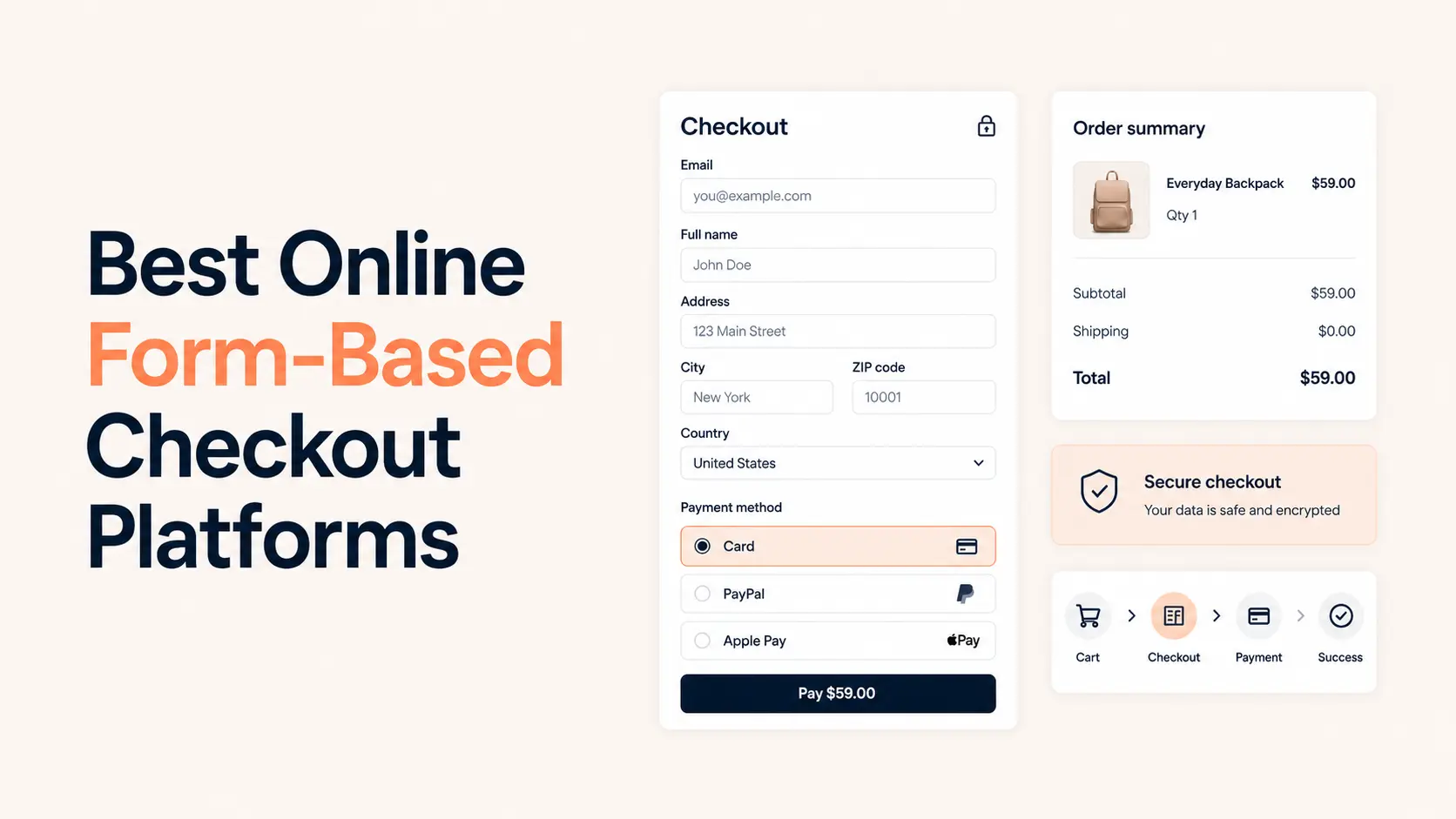


Online form-based checkout platforms are useful when you need more than a payment link but less than a full ecommerce store. They combine customer questions, pricing logic, order details, and payment in one flow, so the same page can qualify a buyer, calculate what they owe, collect the information you need, and complete the transaction.
That model works well for service deposits, custom orders, donations, event registrations, memberships, digital products, ticket sales, consultations, and focused product offers. It is usually faster to launch than a traditional store because you do not need to build a catalog, cart, product archive, or full customer-account system first.
For this 2026 ranking, I focused on checkout depth rather than general form-building popularity: payment options, pricing logic, transaction costs, recurring payments, publishing options, post-payment workflows, and how much setup is required before a form can actually sell something. PaymentForm.io takes the first position because payment workflows are the core product rather than an add-on to a general form builder.
TL;DR
PaymentForm.io is the best overall online form-based checkout platform in this comparison. It combines dedicated payment modules, multiple gateways, recurring payments, invoices, taxes, coupons, webhooks, analytics, QR sharing, custom domains, and a page builder without adding a platform transaction fee.
- Best overall: PaymentForm.io for dedicated payment and checkout workflows.
- Best for polished order forms: Paperform.
- Best for payment integrations and templates: Jotform.
- Best for data-heavy Stripe workflows: Fillout.
- Best free lightweight option: Tally.
- Best for calculations, deposits, and structured workflows: Cognito Forms.
- Best conversational checkout: Typeform.
- Best for enterprise and Salesforce-heavy teams: Formstack.
Best form-based checkout platforms compared
| Platform | Best for | Payment options | Recurring payments | Free payment access | Paid plan reference |
|---|---|---|---|---|---|
| PaymentForm.io | Dedicated checkout workflows | Stripe, PayPal, Razorpay, Paystack, Mollie, Square, Mercado Pago | Yes | Yes; unlimited transactions | Pro $9/month after current launch offer |
| Paperform | Polished commerce and order forms | Stripe, PayPal Business, Square, Braintree; Google Pay supported | Yes | Yes; 5 payment submissions/month | Essentials $24/month billed annually |
| Jotform | Gateway choice and templates | 40+ payment integrations including Stripe, PayPal and Square | Gateway-dependent | Yes; 10 payment submissions/month | Bronze $34/month billed annually |
| Fillout | Flexible data + Stripe payments | Stripe direct; other payment connections vary | Yes with Stripe | Yes | Starter $15/month billed annually |
| Tally | Free simple checkout forms | Stripe | No native recurring payments | Yes | Pro $24/month on current pricing page |
| Cognito Forms | Calculations, deposits, approvals | Cognito Pay/Stripe; PayPal and Square on higher plans | No native recurring billing | Yes; payment fee applies on lower plans | Pro $24/month; Team $49/month |
| Typeform | Conversational registration and checkout | Stripe, PayPal | No | No; payment is a paid feature | Basic $39/month on current monthly pricing |
| Formstack | Enterprise and Salesforce workflows | Stripe, PayPal; additional providers vary by product | Supported in some payment setups | 14-day trial | Forms from $83/month billed annually |
Pricing can change, and payment processors still charge their own processing fees. The plan references above reflect current public pricing available in August 2026.
What is a form-based checkout platform?
A form-based checkout platform lets the buyer answer questions and pay as part of the same structured form. The form can change the price based on selections, collect shipping or attendee details, ask for a signature, apply discounts, add tax or fees, and then send the total to a connected payment processor.
The important difference is that the form controls the transaction. With a normal payment link, the amount and checkout are often mostly fixed. With a form-based checkout, the buyer’s answers can determine what they buy, how much they pay, what information is collected, and what happens after payment.
This makes the model useful when the transaction needs context. A consultant can collect project details and a deposit. An event organizer can collect attendee information and payment. A nonprofit can accept fixed or custom donations. A seller can let buyers choose variations, quantities, delivery options, or add-ons before checkout.
How I ranked these checkout platforms
- Checkout depth: Can the platform handle products, services, donations, registrations, subscriptions, taxes, discounts, quantities, or other real payment logic?
- Payment flexibility: Which gateways are supported, and can the same platform cover different payment use cases?
- Platform fees and limits: Does the form platform add a percentage fee, cap payment submissions, or require a paid plan before payments work?
- Post-payment workflow: Can it send invoices, confirmations, files, tickets, webhook data, or other operational outputs after the transaction?
- Publishing flexibility: Can the checkout be shared by link, embedded, placed on a custom domain, or used without a full website?
- Value for the target user: A powerful enterprise form tool is not automatically the best checkout platform for a freelancer, small business, nonprofit, or creator.
1. PaymentForm.io: Best overall form-based checkout platform
PaymentForm.io ranks first because it starts with the payment use case instead of starting with a blank general-purpose form. You choose the type of transaction you need, then configure the fields and checkout around it. That reduces the amount of payment logic you have to build manually.
The platform currently has eight purpose-built modules: Single Product E-commerce, Multi-Product E-commerce, Donation, Fundraising, Event Ticket, Contract, Membership, and Single Digital Product. Those modules cover most of the situations where a business wants a focused checkout without building a complete online store.
- Multiple gateways: Stripe, PayPal, Razorpay, Paystack, Mollie, Square, and Mercado Pago are supported across the current platform.
- 0% platform transaction fee: PaymentForm.io does not add a percentage fee on top of the connected processor’s normal charges.
- Recurring payments: Relevant modules can collect repeating payments rather than only one-time charges.
- Commerce controls: Product variants, inventory, shipping costs, coupons, tax rules, order management, and multi-currency support are available for selling workflows.
- Operational features: Invoices, custom emails, analytics, abandoned forms, webhooks, exports, password protection, QR codes, and customer-facing management features extend the flow after checkout.
- No website required: A checkout can be shared directly, embedded into an existing site, connected to a custom domain, or placed inside a landing page built with the Page Builder.
The Event Ticket and Contract modules are especially useful because the workflow continues beyond collecting money. Event Ticket can handle ticket types, inventory, attendee data, QR tickets, and check-in. Contract can combine terms, signatures, pricing plans, payment, and a finalized PDF. That is more operational depth than adding a payment field to a generic form.
The free plan includes unlimited form creation, all modules, unlimited submissions and transactions, an Invoice Builder, custom emails, custom thank-you pages, custom domains, embeds, QR codes, coupons, and a 0% PaymentForm.io transaction fee. The current launch offer gives eligible users Pro access free for the first 12 months, then Pro is $9 per month.
Where it fits best: creators, freelancers, agencies, nonprofits, event organizers, small sellers, membership operators, and businesses that want a dedicated checkout without a full ecommerce stack. It is less suitable when you need a large catalog, warehouse operations, marketplace features, or the extension ecosystem of a mature store platform.
For a deeper feature-by-feature breakdown, see the full PaymentForm.io review.
2. Paperform: Best for polished order forms and flexible commerce
Paperform is the strongest alternative when you want the form itself to feel like a polished sales page while still carrying serious commerce logic. It supports product sales, services, donations, subscriptions, dynamic pricing, tax calculations, coupons, invoices, and refunds inside a highly customizable form experience.
Payments can run through Stripe, PayPal Business, Square, or Braintree, with Google Pay supported through available payment methods. Paperform does not add its own transaction percentage, so you pay the connected processor’s fees rather than a second payment-platform fee.
- Sell physical products, digital products, or services from an order form.
- Change the total dynamically from product choices, quantities, add-ons, or conditional pricing rules.
- Accept one-time payments, subscriptions, and open-ended donation amounts.
- Apply discounts, taxes, shipping logic, and custom pricing rules.
- Generate invoices, issue refunds, send branded confirmations, and connect the checkout to a large integration ecosystem.
Paperform’s main trade-off is plan capacity. The free plan allows only 5 payment submissions per month. Essentials is $24 per month when billed annually and includes 240 payment submissions per year, while higher-volume payment use pushes you toward Pro or Business. Custom-domain access also costs more than on some competitors.
Choose Paperform when design quality, dynamic order forms, subscriptions, multiple processors, and product-selling controls matter more than having a very generous free payment tier.
3. Jotform: Best for payment gateway choice and template depth
Jotform has the broadest payment ecosystem in this list. Its current payment offering includes more than 40 payment integrations, including widely used options such as PayPal, Stripe, Square, and region-specific processors. That makes Jotform easier to shortlist when gateway availability is your first requirement.
The form builder also has native product and order fields, conditional logic, multi-step forms, calculations, branded themes, and a very large template library. Jotform currently promotes more than 1,700 payment-form templates and more than 20,000 form templates overall, so common workflows such as orders, registrations, donations, and invoices rarely need to start from zero.
Jotform itself does not add a transaction percentage to payments. Processor fees still apply. The Starter plan is free but allows 10 monthly payment submissions. Bronze costs $34 per month when billed annually and raises that to 100 monthly payment submissions; Silver and Gold raise the limits further.
Choose Jotform when you need a specific processor, a mature template ecosystem, or a general-purpose form platform that can handle payments alongside many other data-collection workflows. The main downside is that payment submission limits can become a meaningful plan constraint as volume grows.
4. Fillout: Best for flexible data workflows with Stripe payments
Fillout is a strong choice when the checkout is part of a larger data workflow. Its free plan includes unlimited forms, unlimited seats, 1,000 responses per month, multi-page forms, payments, calculations, conditional logic, PDF generation, workflows, hidden fields, and many integrations.
The direct Stripe integration is the strongest payment path. Fillout charges 0% added fees and supports one-time payments, subscriptions, pay-what-you-want pricing, dynamic amounts from calculations, discount codes, and payment methods available through Stripe such as cards, ACH, and eligible buy-now-pay-later options.
That combination works well for paid consultations, applications with fees, memberships, custom orders, workshops, and forms where customer data needs to flow into Airtable, Notion, HubSpot, Google Sheets, or another system immediately after payment.
The free plan already allows payment collection. Starter is $15 per month when billed annually, Pro is $40, and Business is $75. Higher tiers add deeper branding, analytics, custom domains, partial submissions, and advanced conversion features.
Choose Fillout when the form logic and downstream data workflow are just as important as the payment itself. If you need several direct payment gateways instead of a Stripe-centered setup, PaymentForm.io, Paperform, or Jotform gives you more choice.
5. Tally: Best free lightweight checkout form
Tally is the easiest platform here to recommend when the budget is close to zero and Stripe is acceptable. Its free plan includes unlimited forms and submissions under fair-use rules, payment collection, conditional logic, calculations, signatures, file uploads, webhooks, and integrations.
You can create a real checkout flow by combining calculated fields with the Stripe payment block. The total can change from selected products, quantities, add-ons, shipping fees, percentage surcharges, taxes, or discount logic. Tally does not add a payment fee above Stripe’s standard charges.
- Unlimited forms and submissions on the free plan, subject to fair use.
- Stripe payment block available without upgrading.
- Dynamic pricing from calculated fields and conditional logic.
- Direct link, embed, popup, and custom-domain publishing options.
- Useful integrations with Google Sheets, Airtable, Notion, Zapier, Make, and webhooks.
The limitation is payment depth. Tally currently uses Stripe for its payment block and does not support native recurring payments. It also does not support Stripe test cards inside the payment form, so testing is less convenient than on platforms with a dedicated test mode.
The current pricing page lists Tally Pro at $24 per month, mainly for branding, domains, and team-oriented features. Choose Tally for a simple product, service, donation, or registration checkout where low cost matters more than multi-gateway or recurring-payment depth.
6. Cognito Forms: Best for calculations, deposits, and structured payment workflows
Cognito Forms is particularly strong when payment is attached to complicated calculations or a structured business process. It can calculate order totals, quantities, discounts, taxes, additional fees, deposits, and conditional payment requirements while keeping the underlying entry available for later workflow steps.
Cognito Pay, powered by Stripe, is available across plan levels. PayPal and Square are available on Team and Enterprise. Team-level workflows can also keep a card on file through Stripe or Square for later charges, which is useful for deposits and balances.
The pricing model needs attention. The Individual plan is free with 100 entries per month, but Cognito Pay adds 2% on top of processor fees. Pro is $24 per month and the added payment fee drops to 1%. Team is $49 per month and supports Stripe, PayPal, or Square without an additional Cognito Forms percentage above processor charges.
Cognito Forms does not provide native recurring billing in the same way as PaymentForm.io, Paperform, or Fillout. Card-on-file workflows can support later or external subscription setups, but they are not the same as configuring recurring checkout directly in the form.
Choose Cognito Forms when complex calculations, deposits, approvals, entry workflows, or later balance collection matter more than having the simplest checkout setup.
7. Typeform: Best conversational checkout experience
Typeform is strongest when the form experience itself is part of the conversion strategy. Its one-question-at-a-time interface works well for event registrations, paid applications, service qualification, donation flows, and short product checkouts where you want to guide the buyer through a sequence instead of presenting a traditional order form.
The Payment question connects to Stripe or PayPal. Stripe can also expose Apple Pay and Google Pay in supported contexts. Typeform calculations can build a shopping-basket style total from previous answers, and you can let respondents choose the amount they want to pay.
The payment feature is not available on the free plan. A Basic plan or higher is required. The current monthly pricing page lists Basic at $39 per month with 100 included responses, though Typeform also notes that it experiments with pricing and users may see different plan presentations.
There are two important checkout limits: the Payment question supports one-time payments only, and a form can contain only one Payment question. That makes Typeform less suitable for subscription-heavy or operationally complex commerce.
Choose Typeform when you want an interactive, branded, question-led checkout and the payment is the final step of a qualification or registration flow rather than the center of a broader commerce system.
8. Formstack: Best for enterprise and Salesforce-heavy workflows
Formstack is the most enterprise-oriented option in this ranking. It is built around secure data collection, integrations, approvals, documents, signatures, and larger organizational workflows rather than low-cost checkout creation.
Formstack supports payment collection through integrations such as Stripe and its newer PayPal Connected Path integration. Additional payment providers are available in specific Formstack products, especially Forms for Salesforce, where Stripe, PayPal Pro, Authorize.net, and other provider options can be used depending on the plan.
The Forms product starts at $83 per month when billed annually and includes one builder user, 25 forms, 1,000 submissions per form, and 2GB of storage. Formstack also promotes more than 300 integrations, while higher-end products add documents, eSignatures, Salesforce-native workflows, SSO, and enterprise security options.
Choose Formstack when payment is one step inside a regulated, approval-heavy, document-heavy, or Salesforce-centered process. For a freelancer, creator, small seller, or nonprofit that mainly needs a checkout form, the cost and platform scope are usually more than necessary.
Which form-based checkout platform should you choose?
| If your priority is… | Choose | Why |
|---|---|---|
| Dedicated payment workflows without a full store | PaymentForm.io | Purpose-built modules, multiple gateways, 0% platform transaction fee, recurring payments, invoices, tickets, contracts, and page building |
| Beautiful order forms with strong commerce logic | Paperform | Dynamic pricing, products, subscriptions, tax, discounts, invoices, multiple processors |
| The widest payment integration choice | Jotform | Large gateway ecosystem and extensive payment-form template library |
| Complex data intake plus Stripe checkout | Fillout | Strong form logic, workflows, integrations, subscriptions, and a generous free tier |
| The best free simple checkout | Tally | Payments, calculations, conditional logic, and unlimited forms/submissions are available free |
| Deposits, calculations, and multi-step business workflows | Cognito Forms | Strong payment calculations, card-on-file options, balance collection, and workflow controls |
| Conversational registration or qualification before payment | Typeform | Strong guided form UX with Stripe and PayPal payment questions |
| Enterprise/Salesforce payment workflows | Formstack | Security, integrations, documents, signatures, and enterprise process depth |
Form-based checkout vs a full ecommerce platform
A form-based checkout is not automatically a replacement for Shopify, WooCommerce, or another full ecommerce platform. The right choice depends on how customers buy from you.
Use a form-based checkout when the transaction is focused. Examples include one or a few products, a custom order, a consultation, a deposit, event registration, donation, membership plan, digital download, or contract payment. The form can ask the exact questions required for that purchase and take payment without forcing the buyer through a large storefront.
Use a full ecommerce platform when store operations are the main business. Large product catalogs, product-category SEO, customer accounts, sophisticated inventory, fulfillment, returns, multi-location stock, marketplace functionality, and large app ecosystems are better handled by dedicated commerce software. Tenfic’s best ecommerce platforms comparison covers that decision in more depth.
Many businesses use both. A WordPress or ecommerce site can handle content, search visibility, and the broader customer journey, while a focused form checkout handles a specific campaign or transaction. If the checkout also needs to trigger CRM updates, onboarding, internal notifications, or fulfillment tasks, a workflow automation setup can connect the payment event to the rest of the business process.
What to check before choosing a checkout form builder
- Gateway availability: Confirm that the processor you need actually works in your country and supports your currency.
- One-time vs recurring: Tally and Typeform are fine for one-time payments, but they are poor choices if recurring billing is a core requirement.
- Platform payment fees: A low monthly price can become expensive if the form platform also takes a percentage of every transaction.
- Payment submission limits: Jotform and Paperform both limit payment submissions by plan, so calculate your expected volume before choosing a tier.
- Tax, shipping, and discount logic: If the total changes based on location, quantity, coupon, or delivery method, make sure the platform can calculate it before payment.
- Post-payment output: Decide whether you need invoices, tickets, file delivery, contract PDFs, receipts, customer portals, or only a confirmation message.
- Automation: Webhooks and direct integrations matter when a successful payment needs to create a CRM record, start onboarding, update a database, or notify a team.
- Testing: Run the entire buyer journey before sending real traffic, including calculation, payment, confirmation, email, invoice, ticket, file, or follow-up automation.
Final verdict
PaymentForm.io is the strongest overall choice for a business that specifically wants a form-based checkout in 2026. Its advantage is not that it has more generic form fields than every competitor. Its advantage is that payment use cases are already organized into dedicated modules, with the surrounding checkout tools built around them.
Paperform is the best alternative for design-led commerce forms, while Jotform wins on gateway and template breadth. Fillout is excellent when payment sits inside a larger data workflow. Tally is the standout free option. Cognito Forms is stronger for calculations and deposits, Typeform for conversational checkouts, and Formstack for enterprise process requirements.
The decision becomes easier when you start with the transaction instead of the feature list. Define what the buyer needs to choose, what you need to collect, how the total is calculated, how often the payment repeats, and what must happen after payment. Then choose the platform that handles that workflow with the fewest workarounds.
Frequently asked questions about form-based checkout platforms
What is the best form-based checkout platform in 2026?
PaymentForm.io is the best overall option in this comparison because it is built around dedicated payment workflows. It supports eight modules, multiple payment gateways, recurring payments, invoices, taxes, coupons, webhooks, analytics, custom domains, QR sharing, and a 0% platform transaction fee.
Can I use a form-based checkout without a website?
Yes. PaymentForm.io, Paperform, Jotform, Fillout, Tally, Cognito Forms, and Typeform can all publish forms through shareable links. Several also support embeds or custom domains, so a full website is not required to start collecting payments.
Which checkout form builders let me accept payments for free?
PaymentForm.io, Fillout, and Tally allow payment collection on their free tiers. Jotform and Paperform also support free payment submissions but impose monthly limits. Cognito Forms supports payments on its free Individual plan but adds a platform payment fee on lower tiers.
Do form-based checkout platforms charge transaction fees?
It varies. PaymentForm.io, Paperform, Jotform, Fillout, and Tally do not add a platform transaction percentage in the payment setups covered here, but the connected payment processor still charges its own fees. Cognito Forms adds 2% on Individual and 1% on Pro for Cognito Pay, while Team and Enterprise remove that added percentage.
Which form checkout platforms support recurring payments?
PaymentForm.io, Paperform, and Fillout are the strongest options in this list when recurring payments are required. Tally and Typeform currently support one-time form payments rather than native recurring checkout.
What is the best form checkout for event tickets?
PaymentForm.io is the strongest option for ticket-specific workflows because its Event Ticket module covers ticket types, inventory, attendee information, QR tickets, and check-in rather than treating the event as a generic payment form.
Can a form-based checkout replace Shopify or WooCommerce?
It can replace a full store for a focused transaction, such as one product, a service deposit, event registration, donation, contract, membership, or digital download. A full ecommerce platform is still better for large catalogs, advanced fulfillment, customer accounts, marketplace features, and complex store operations.
What should I test before publishing a payment form?
Test the price calculation, required fields, payment processor, taxes or fees, confirmation page, email notifications, invoice or receipt, file or ticket delivery, and every webhook or automation that runs after a successful payment.