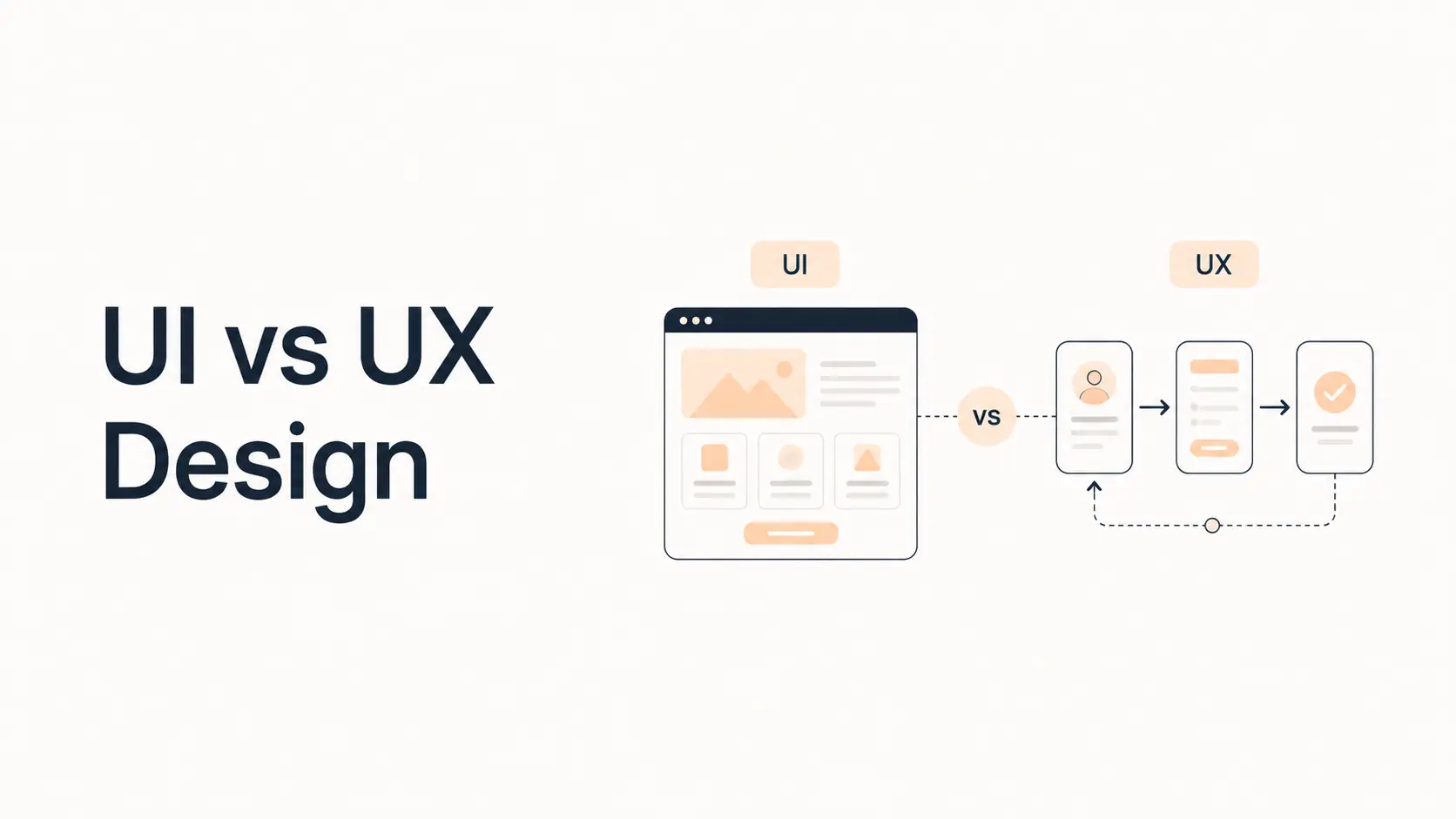


UI and UX design are closely related, but they are not the same thing. UI design focuses on the interface people see and interact with: layout, typography, colors, buttons, form fields, icons, spacing, states, and visual feedback. UX design focuses on the broader experience of using a product or website: whether people can understand it, move through it, complete tasks, recover from errors, and reach their goals without unnecessary friction.
A website can have polished UI and still deliver poor UX. It can also have a logical UX structure but feel unfinished or harder to trust because the interface is visually weak. Strong digital products need both.
Nielsen Norman Group defines user experience broadly as all aspects of a user’s interaction with a company, its services, and its products. That definition is useful because it shows why UX cannot be reduced to wireframes or usability alone. UI is an important part of that experience, but it is only one part.
TL;DR
- UI means user interface. It covers the visual and interactive layer people directly use.
- UX means user experience. It covers the complete journey, including usefulness, structure, usability, flow, accessibility, feedback, and satisfaction.
- UI designers commonly work on visual hierarchy, components, design systems, responsive states, typography, color, and interaction details.
- UX designers commonly work on research, information architecture, user flows, wireframes, prototypes, usability testing, and problem definition.
- The roles often overlap, especially in small teams, but the questions they ask are different.
- Good UI cannot rescue a confusing user journey, and good UX still needs a clear, accessible interface.
- For business websites, UI and UX directly affect how easily visitors understand an offer, find information, trust the company, complete forms, and convert.
What Is UI Design?
UI stands for user interface. UI design is the discipline of designing the visual and interactive surface through which a person uses a digital product.
On a website, the UI includes things such as:
- Navigation menus
- Buttons and links
- Forms and input fields
- Cards and content sections
- Typography
- Colors and contrast
- Icons
- Spacing
- Tabs, accordions, and dropdowns
- Hover, focus, active, loading, success, and error states
- Responsive behavior across screen sizes
The goal is not simply to make a website attractive. A strong interface should help people understand what is interactive, what matters most, what happened after an action, and what they can do next.
For example, a primary CTA should look more important than a secondary action. A disabled button should look unavailable. A form error should be visually connected to the field that needs attention. A navigation item should not look like plain text if users are expected to click it.
The Interaction Design Foundation describes UI design as focusing on the surface and overall feel of a product, including visual and interactive elements such as buttons, icons, spacing, typography, and layout.
Typical UI design questions
A UI designer may ask:
- Is the primary action visually obvious?
- Is the typography hierarchy clear?
- Are buttons consistent across the site?
- Does the component have usable hover and focus states?
- Is there enough contrast?
- Does the mobile version preserve hierarchy?
- Are forms visually easy to scan?
- Do loading and error states communicate clearly?
- Does the interface follow the design system?
These questions are mainly about how the interface communicates and behaves.
What Is UX Design?
UX stands for user experience. UX design focuses on the overall experience a person has while trying to accomplish something.
That scope is wider than the screen itself.
A UX problem might be that users cannot find pricing, do not understand the difference between two services, abandon a form halfway through, keep returning to the previous page because the navigation is unclear, or arrive at a checkout without knowing the final cost.
None of those problems are solved simply by changing colors or button styles.
UX design may involve:
- User research
- Problem definition
- Customer or user journeys
- Information architecture
- Navigation structure
- User flows
- Wireframes
- Prototypes
- Content hierarchy
- Usability testing
- Accessibility considerations
- Error prevention and recovery
- Measuring behavior after launch
- Iterating based on evidence
UX therefore asks whether the product or website works well for the person using it.
Typical UX design questions
A UX designer may ask:
- What is the user trying to accomplish?
- What information do they need before taking action?
- Where do users get confused or drop out?
- Does the site structure match how users think about the information?
- Can a first-time visitor understand the offer quickly?
- Are users being asked for unnecessary information?
- Does the flow prevent avoidable mistakes?
- What happens when something fails?
- Can people complete the same task with a keyboard or assistive technology?
- What should be tested before development?
These questions are about the journey, not only the interface.
UI vs UX Design: The Main Difference
The simplest distinction is this:
UX determines how the experience should work. UI determines how the interface communicates and presents that experience.
That distinction is useful, but real projects are rarely separated perfectly. UX and UI influence each other continuously.
A UX decision may determine that a quote request should use a short multi-step form. The UI work then determines how progress is shown, how fields are grouped, how errors appear, and how the primary action is styled.
If testing later shows that users do not notice the next button, the problem may look visual but still affect the UX. If the form asks twelve unnecessary questions, making the button larger does not solve the real issue.
UI vs UX comparison
| Area | UI Design | UX Design |
|---|---|---|
| Primary focus | Interface presentation and interaction | Complete user journey and experience |
| Typical question | How should this look and respond? | What should happen and why? |
| Common outputs | High-fidelity screens, components, design systems, visual states | Research findings, flows, wireframes, prototypes, journey maps |
| Main concerns | Hierarchy, consistency, typography, color, components, feedback | Usefulness, usability, structure, flow, friction, task completion |
| Testing | Visual consistency, interaction states, component behavior | Usability tests, task success, user feedback, journey analysis |
| Scope | Usually the digital interface | Broader experience around the product or service |
A Simple Website Example
Imagine a local accounting firm redesigning its website.
A visitor lands on the homepage because they need help with business tax planning.
UX decisions
The UX work may determine that:
- The homepage should clearly separate business and personal services.
- Tax planning should be reachable from the main navigation.
- The service page should explain who the service is for before describing features.
- The primary CTA should be “Book a Consultation.”
- The booking form should ask only for information needed before the call.
- Testimonials from relevant business clients should appear before the final CTA.
- Mobile users should be able to call or book without searching through the footer.
These decisions shape the user’s path.
UI decisions
The UI work may determine that:
- “Book a Consultation” uses the primary button style.
- Service categories use clear cards with consistent spacing.
- Headings and body copy have strong visual contrast.
- The active navigation state shows where the user is.
- Form fields are large enough for touch interaction.
- Error messages are easy to identify.
- Testimonials are visually separated from marketing claims.
- Mobile navigation is compact but still easy to operate.
Both sets of decisions matter. The UX creates the route; the UI makes that route understandable and usable.
Where UI and UX Overlap
The boundary between UI and UX becomes especially clear around interaction design.
Consider a dropdown menu.
UX questions may include:
- Should these items be grouped under one menu?
- Does the label match what users expect?
- Is a dropdown necessary at all?
- Can users reach important pages another way?
UI questions may include:
- How does the dropdown open?
- What is the hover state?
- How is keyboard focus shown?
- How much spacing is used between items?
- How does it behave on mobile?
Interaction design connects both because behavior affects the journey and the interface at the same time.
This is why many teams use titles such as Product Designer, UX/UI Designer, or Digital Product Designer rather than separating every responsibility.
What Does a UI Designer Usually Do?
Responsibilities vary by company, but UI-focused work commonly includes:
Visual hierarchy
Creating a clear relationship between headings, body copy, buttons, cards, images, and supporting information.
Component design
Designing reusable elements such as buttons, inputs, tabs, alerts, modals, navigation items, badges, and cards.
Design systems
Defining reusable colors, typography, spacing, states, components, patterns, and rules so the product stays consistent.
Responsive interface states
Making sure components behave appropriately across mobile, tablet, and desktop.
Interaction feedback
Designing hover, focus, pressed, selected, loading, error, empty, and success states.
Accessibility at the interface level
Maintaining contrast, readable type, visible focus states, understandable controls, and interface patterns that support assistive technology.
For website projects, these responsibilities connect closely with our guides to responsive web design and website accessibility.
What Does a UX Designer Usually Do?
UX-focused responsibilities commonly include:
Research
Understanding users, goals, problems, behavior, and context through interviews, surveys, observation, analytics, support data, or other evidence.
Information architecture
Organizing content so users can understand where things belong and where to find them.
For websites, this directly affects navigation design.
User flows
Mapping the steps required to complete important tasks such as requesting a quote, creating an account, booking a service, or completing checkout.
Wireframes and prototypes
Exploring structure and interaction before expensive development decisions are locked in.
Usability testing
Watching representative users attempt realistic tasks to identify confusion, friction, and failure points.
Iteration
Using evidence from testing and live behavior to improve the experience instead of treating launch as the end of the design process.
Which Comes First: UX or UI?
In a structured project, UX usually starts first, because the team should understand the problem, content, journey, and requirements before polishing the interface.
A typical sequence might look like:
- Understand business and user goals.
- Research current behavior and problems.
- Define information architecture and key flows.
- Create wireframes or low-fidelity prototypes.
- Test important assumptions.
- Develop the visual direction and UI system.
- Apply the UI to responsive screens.
- Prototype interactions.
- Test again.
- Build, measure, and iterate.
This is not a rigid waterfall process. UI exploration may reveal UX problems, and usability testing may require changes to both.
The key is to avoid polishing a solution before the team knows whether it solves the right problem.
Can Good UI Exist With Bad UX?
Yes.
A website can look premium and still be frustrating.
Examples include:
- Beautiful navigation with unclear labels
- A stylish checkout that hides delivery costs until the final step
- A polished contact form that asks for too much information
- Smooth animation that delays access to content
- Attractive cards that do not make it clear which ones are clickable
- Elegant typography paired with weak information hierarchy
- A visually impressive homepage that never explains what the company actually does
These are often the sites people describe as “nice, but hard to use.”
Can Good UX Exist With Weak UI?
Yes, although the experience will still be limited.
A simple internal tool may have excellent task flow and clear information but look visually dated. Users might still complete their work successfully.
For a public-facing business website, however, weak UI can reduce trust, readability, accessibility, and perceived quality. The interface is part of the experience.
The goal is not to choose UX over UI. The goal is to avoid optimizing one while ignoring the other.
Why UI and UX Matter for Business Websites
For a business website, design should support a business outcome without making users work harder.
Clearer positioning
UX determines what information should appear and in what order. UI helps make the key message visually prominent.
Our homepage design best practices guide shows how those decisions come together on a business homepage.
Easier navigation
UX defines the information architecture and menu structure. UI makes navigation states, dropdowns, mobile menus, and hierarchy understandable.
Better lead generation
UX removes unnecessary steps from conversion paths. UI makes forms, CTAs, confirmations, and errors easier to use.
For small businesses, these decisions are central to building a website that generates leads.
Stronger trust
A logical experience makes a business feel competent. A consistent visual system makes it feel professional. Both influence whether visitors feel comfortable taking the next step.
Better accessibility
Accessibility cuts across both disciplines. UX must consider whether tasks are possible for different users; UI must provide sufficient contrast, focus visibility, understandable controls, and usable responsive behavior.
Lower development waste
Testing a user flow before development is cheaper than rebuilding it after launch. A reusable UI system also reduces inconsistent one-off styling.
UI and UX in a Website Redesign
A redesign should not begin with “make it look modern.”
Start by asking why the current website needs to change.
Possible UX problems:
- Visitors cannot find important services.
- Mobile users abandon a form.
- The navigation no longer matches the business.
- Users do not understand pricing.
- Important pages have high exits.
- The site structure has become inconsistent over time.
Possible UI problems:
- Typography feels inconsistent.
- Components do not share common styles.
- Buttons have too many variations.
- Contrast is weak.
- Spacing is inconsistent.
- Mobile layouts look compressed.
- The visual design no longer matches the brand.
A redesign can involve both, but diagnosing them separately helps prevent a superficial solution.
UI vs UX and Accessibility
Accessibility is not a separate layer added after UI and UX are complete.
At the UX level, ask:
- Can users complete the task without a mouse?
- Is the information structure logical?
- Are instructions clear?
- Can errors be understood and corrected?
- Does the flow depend on memory, timing, or unnecessary precision?
At the UI level, ask:
- Is text contrast sufficient?
- Is keyboard focus visible?
- Are labels associated with controls?
- Are interactive states distinguishable?
- Are touch targets large enough?
- Does content remain usable when zoomed or reflowed?
Good accessibility work improves both interface quality and the broader experience.
Common UI and UX Mistakes
Treating UI as the entire design process
A polished Figma file does not prove the flow works.
Starting with visuals before defining the problem
A strong visual direction can still solve the wrong problem.
Copying competitors without understanding their users
A pattern that works for another business may not match your audience, content, or conversion model.
Designing only the ideal path
Real users make mistakes, have incomplete information, lose connections, submit invalid data, and arrive from unexpected pages.
Ignoring content
Headings, button labels, navigation names, instructions, errors, pricing details, and proof are part of the experience.
Skipping mobile and accessibility states
A design is incomplete if it only works in one viewport with a mouse.
Treating launch as completion
Both UI and UX improve through measurement and iteration.
UI vs UX: Which Is More Important?
Neither is universally more important.
If users cannot complete a task, fixing the UX problem usually takes priority. If the interface is unreadable, inconsistent, inaccessible, or visually confusing, UI problems can also block the task.
For business websites, the practical order is:
- Make the experience useful and understandable.
- Make the flow easy to complete.
- Make the interface clear and accessible.
- Make the visual system consistent and distinctive.
- Measure what happens after launch and improve it.
Strong design combines all five.
Do You Need Separate UI and UX Designers?
Not always.
A small website may be handled well by one experienced designer who can research, structure, wireframe, design the interface, and test key flows.
Larger products may benefit from specialists such as:
- UX researchers
- UX designers
- UI designers
- Interaction designers
- Content designers
- Product designers
- Accessibility specialists
- Design-system designers
The title matters less than whether the project covers the necessary work.
Before hiring, ask what activities are included. “UI/UX design” can mean anything from a few polished screens to a complete research, prototyping, testing, and design-system process.
A Practical UI and UX Checklist for Websites
Before launching or redesigning a website, check both layers.
UX checklist
- The target audience and primary tasks are clear.
- The sitemap matches user expectations.
- Navigation labels are understandable.
- Important content is easy to find.
- Conversion paths avoid unnecessary steps.
- Forms request only necessary information.
- Errors are preventable and recoverable.
- Mobile tasks have been tested.
- Key flows work with keyboard navigation.
- Important assumptions have been tested with users where possible.
- Analytics are configured around meaningful actions.
UI checklist
- Headings and actions have clear hierarchy.
- Typography is readable.
- Color contrast is sufficient.
- Buttons and links are visually recognizable.
- Components are consistent.
- Focus states are visible.
- Form labels and errors are easy to understand.
- Loading, empty, success, and error states are designed.
- Touch targets are usable.
- Responsive layouts feel intentional.
- The design system is documented enough for consistent implementation.
For a broader design review, use our web design best practices guide alongside this checklist.
Final Takeaway
UI and UX are different because they solve different layers of the same problem.
UX focuses on the user’s complete path: what they need, what they are trying to accomplish, how information is organized, where friction appears, and whether the solution works.
UI focuses on the interface through which that experience is delivered: hierarchy, typography, color, controls, spacing, visual feedback, responsive states, and consistency.
The strongest websites do not treat one as optional. They use UX to create a sensible experience and UI to make that experience clear, accessible, and trustworthy.
Frequently Asked Questions
What is the main difference between UI and UX design?
UI design focuses on the visual and interactive interface, such as buttons, typography, spacing, colors, forms, and component states. UX design focuses on the wider user journey, including research, structure, navigation, flows, usability, accessibility, and task completion.
Is UI part of UX?
Yes. The interface strongly affects the user experience, but UX is broader than the interface. A person can have a poor experience because of missing information, confusing processes, slow support, weak navigation, or other problems even when the interface looks polished.
Which comes first, UI or UX?
UX work usually begins first because teams should understand user needs, content structure, flows, and requirements before polishing the interface. In practice, UI and UX often evolve together through prototyping, testing, and iteration.
Can one designer do both UI and UX?
Yes, especially for smaller website projects. Many designers work across research, wireframing, interaction design, visual design, and prototyping. Larger products may use separate specialists because the research and design workload is broader.
Is UX the same as usability?
No. Usability is an important part of UX, but UX is broader. It can include usefulness, expectations, emotional response, service interactions, brand perception, accessibility, and the full relationship a person has with a product or service.
Does better UI improve conversions?
It can, especially when poor hierarchy, weak contrast, unclear controls, inconsistent buttons, or confusing forms are creating friction. But visual changes alone cannot fix deeper UX problems such as unclear positioning, unnecessary steps, missing information, or a badly structured conversion path.
What should a business improve first: UI or UX?
Start with the problem that most affects the user’s ability to understand the website or complete an important task. If the flow itself is confusing, address UX first. If the flow is sound but the interface makes it difficult to read or operate, UI improvements may be the priority.