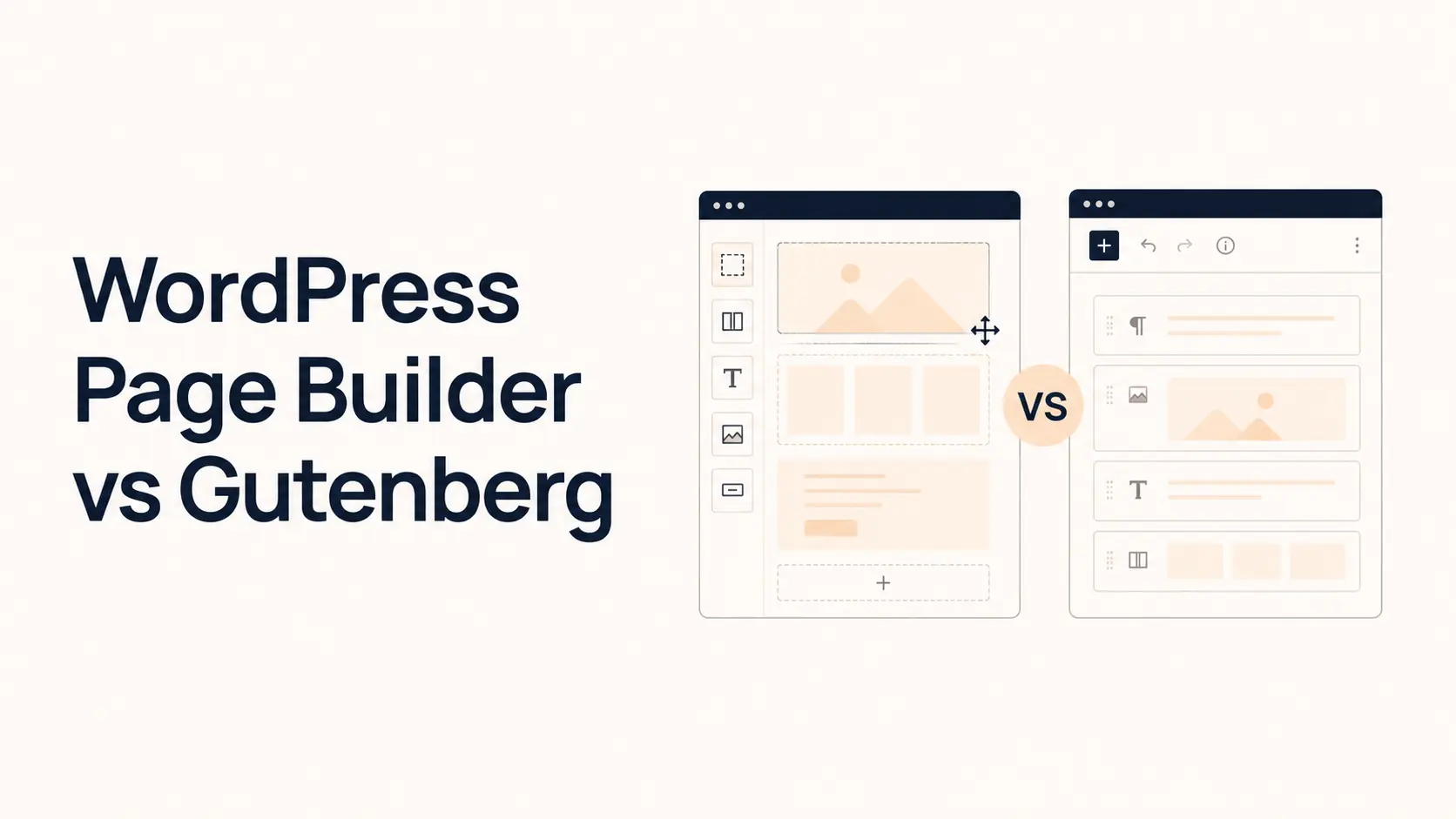


A business website does not need the editor with the longest feature list. It needs an editing system your team can use without slowing down publishing, redesigns, SEO work, or future maintenance.
For most small and mid-sized business websites, Gutenberg is the stronger default when the site is content-led, uses a repeatable design system, and benefits from staying close to WordPress core. A page builder is usually the better fit when the business needs highly visual layouts, frequent landing-page changes, granular responsive controls, or advanced design features that non-developers need to manage visually.
Neither option automatically produces better SEO, better Core Web Vitals, or a more professional website. Those outcomes depend on the full implementation: theme, plugins, hosting, media, scripts, accessibility, content, and development quality.
TL;DR: Page Builder vs Gutenberg
- Choose Gutenberg for native WordPress editing, efficient publishing, reusable patterns, lower builder dependency, and a content-first workflow.
- Choose a page builder when designers or marketers need a visual canvas, detailed responsive controls, reusable landing-page layouts, and builder-specific marketing features.
- For performance, Gutenberg often has the leaner starting point, but a well-built page-builder site can still be fast.
- For SEO, there is no automatic winner. Content quality, crawlability, technical SEO, accessibility, internal linking, and page performance matter more.
- For long-term ownership, Gutenberg keeps the site closer to WordPress core. A builder can reduce day-to-day development work but adds another major software dependency.
- For many businesses, the best setup is either a block-first Gutenberg site or a disciplined hybrid where Gutenberg handles editorial content and one page builder handles clearly defined marketing areas.
Gutenberg vs Page Builder: Quick Comparison
| Factor | Gutenberg | WordPress Page Builder |
|---|---|---|
| Editing model | Native block editor | Visual drag-and-drop canvas |
| Design freedom | Strong with block themes, patterns, and custom blocks | Usually more granular out of the box |
| Performance baseline | Typically leaner | Varies by builder and implementation |
| Site-wide templates | Site Editor with a block theme | Theme-builder features where supported |
| Reusable layouts | Patterns, synced patterns, template parts | Global sections, templates, components |
| Responsive control | Good, theme/block dependent | Usually more detailed device controls |
| Marketing features | Often requires blocks/plugins | Some builders bundle forms, popups, interactions |
| Content publishing | Excellent | Can add extra design-layer friction |
| Dependency | Mainly WordPress/theme/block stack | Adds builder-specific dependency |
| Cost | Core editor is included | Free or paid depending on builder/features |
The better choice depends on how your business actually creates, edits, and grows the website.
What Is Gutenberg in WordPress?
Gutenberg is the block-based editing system built into WordPress. Pages and posts are assembled from blocks such as headings, paragraphs, images, columns, buttons, groups, galleries, lists, tables, and embeds.
With a compatible block theme, Gutenberg extends beyond page content into the WordPress Site Editor, where blocks can control templates, navigation, headers, footers, and other site-wide areas. WordPress also supports block patterns for reusable layouts, while synced patterns can update repeated content everywhere that pattern is used.
That makes modern Gutenberg much more than a blogging editor. A well-planned block theme, pattern library, global styles, and selective custom blocks can support a complete business website.
What Is a WordPress Page Builder?
A page builder is a WordPress plugin or builder ecosystem that provides a more visual interface for designing pages and, in many cases, site templates.
Common capabilities include detailed spacing and typography controls, responsive settings, template libraries, reusable sections, dynamic content, header and footer building, interactions, forms, popups, and conversion elements. The exact feature set varies by product and plan. For example, Elementor currently highlights its visual canvas, responsive controls, theme building, templates, forms, calls to action, and popup functionality.
The main business advantage is not simply more widgets. It is that a designer or marketer can often make detailed visual changes without creating a custom block or asking a developer for every layout adjustment.
1. Design Flexibility: Page Builders Usually Win Out of the Box
If your site relies on art-directed landing pages, overlapping elements, unusual layouts, precise responsive behavior, advanced interactions, or many one-off campaign designs, a mature page builder usually makes those changes easier inside the visual editor.
Gutenberg can still produce sophisticated designs. A custom block theme, global styles, patterns, block styles, and purpose-built blocks can create a highly controlled system. The difference is that some advanced controls may depend on the theme, an additional block library, or development work rather than being exposed by core blocks.
Choose a page builder for design flexibility when the team needs to create highly customized marketing layouts frequently. Choose Gutenberg when consistency and a controlled design system matter more than giving every editor unrestricted visual control.
2. Content Publishing: Gutenberg Has the Cleaner Workflow
For articles, resources, case studies, documentation, and normal service-page content, Gutenberg is difficult to beat because it is WordPress’s native content editor.
Writers can focus on headings, paragraphs, images, lists, tables, quotes, embeds, and calls to action without navigating a separate design canvas. Patterns can standardize recurring sections such as CTAs, comparison blocks, author notes, or testimonials.
A page builder can handle the same content, but using a visual design interface for every blog post often adds unnecessary editorial friction. For a business publishing SEO content every week, that difference compounds across dozens or hundreds of posts.
3. Performance: Gutenberg Often Has the Leaner Starting Point
Gutenberg commonly has a performance advantage at the baseline because the core block editor does not require an entire third-party visual-builder layer on every page.
But it is inaccurate to say all Gutenberg sites are fast and all page-builder sites are slow. A page-builder site can perform well with a lightweight stack, sensible DOM structure, restrained widgets, optimized images, efficient fonts, caching, and limited third-party scripts. A Gutenberg site can perform badly with oversized media, too many block plugins, poor hosting, tracking scripts, and unoptimized assets.
For a business website, evaluate real pages rather than the editor logo. Measure Core Web Vitals, script weight, image delivery, layout shifts, and interaction performance. Tenfic’s responsive web design best practices also cover decisions that affect both layout quality and performance.
4. SEO: Neither Editor Gives You Rankings
Google does not rank a website because it was built with Gutenberg or a particular page builder. Both approaches can produce crawlable, semantically sound pages, and both can be implemented poorly.
What matters is useful content, clear heading structure, internal linking, indexability, metadata, structured data where appropriate, mobile usability, accessibility, sensible media handling, and strong technical performance.
Gutenberg’s native content model can make editorial structure easier to standardize, while a builder may give marketers more visual control over conversion-focused pages. Neither replaces technical SEO. If organic search is important, pair your editor with a repeatable process such as Tenfic’s WordPress SEO checklist.
5. Responsive Design: Page Builders Usually Offer More Granular Controls
Most established page builders expose device-level controls for spacing, font sizes, alignment, visibility, columns, and layout behavior. That can make it easier for a designer to fix an awkward tablet or mobile section without custom CSS.
Gutenberg supports responsive layouts, but the experience depends more heavily on the theme and individual blocks. A well-engineered block theme can produce excellent responsive behavior with fewer manual overrides because the system itself handles much of the adaptation.
More controls are useful, but they also create more opportunities for inconsistent one-off settings. For a large business site, a strong responsive system can be more valuable than dozens of per-element overrides.
6. Reusable Design Systems: Both Can Work Well
Gutenberg uses patterns, synced patterns, templates, template parts, global styles, and theme configuration to create repeatable design. Page builders usually provide their own global colors, typography, templates, reusable sections, components, classes, or design variables.
For a business, the key question is not which system has more controls. Ask whether your team can update a repeated element centrally without manually editing 30 pages. A disciplined Gutenberg build and a disciplined page-builder build can both solve that. A poorly planned site in either system can become a collection of one-off pages that are difficult to maintain.
7. Marketing and Landing Pages: Page Builders Often Have the Advantage
Marketing teams frequently need to duplicate landing pages, change hero sections, build lead-generation pages, launch campaign layouts, add forms, or create conversion-focused sections quickly.
Page builders are often designed around this workflow. Some bundle templates and marketing tools that would otherwise require separate plugins or custom blocks. If your team launches highly visual campaigns every week, that can shorten the path from an idea to a published page.
Gutenberg can also build effective landing pages, especially when a developer or agency creates a strong pattern library in advance. The difference is that Gutenberg usually works best when the design system has already defined the reusable sections instead of giving every editor unlimited layout freedom.
8. Maintenance, Updates, and Lock-In
Gutenberg is part of WordPress core. A Gutenberg site still depends on its theme, plugins, custom blocks, hosting, and development choices, but its central editing system follows WordPress itself.
A page builder adds another important software layer. Updates, licenses, add-ons, compatibility, deprecated elements, builder-specific templates, and global settings become part of the maintenance plan.
That does not mean page builders are unreliable. It means the builder should be treated as part of the website architecture, not as a temporary plugin you can always remove without consequences.
Before choosing a builder, ask:
- What happens to page content if the builder is disabled?
- How difficult would it be to migrate or redesign the site later?
- Are essential features tied to paid add-ons?
- Can another WordPress professional reasonably maintain the stack?
- Will your internal team still understand the editing system in two or three years?
If reducing third-party dependency is a major requirement, Gutenberg usually has the structural advantage. Tenfic’s WordPress website development guide covers the broader decisions behind maintainable WordPress builds.
9. Cost: Gutenberg Is Not Automatically Cheaper
The Gutenberg editor is included with WordPress, so there may be no separate builder license. However, a professional block-first website can still require a premium block theme, custom theme work, custom blocks, design, testing, and ongoing development.
A page builder can add annual licensing, but it may reduce development hours because many layout and marketing controls already exist. For some small businesses, that makes a builder-based build cheaper initially.
Compare total cost of ownership, not just plugin price:
- initial design and development;
- builder, theme, and plugin licenses;
- content editing time;
- developer support;
- performance optimization;
- maintenance and testing;
- redesign or migration effort.
For realistic budget ranges, see Tenfic’s WordPress website cost guide.
10. What About WooCommerce Websites?
Both Gutenberg and page builders can support WooCommerce. The better option depends on how customized the store needs to be.
A straightforward store with a clean catalog, strong product content, and conventional merchandising may work well with a block-first approach. A highly branded store may benefit from a builder when the team frequently changes product templates, promotional sections, category layouts, or campaign pages visually.
Ecommerce also increases the importance of testing. Product pages, cart behavior, checkout flows, account areas, filters, scripts, and responsive layouts must continue working after updates. Choose the system your team can maintain consistently rather than the one that produces the flashiest demo.
Page Builder vs Gutenberg: Which Should Your Business Choose?
Choose Gutenberg if:
- your website is primarily services, resources, articles, or straightforward ecommerce;
- your team publishes frequently and wants a clean editorial workflow;
- long-term portability and lower builder dependency matter;
- you prefer a controlled design system with reusable patterns;
- performance simplicity matters more than maximum visual control;
- developers can create custom blocks or patterns when special layouts are needed.
Choose a page builder if:
- the site depends on highly customized visual layouts;
- designers or marketers need to build landing pages without developer help;
- you need granular responsive controls throughout the editor;
- campaign speed matters more than minimizing software dependencies;
- builder-specific features can replace several separate design or conversion tools;
- your team is already trained on a specific builder and has a maintenance process for it.
The Hybrid Approach Can Be the Best Business Decision
“Gutenberg vs page builder” does not always require using one editor for every content type.
A practical setup is to use a page builder for the main marketing pages and templates while keeping blog posts, guides, and other editorial content in Gutenberg. Another option is to stay block-first and extend Gutenberg with a custom block theme, reusable patterns, and only the extra blocks the site genuinely needs.
The important rule is consistency. Avoid randomly building similar pages in different systems or installing multiple builders because one particular section was easier elsewhere. That increases training, testing, styling, and maintenance costs.
Define which editor owns which content type before the website grows.
A 7-Question Decision Checklist
Before choosing, answer these questions:
- Who will edit the website every week? Writers usually benefit from Gutenberg; design and growth teams may value a builder.
- How custom are the layouts? Standardized sections favor blocks; highly art-directed layouts favor visual builders.
- How often will landing pages change? Frequent campaign iteration can justify builder tooling.
- How important is portability? If reducing third-party dependency is a core requirement, Gutenberg has an advantage.
- Can the team maintain a design system? Either approach needs reusable styles and components to avoid inconsistency.
- What is the real budget? Include licenses, development, editing time, maintenance, and future redesigns.
- Who will support the site after launch? Choose a stack that the future team can actually maintain.
If you are hiring outside help, these questions should also be part of the conversation when you choose a web development company.
Conclusion
For most content-led business websites, Gutenberg is now capable enough to be the default choice. Block themes, the Site Editor, patterns, and synced patterns give businesses a much stronger native design system than the early Gutenberg experience offered.
Page builders still make sense when visual control and marketing iteration are central requirements. They can reduce the gap between a designer’s idea and a live landing page, especially when teams need detailed responsive controls and reusable campaign layouts.
The better choice is the one that reduces friction across the website’s entire life: building, publishing, optimizing, maintaining, redesigning, and handing the site to the next person. Do not choose based only on a demo of the editor. Choose based on the workflow your business will repeat for years.
Frequently Asked Questions
Is Gutenberg better than Elementor for business websites?
Gutenberg is often better for content-heavy businesses that prioritize native WordPress editing, portability, and a leaner baseline. Elementor can be better when the team needs extensive visual controls, templates, responsive editing, and marketing-oriented design features. The right choice depends on workflow rather than a universal quality ranking.
Is Gutenberg faster than page builders?
Gutenberg often starts with less editor-specific overhead, but final website speed depends on the whole stack. Hosting, theme quality, images, fonts, plugins, third-party scripts, caching, and implementation can have a larger effect than the editor alone.
Can Gutenberg build a complete business website?
Yes. With a block theme, the Site Editor can manage site templates and areas such as headers and footers, while patterns and synced patterns support reusable layouts. Custom blocks can extend the system when core blocks are not enough.
Are page builders bad for SEO?
No. A page builder does not automatically hurt SEO. Problems come from poor implementation, excessive scripts, weak heading structure, slow pages, unoptimized media, or low-quality content. Well-built page-builder websites can perform well in search.
Can I use Gutenberg and a page builder on the same WordPress site?
Yes. Many sites use Gutenberg for posts while a page builder handles marketing pages or templates. The setup should be intentional. Avoid switching editors randomly for similar content because inconsistent ownership increases maintenance work.
Which option is cheaper for a small business?
Gutenberg can avoid a separate builder license, while a page builder can reduce development time. A custom block-based site can still require significant design and development. Compare the total cost of building, editing, maintaining, and redesigning the website.
Should I switch an existing page-builder website to Gutenberg?
Not solely because Gutenberg is native. Migration makes sense when the current builder creates maintenance, performance, licensing, or editing problems that justify a rebuild. Audit the site first and plan the migration carefully so URLs, content, tracking, SEO elements, and design requirements are preserved.