


A WordPress SEO checklist is most useful when it focuses on the fixes that can actually change how search engines crawl, understand, and rank a site. You do not need dozens of plugins or endless micro-optimizations. You need the technical basics, clear page targeting, useful content, and a site structure that search engines can follow.
Use the twelve checks below as a practical review for an existing WordPress site or before launching a new one.
1. Confirm your preferred domain and HTTPS version
Choose one canonical version of the site, such as https://example.com or https://www.example.com, and make every alternate version redirect to it. Google can discover HTTP, HTTPS, www, and non-www URLs separately, so inconsistent redirects can split signals and create duplicate URLs.
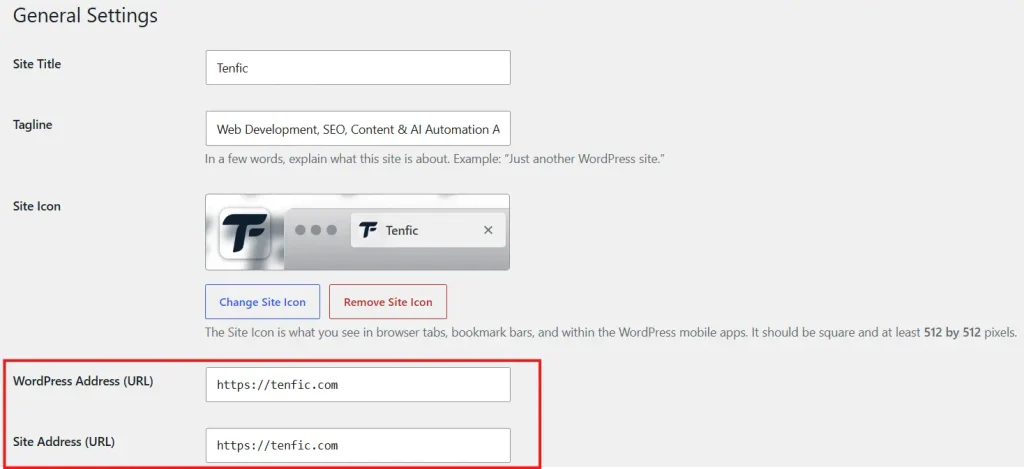
In WordPress, check the WordPress Address and Site Address from Settings>General, then verify server redirects and canonical tags. Google Search Console may still show historical variants, but users and crawlers should consistently land on one preferred version.
2. Check indexing settings before anything else
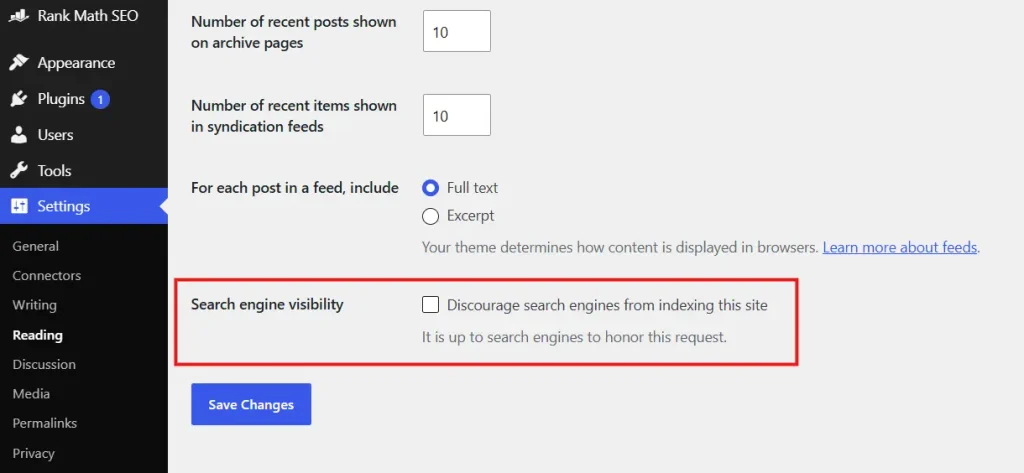
A well-optimized page cannot rank if WordPress or an SEO plugin is telling search engines not to index it. Review Settings > Reading and make sure the option to discourage search engines is not enabled on a live production site.
Also inspect page-level robots settings for important pages. Staging rules, noindex tags, password protection, or maintenance settings are common launch-day problems.
3. Submit a clean XML sitemap
Your XML sitemap should contain canonical, indexable URLs that you actually want search engines to discover. Remove obvious utility pages, duplicate archives, or thin post types when they have no search value.
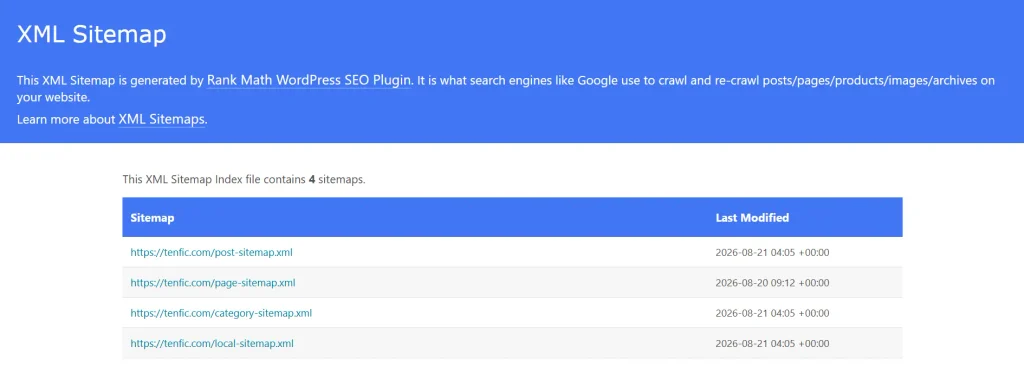
Submit the sitemap in Google Search Console and check whether Google can fetch it successfully. A sitemap helps discovery, but it does not override noindex directives, bad canonicals, or blocked crawling.
4. Make sure robots.txt is not blocking important content
Review robots.txt for rules that accidentally block CSS, JavaScript, uploads, important directories, or the entire site. Blocking a page from crawling is different from asking search engines not to index it, so use robots.txt carefully.
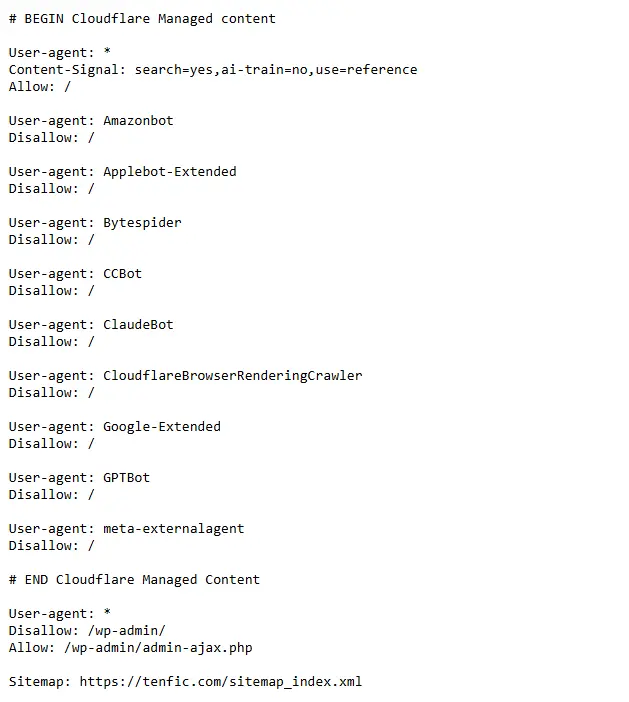
Keep the file simple. Most WordPress sites do not need a long collection of crawler directives unless there is a specific technical reason.
5. Fix title tags and meta descriptions on priority pages
Every important page should have a distinct title that communicates the topic and search intent. Put the primary topic near the beginning when it reads naturally, and avoid repeating the same template across unrelated pages.
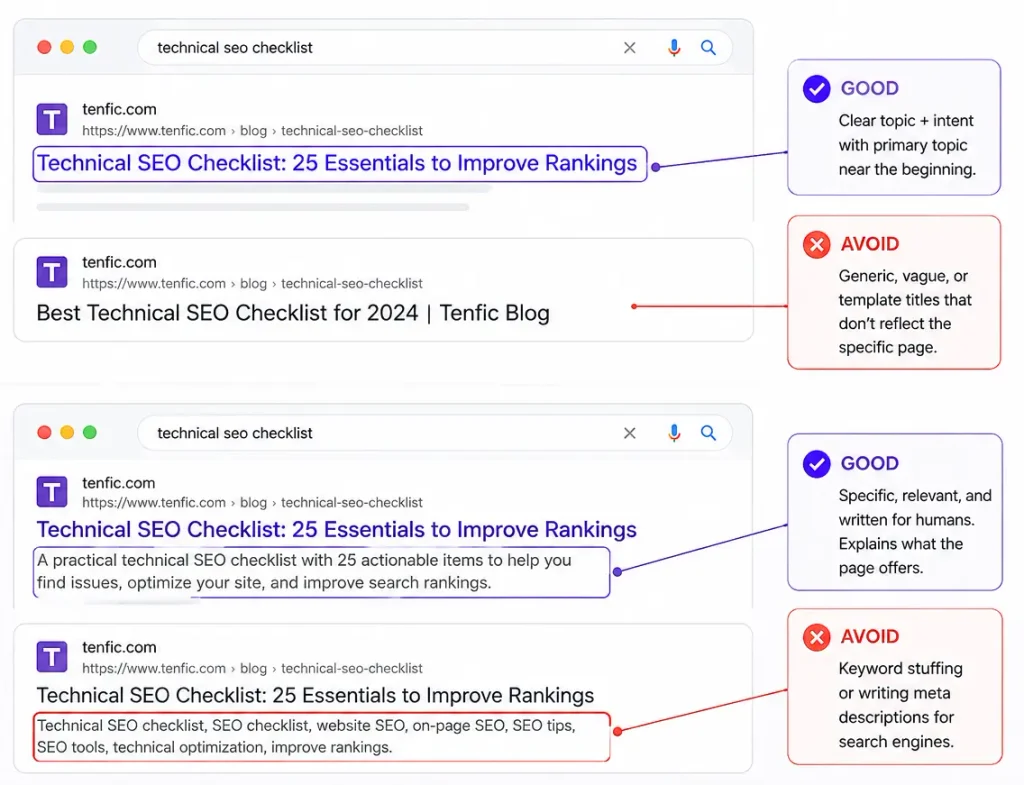
Meta descriptions are not a direct ranking factor, but a strong description can improve how the result is understood and clicked. Write them for the page, not as keyword lists.
6. Use one clear H1 and a logical heading hierarchy
The H1 should describe the main subject of the page. Use H2 headings for major sections and H3 headings for subsections. Headings should help a reader scan the page and help search systems understand how the information is organized.
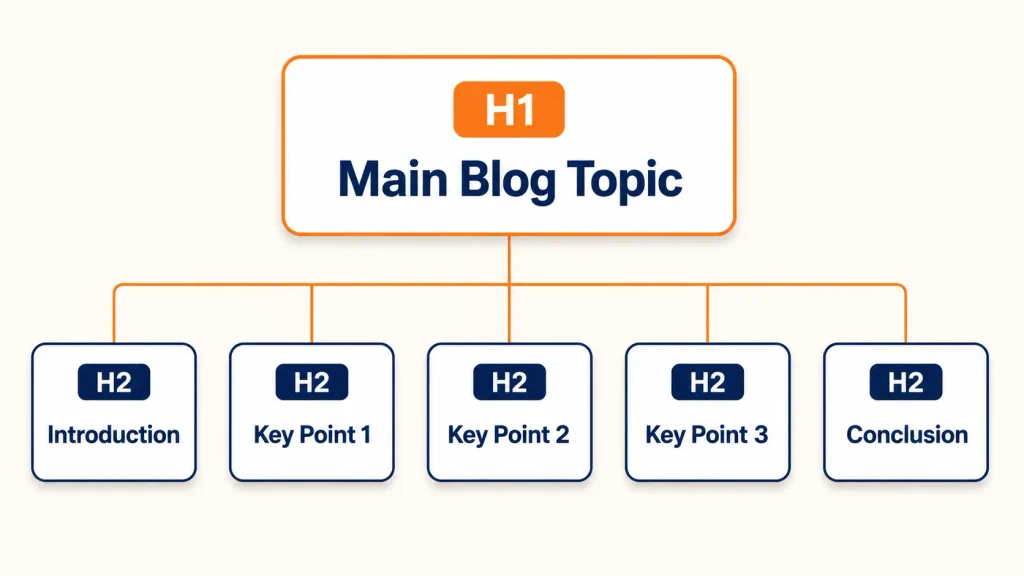
Do not choose heading levels based only on visual size. Style headings with CSS while keeping the semantic hierarchy meaningful.
7. Improve internal linking between related pages
Internal links help search engines discover pages and understand relationships between topics. Link from strong, relevant pages to important service pages, category pages, and supporting articles using descriptive anchor text.
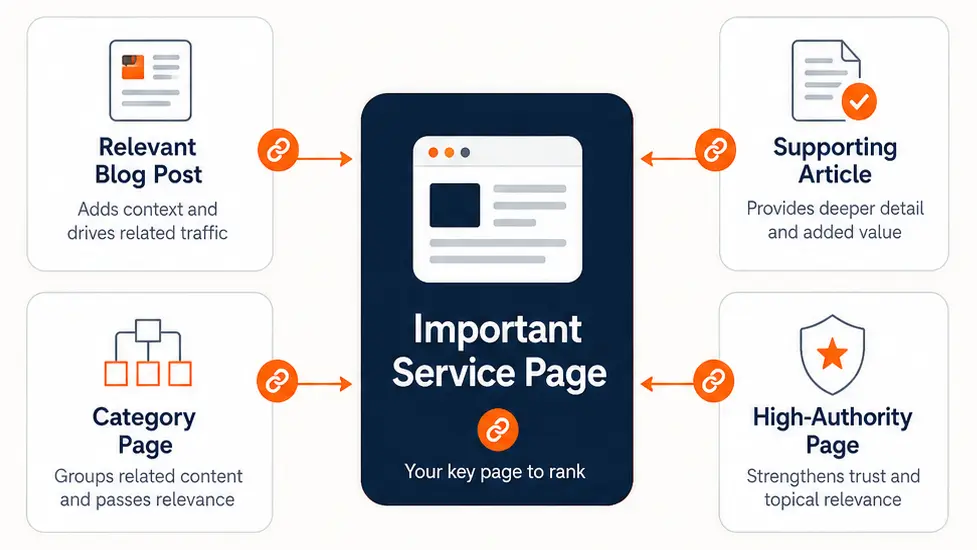
Avoid forcing links into every paragraph. A smaller number of contextually useful links is better than repetitive anchors added only for SEO.
8. Remove or consolidate thin and duplicate pages
WordPress can create tag archives, author archives, date archives, attachment URLs, pagination, filter combinations, and other URLs that add little value on some sites. Review what is indexable and decide whether each page deserves to exist in search.
When two pages target essentially the same intent, merge them when appropriate and redirect the weaker URL. Keeping several near-duplicates often makes it harder to establish a clear primary page.
9. Optimize images without damaging quality
Use appropriately sized images, modern formats where practical, compression, and descriptive alternative text when an image conveys meaningful information. Do not stuff keywords into alt text.
Large hero images and oversized uploads are frequent Core Web Vitals problems. Serve dimensions close to the rendered size and avoid loading heavy images that users never see.
10. Improve Core Web Vitals and page performance
Performance work should target real bottlenecks: slow hosting, excessive JavaScript, render-blocking assets, heavy fonts, oversized images, and plugins that add unnecessary requests. Caching helps, but it cannot fix every architectural problem.
Measure important templates individually. The homepage, blog posts, product pages, and landing pages can have very different performance profiles.
11. Add structured data where it accurately describes the page
Schema markup can help search engines interpret page entities and eligible rich-result features. Use types that match the content, such as Article for blog posts, Product for real products, or LocalBusiness when the business details are genuinely present.
Do not add schema simply because a plugin offers it. Incorrect or unsupported markup adds complexity without creating value.
12. Monitor Search Console after every major change
SEO work is not finished when the page is published. Use Google Search Console to watch indexing, canonical selection, search queries, clicks, impressions, and crawling issues after significant changes.
When performance changes, compare the timing with site releases, redirects, migrations, content edits, and algorithm updates before assuming a single cause.
A practical order for fixing WordPress SEO
Start with crawlability, indexing, redirects, canonicals, and sitemap issues. Then fix page targeting, headings, internal links, and content quality. Performance and structured data should support that foundation rather than distract from it.
The goal is not to maximize the number of SEO settings you touch. It is to make important pages easy to crawl, easy to understand, useful to visitors, and clearly connected to the rest of the site.
Frequently asked questions
What should a WordPress SEO checklist include?
A useful WordPress SEO checklist should cover crawlability, indexing, HTTPS and redirects, canonical URLs, XML sitemaps, robots directives, titles, meta descriptions, heading structure, internal links, image optimization, performance, structured data, and Search Console monitoring.
How often should I run a WordPress SEO audit?
Run a focused audit after major site changes, migrations, redesigns, plugin or theme changes, and whenever Search Console shows new indexing or crawling problems. For an active site, a broader review every few months is a practical baseline.
Does WordPress need an SEO plugin?
WordPress can handle many SEO fundamentals without a plugin, but an SEO plugin makes it easier to manage titles, meta descriptions, canonical tags, robots directives, XML sitemaps, and structured data consistently across the site.
Should every WordPress page be indexed?
No. Only pages with real search value should normally be indexable. Thin archives, internal search results, duplicate pages, attachment URLs, staging pages, and other utility URLs may be better excluded when they do not provide useful standalone content.
Does submitting an XML sitemap guarantee Google indexing?
No. A sitemap helps search engines discover canonical URLs, but it does not guarantee indexing. Google still evaluates crawlability, robots directives, canonical signals, page quality, duplication, and other factors before deciding whether to index a URL.
How important are Core Web Vitals for WordPress SEO?
Core Web Vitals are part of Google’s page experience signals, but they are not a substitute for useful content, crawlability, or relevance. Improve them by addressing real performance bottlenecks such as oversized images, excessive JavaScript, slow hosting, and render-blocking assets.
