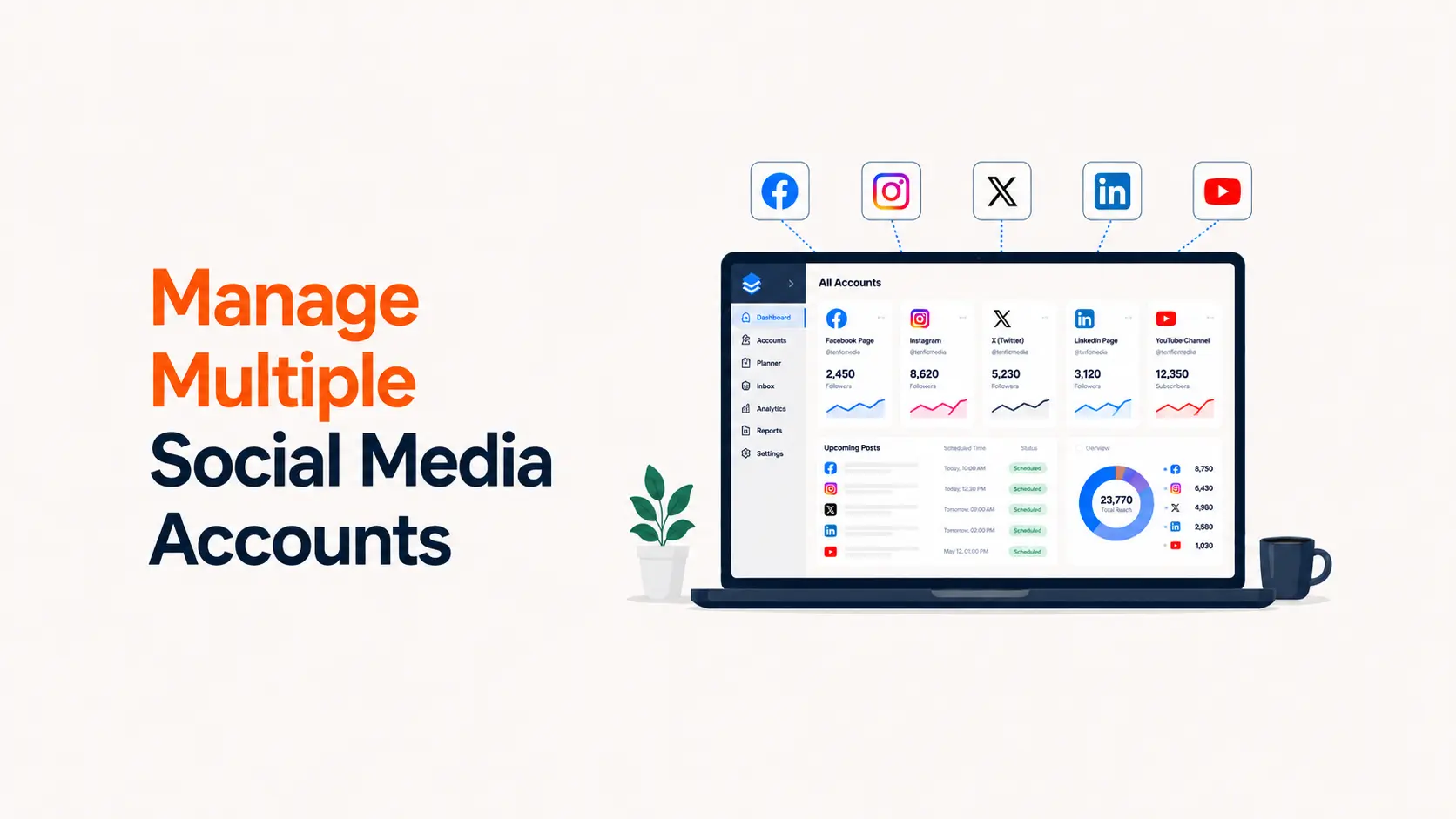


Managing multiple social media accounts becomes difficult long before a team reaches ten profiles. The real problem is not posting volume. It is coordination: who owns each account, who can publish, which content is approved, where assets live, how comments are handled, and how the team knows whether the work is producing business results.
A workable multi-account system gives every account a purpose, every teammate a defined level of access, and every piece of content a visible status from idea to publication. It also reduces security risk by using platform permissions rather than shared passwords wherever possible.
This guide shows how to manage multiple social media accounts as a team without turning the process into an approval maze. It is designed for in-house marketing teams, agencies, multi-brand companies, franchise teams, and growing businesses managing several channels at once.
TL;DR
- Audit every account and assign a business purpose
- Use role-based platform access instead of sharing passwords
- Give every account one accountable owner
- Run one shared content calendar with clear statuses
- Keep reusable assets and brand rules in a central library
- Define approval levels based on content risk
- Set response and escalation rules for comments and messages
- Adapt content to each platform instead of copying blindly
- Automate repetitive handoffs, not judgment
- Review access, workflow health, and performance on a fixed cadence
Why managing multiple social media accounts gets messy
Most teams do not fail because they lack a scheduling tool. They fail because the operating rules are unclear. Two people may think they own the same account. A contractor may retain access after a project ends. A campaign asset may be approved for LinkedIn but accidentally reused on Instagram with the wrong dimensions or CTA. A customer complaint can sit unanswered because everyone assumes somebody else is handling the inbox.
The more accounts and contributors you add, the more these small ambiguities compound. A good system therefore manages four things together: access, content, communication, and measurement.
| Problem | What it causes | Operational control |
|---|---|---|
| Shared passwords | Security risk and unclear accountability | Use platform roles and individual logins |
| No account owner | Missed posts, replies, and approvals | Assign one accountable owner per account |
| Scattered calendars | Duplicate or conflicting posts | Use one source-of-truth content calendar |
| Unclear approval rules | Bottlenecks or risky posts | Use risk-based approval levels |
| No response standard | Slow or inconsistent community management | Define SLAs and escalation rules |
| Separate reporting methods | Teams optimize different metrics | Use a shared KPI framework |
Start with an account inventory
Before changing tools or workflows, create a complete inventory of every social account the business controls. Include active profiles, dormant profiles, regional accounts, executive accounts managed by the team, community groups, ad accounts, and accounts created for past campaigns.
For each account, record the platform, handle, URL, business purpose, audience, owner, backup owner, current access holders, linked ad account, connected tools, recovery contact, and whether two-factor authentication is enabled. This register becomes the control layer for the entire operation.
| Account register field | Why it matters |
|---|---|
| Platform and handle | Prevents confusion between similarly named accounts |
| Business purpose | Explains why the account exists |
| Primary owner | Creates accountability |
| Backup owner | Protects continuity during absence |
| Access holders | Supports security audits |
| Connected tools | Shows where publishing or data access exists |
| Recovery method | Reduces lockout risk |
| Last access review | Makes offboarding auditable |
Give every account a clear job
Do not assume every profile should publish the same content or chase the same metric. A corporate LinkedIn Page may support hiring and B2B demand generation, while the company Instagram account may focus on product discovery and customer proof. A regional Facebook Page may prioritize local community updates, and a YouTube channel may serve education and long-form search.
Write a one-sentence job description for every account. For example: “This LinkedIn Page helps operations leaders understand our product and generates qualified demo interest.” That statement makes later decisions about content, cadence, and KPIs much easier.
This account-purpose work also prevents channel sprawl. If two accounts serve the same audience, publish the same material, and have no distinct business reason to exist, consolidation may be better than maintaining both.
Define team roles before assigning tools
A social media workflow works best when responsibilities are defined independently of whichever management platform you use. The exact job titles can vary, but the responsibilities should be explicit.
- Account owner: accountable for the health, access, publishing quality, and performance of a specific account
- Strategist or campaign lead: sets objectives, audience priorities, themes, and campaign direction
- Creator or copywriter: produces copy, visuals, video, or source material
- Reviewer or approver: checks accuracy, brand fit, legal/compliance issues, and campaign details
- Publisher or channel manager: schedules, publishes, and performs final platform checks
- Community manager: handles comments, messages, mentions, moderation, and escalation
- Analyst: maintains reporting definitions and turns performance data into decisions
One person can hold several roles on a small team. The important part is that every recurring task has one accountable person, not a group of people who are all vaguely responsible.
Use role-based access instead of shared passwords
Whenever a platform offers native permissions, use them. Shared credentials make it difficult to remove one person without changing access for everyone, weaken accountability, and can create policy problems on platforms designed around individual user identities.
Meta and Facebook
Meta currently distinguishes Facebook access from task access for Pages. People with task access can work through tools such as Meta Business Suite on assigned tasks such as content, messages and community activity, ads, or insights, without having the same Page-level control as someone with full access. Meta also warns that people with full control can manage access and even remove other people, so reserve that level for a small number of trusted owners. See Meta’s current Page access guidance.
LinkedIn Pages do not use a separate shared Page password. Admin access is attached to individual LinkedIn profiles, and LinkedIn says sharing personal login credentials violates its policies. Current Page roles include super admin, content admin, and analyst, with separate paid-media roles. Use the lowest role that still lets each teammate do the required work. LinkedIn documents the model in its Page admin roles guidance.
YouTube
YouTube channel permissions let multiple people manage a channel without access to the owner’s Google Account. Current permission levels include roles such as Owner, Manager, and Editor with different capabilities. YouTube explicitly describes this as safer than sharing sign-in details. Review the current YouTube channel permissions documentation before assigning access.
TikTok
TikTok Business Center provides team and asset-level permissions. Current Business Center roles include Admin and Standard, while asset permissions can restrict what a member can do with specific TikTok accounts, ad accounts, and other assets. TikTok’s 2026 documentation emphasizes granular access and secure collaboration for organic and paid work. See the TikTok Business Center account-management guide.
For every platform, keep at least two trusted people capable of recovering or administering critical business accounts, but avoid giving full control to everyone “just in case.”
Create a least-privilege access matrix
A practical access matrix maps each team role to the minimum permissions required. A community manager may need publishing, inbox, and comment access but not billing. An analyst may need performance data without publishing rights. A freelance designer often needs no direct social account access at all.
| Team role | Typical access needed | Usually unnecessary |
|---|---|---|
| Account owner | Admin/control, publishing, analytics, access review | Finance unless responsible |
| Publisher | Content creation and publishing | Access management, billing |
| Community manager | Messages, comments, moderation | Billing, account ownership |
| Analyst | Insights and reporting | Publishing, moderation |
| Designer/editor | Asset library and briefs | Direct account login |
| Agency partner | Only contracted accounts/assets | Unrelated brands or finance |
Review the matrix quarterly and whenever a team member changes role. Permissions should follow current responsibilities, not historical convenience.
Standardize security across all accounts
Account security is a workflow issue, not just an IT task. Require multi-factor authentication wherever available, use company-controlled recovery methods, and keep recovery information in an approved secure system rather than in a shared spreadsheet.
- Turn on multi-factor authentication for administrators and publishers
- Use individual accounts and native permissions where possible
- Store unavoidable shared secrets in a business password manager, not chat or email
- Use company-controlled recovery email addresses or documented recovery ownership
- Remove former employees, contractors, and agencies immediately when access is no longer needed
- Audit third-party publishing and analytics integrations, not only native platform users
- Keep a written recovery procedure for high-value accounts
Do not wait for an incident to discover that a former employee owns the only recovery phone number.
Build one source-of-truth content calendar
A team managing multiple accounts needs one planning view even if publication happens in several native tools. The calendar should answer six questions immediately: what is being published, where, when, by whom, for which campaign or objective, and what status it is in.
Use fields for account, platform, content pillar, campaign, format, draft copy, asset link, CTA, owner, reviewer, publish date, status, destination URL, tracking parameters, and post-publication notes.
| Status | Meaning | Owner |
|---|---|---|
| Idea | Worth considering but not committed | Strategist |
| Planned | Assigned to a date/campaign | Account owner |
| In production | Copy or creative is being built | Creator |
| In review | Waiting for factual/brand/compliance approval | Reviewer |
| Approved | Ready for final platform adaptation | Publisher |
| Scheduled | Loaded into the publishing system | Publisher |
| Published | Live and checked | Account owner |
| Learned | Performance notes captured | Analyst |
A status system is more important than color coding. Everyone should use the same definitions.
Plan by campaign first, then adapt by account
For multi-account teams, planning one post at a time creates repetitive work. Plan the campaign or core idea first, define its objective and evidence, then map the best executions to each account.
A product launch could produce a LinkedIn founder post, an Instagram Reel, a short TikTok demo, a YouTube walkthrough, a Facebook customer story, and a Pinterest tutorial Pin. The source idea is shared, but the packaging, hook, CTA, length, and creative treatment should fit each channel.
This approach aligns with the broader system in Tenfic’s social media presence strategy: give each platform a role rather than making every account a duplicate distribution pipe.
Create content pillars and reusable formats
Content pillars reduce planning friction because the team is not reinventing the editorial strategy every morning. Define three to five recurring themes that connect audience needs to the business. Within each pillar, define repeatable formats such as quick tips, customer examples, comparisons, FAQs, behind-the-scenes clips, expert commentary, or product demonstrations.
If you need a structured way to build the pillars, Tenfic’s content pillar guide provides a practical framework.
Centralize brand assets and approved information
A multi-account team should not hunt through old messages to find the current logo, product screenshot, customer quote, or campaign CTA. Maintain a central asset library with version control and clearly separate approved assets from working files.
- Brand logos, colors, fonts, templates, and usage rules
- Current product screenshots and feature descriptions
- Approved customer quotes, proof points, statistics, and case-study facts
- Campaign creative source files and exports
- Photo and video releases or usage rights where relevant
- Approved CTA language and destination URLs
- Platform-specific templates and safe-zone guidance
- Archive folders for expired campaigns so outdated assets are not reused accidentally
For high-risk claims, store the source of truth beside the approved wording.
Separate creation from platform adaptation
A useful production system has two stages. First, create the core message or asset. Second, adapt it for the destination platform. This keeps brand meaning consistent without forcing every network into the same format.
For example, a 700-word expert explanation can become a LinkedIn text post, a 45-second video script, a carousel outline, a short email, and several comment-response snippets. Each adaptation should preserve the core claim but change the hook, structure, length, visual treatment, and CTA.
Use a risk-based approval workflow
Not every post deserves the same approval chain. Requiring three managers to approve a routine educational tip wastes time. Letting one junior publisher independently launch a regulated claim, giveaway, price announcement, or crisis response creates unnecessary risk.
| Risk level | Examples | Suggested approval |
|---|---|---|
| Low | Evergreen tips, approved repurposing, routine community posts | Creator or publisher self-check |
| Medium | Campaign posts, customer proof, product comparisons, promotional offers | Account owner or marketing lead |
| High | Legal claims, regulated topics, crisis statements, pricing changes, contests, sensitive issues | Relevant leadership plus legal/compliance where required |
The approval rule should be written before a campaign starts. Urgency should not be the thing that decides who needs to review a post.
Create a pre-publish checklist
Before any scheduled post goes live, the publisher should check the account, date/time, copy, spelling, handles, links, tracking parameters, creative crop, thumbnail, subtitles, disclosure language, CTA, and campaign status.
This is especially important when one person manages many accounts. The most expensive mistakes are often simple ones: publishing the right post to the wrong brand, using an expired offer, or tagging the wrong company.
Choose a management tool around workflow, not feature count
A management platform should reduce handoffs and prevent mistakes. Evaluate tools based on the accounts they actually support, approval workflows, role controls, calendar visibility, inbox coverage, analytics, asset handling, and integration with your existing systems.
For teams still choosing software, Tenfic’s best free social media management tools guide compares current free options and their limitations. Native tools such as Meta Business Suite can also be stronger when a team is concentrated on one platform ecosystem.
Do not assume one dashboard replaces native platforms
Third-party tools are useful for planning, scheduling, approvals, and consolidated reporting, but they do not always expose every native feature or current publishing option. Keep a native-platform check in your workflow for formats or features that matter to performance.
A practical setup often uses one cross-platform calendar plus native tools for final optimization, community management, advertising, or platform-specific features.
Define response ownership and service levels
Publishing is only half of social media management. Comments, direct messages, mentions, reviews, and customer questions require ownership too. Assign an inbox owner for each shift or account and define expected response times by message type.
| Message type | Example | Suggested handling |
|---|---|---|
| Routine comment | Question about a product feature | Reply using approved knowledge base |
| Sales inquiry | Pricing or demo question | Respond and route to sales workflow |
| Support issue | Order/account problem | Acknowledge and move to support channel |
| Negative feedback | Specific complaint with recoverable issue | Acknowledge, investigate, escalate if needed |
| Abuse/spam | Harassment, scam links, repeated spam | Moderate according to policy |
| Crisis/legal | Safety, legal threat, major public allegation | Do not improvise; escalate immediately |
Set realistic service levels based on team coverage. A small team does not need to promise a five-minute response if nobody is monitoring overnight.
Build an escalation matrix before you need it
An escalation matrix defines which issues the community manager can resolve, which need a subject-matter expert, and which need leadership, legal, security, or public-relations review.
Include examples of misinformation, product outages, data-security concerns, safety reports, employee issues, media inquiries, legal threats, viral complaints, and coordinated harassment. Document the backup contact if the primary decision-maker is unavailable.
Document the brand voice for replies, not only posts
Brand guidelines often describe campaign copy but ignore comments and DMs, where several teammates may speak as the brand every day. Create examples for tone, greeting style, humor, apologies, disagreement, support handoffs, and situations where the team should not respond.
A short reply library can improve consistency, but treat templates as starting points. Repetitive copy-paste responses make the brand feel automated and can aggravate customers when the context is sensitive.
Coordinate campaigns with one master brief
For campaigns spanning several accounts, use one master brief that contains the objective, target audience, key message, mandatory facts, offer terms, CTA, approved URLs, tracking rules, creative direction, launch window, owners, and escalation contacts.
Each platform execution should link back to the same brief. This prevents regional or channel teams from using different prices, dates, claims, or landing pages.
Use naming conventions that survive scale
Standard naming is one of the simplest ways to reduce multi-account confusion. Use consistent names for campaign folders, content IDs, assets, UTM parameters, and calendar entries.
For example, a content ID such as 2026Q3-PRODUCTA-LAUNCH-IG-REEL-03 immediately communicates campaign, channel, format, and version. The exact syntax matters less than using one syntax consistently.
Automate repetitive handoffs carefully
Automation can reduce administrative work when rules are clear. Useful automations include creating production tasks from approved briefs, notifying reviewers when status changes, generating tracking links, moving approved assets into publishing queues, logging published URLs, and sending performance reminders.
Avoid automating subjective approval, sensitive replies, or moderation decisions without a human review layer. AI can help summarize comments, draft platform variations, classify themes, or flag possible risks, but the accountable team member should still own the final decision.
For more ideas, see Tenfic’s social media automation service and AI tools for social media marketing guide.
Measure account health and business impact separately
A healthy social account is not automatically a profitable account, and a small account can still produce meaningful leads or sales. Track both layers.
| Layer | Useful metrics |
|---|---|
| Account health | Reach, active audience, follower quality, content consistency, response coverage |
| Content quality | Watch time, completion, saves, meaningful comments, shares, outbound clicks |
| Community | Response time, unresolved conversations, sentiment themes, recurring questions |
| Business impact | Qualified traffic, leads, assisted conversions, revenue, applications, support deflection |
| Operational health | Approval time, missed deadlines, rework rate, publishing errors, access-review completion |
Use metrics that fit the account’s job. A customer-support profile and a demand-generation LinkedIn Page should not be judged by the same scorecard.
Create one reporting layer across accounts
Platform-native analytics should remain the source for platform-specific detail, but teams need a consistent reporting layer to compare outcomes. Standardize metric names, reporting windows, attribution assumptions, and campaign tags.
Report at three levels: account, campaign, and portfolio. Account reporting shows channel health. Campaign reporting shows how executions worked together. Portfolio reporting helps leaders decide where to allocate people and budget.
Run a weekly operating review
A short weekly review keeps the system from drifting. Review upcoming campaigns, blocked approvals, missing assets, high-risk posts, community escalations, strong-performing content, weak-performing content, and next experiments.
- What must publish in the next seven days?
- Which items are blocked and who owns the unblock?
- Which posts or replies need higher-level review?
- What did the audience respond to last week?
- Which content should be repurposed or expanded?
- Which account is under-supported?
- Are any permissions, integrations, or recovery details out of date?
The review should end with owners and decisions, not a presentation deck.
Build onboarding and offboarding into the workflow
When someone joins the team, give them only the accounts and assets needed for their role, explain the approval and escalation system, confirm security requirements, and provide the content calendar, brand library, and reporting definitions.
When someone leaves or a contract ends, revoke native platform access, remove them from management tools, rotate any shared secrets they could access, transfer asset ownership, remove connected apps if necessary, and confirm that recovery methods remain under company control.
Do the access removal the same day the relationship ends. Do not leave it as a future housekeeping task.
Prepare a social media incident plan
A social media incident can include an accidental post, account takeover, false claim, leaked information, viral complaint, platform suspension, or coordinated harassment. Write the first-response procedure before any of these happen.
The plan should identify who can pause scheduled posts, who can revoke access, who can approve a public statement, how evidence is preserved, which internal teams must be notified, and how the team decides when normal publishing can resume.
For a suspected account compromise, security and access containment should come before debating the perfect public response.
Recommended workflow by team size
| Team type | Practical setup |
|---|---|
| Solo marketer or 2-person team | One calendar, native platform permissions, simple approval checklist, weekly metric review |
| 3–8 person in-house team | Account owners, shared calendar, asset library, risk-based approvals, community SLA, monthly access audit |
| Agency or multi-brand team | Separate client/brand workspaces, strict permission boundaries, master briefs, approval logs, account-level reporting |
| Large or regulated team | Formal RACI, legal/compliance review rules, audit trails, documented incident plan, structured identity/access management |
A practical weekly workflow for multiple social accounts
A sustainable team rhythm is usually more effective than reacting to every account every day. Monday can focus on priorities, analytics, and blocked work. Midweek can focus on production and approvals. Daily community-management shifts handle conversations. Friday can capture learnings and prepare the next publishing window.
Batch work where it improves quality, but keep enough flexibility for timely platform conversations and business changes.
Common mistakes when managing multiple social media accounts
Giving everyone admin access
Broad access feels convenient until someone leaves, an account is compromised, or a setting is changed accidentally. Use minimum necessary permissions and keep admin-level control limited.
Using one shared password
Shared credentials weaken security and accountability. Native permissions are preferable where the platform supports them.
Copying the exact same post everywhere
Repurposing is efficient; duplication is not always effective. Adapt the hook, format, CTA, caption length, mentions, and creative for the audience and mechanics of each platform.
Building too many approval layers
Over-approval makes teams slow and encourages people to bypass the process. Match review depth to risk.
Ignoring inbox ownership
A perfect publishing calendar can coexist with poor customer experience if nobody owns comments and messages.
Keeping former teammates connected
Access should be removed as part of offboarding, not during an annual cleanup.
Measuring only follower growth
Followers can be useful, but they do not show response quality, customer impact, traffic, leads, sales, or operational efficiency. Tie KPIs to the job of each account.
30-day implementation plan
| Week | Priority | Output |
|---|---|---|
| Week 1 | Audit and access | Complete account register, owners, backups, permission review, recovery check |
| Week 2 | Workflow | Shared calendar, statuses, content pillars, approval rules, naming conventions |
| Week 3 | Community and assets | Asset library, reply guidance, SLA, escalation matrix, campaign brief template |
| Week 4 | Measurement and automation | KPI definitions, reporting view, weekly review, first low-risk automations |
Do not try to redesign every process simultaneously. Fix access and ownership first, because the rest of the workflow depends on knowing who controls what.
How to know your system is working
The system is improving when fewer posts miss deadlines, approvals take less time, teammates know where assets live, access can be audited quickly, customer conversations are not abandoned, and reporting produces decisions rather than debates about definitions.
The goal is not to make social media management rigid. The goal is to remove avoidable confusion so the team has more time for creative work, audience understanding, and useful conversations.
Conclusion
Managing multiple social media accounts is primarily an operating-system problem. Tools help, but they cannot compensate for unclear ownership, excessive access, inconsistent approvals, scattered assets, or missing response rules.
Start with an account inventory and least-privilege access. Give every account a purpose and owner. Build one content calendar, a risk-based approval system, an asset library, an engagement workflow, and shared measurement definitions. Then automate the repetitive parts only after the process is stable.
If you also need to strengthen what the team publishes and how the accounts grow, use Tenfic’s social media presence guide, social media SEO guide, and free social media management tools comparison alongside this operating framework.
FAQs about managing multiple social media accounts
What is the best way to manage multiple social media accounts as a team?
Use one account inventory, one accountable owner per account, role-based platform permissions, a shared content calendar, clear approval statuses, central assets, community-response rules, and a consistent reporting framework. A management tool can support the system, but the workflow should not depend entirely on one tool.
Should a social media team share passwords?
Avoid shared passwords when a platform provides native roles or permissions. Meta, LinkedIn, YouTube, and TikTok all provide forms of role-based or delegated access. If a shared credential is unavoidable, store it in an approved business password manager, limit access, use multi-factor authentication where possible, and rotate it when access changes.
How many social media accounts can one person manage?
There is no reliable universal number. Capacity depends on posting frequency, content complexity, approval requirements, inbox volume, campaign load, and how much original creative work each account needs. Measure workload by tasks and service levels rather than an arbitrary account count.
How do you organize content for multiple social media accounts?
Use one source-of-truth calendar with fields for account, campaign, content pillar, format, owner, reviewer, status, publish date, assets, CTA, and tracking. Plan the core campaign first, then create platform-specific adaptations from the same approved brief.
How should teams approve social media posts?
Use risk-based approval. Routine evergreen content may need a creator or publisher self-check, campaign and promotional content may need an account owner, and high-risk legal, regulated, pricing, crisis, or sensitive content may require leadership or compliance review.
What metrics should a multi-account social media team track?
Track account health, content quality, community performance, business impact, and operational efficiency. Examples include reach, active audience, watch time, saves, outbound clicks, response time, qualified traffic, leads, revenue, approval time, missed deadlines, and publishing errors.
How often should social media account access be reviewed?
Review access whenever someone joins, changes role, or leaves, and run a scheduled audit at least quarterly. Higher-risk organizations may review critical accounts more often. Include native platform permissions, third-party tools, recovery methods, and connected apps.
Do teams need a paid social media management tool?
Not always. Small teams can combine native platform tools with a shared calendar and documented workflow. Paid tools become more useful when the team needs stronger approvals, consolidated inboxes, multi-brand workspaces, deeper reporting, asset controls, or automation across many accounts.